The process a team really runs, drawn from what they wrote down
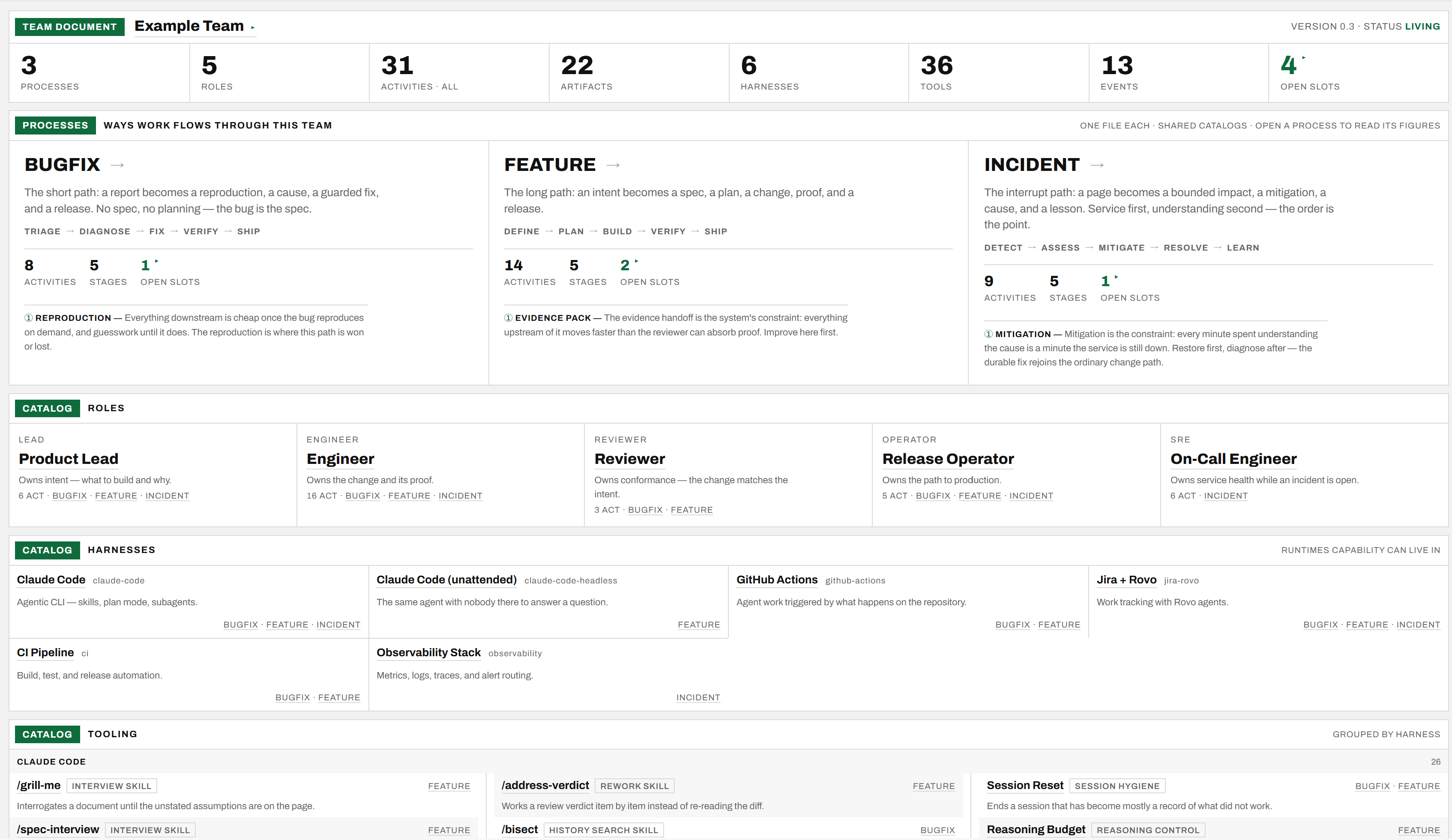
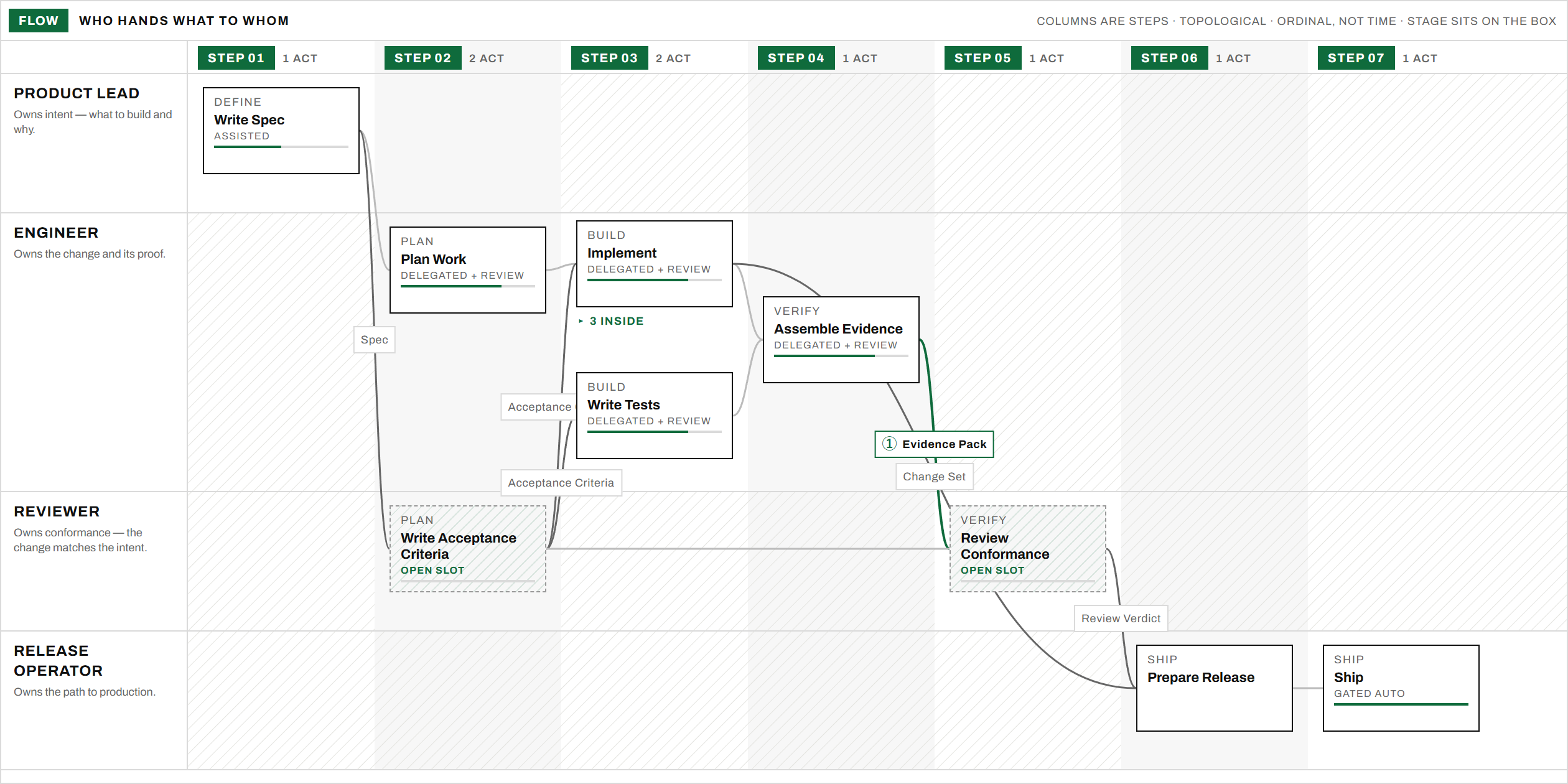
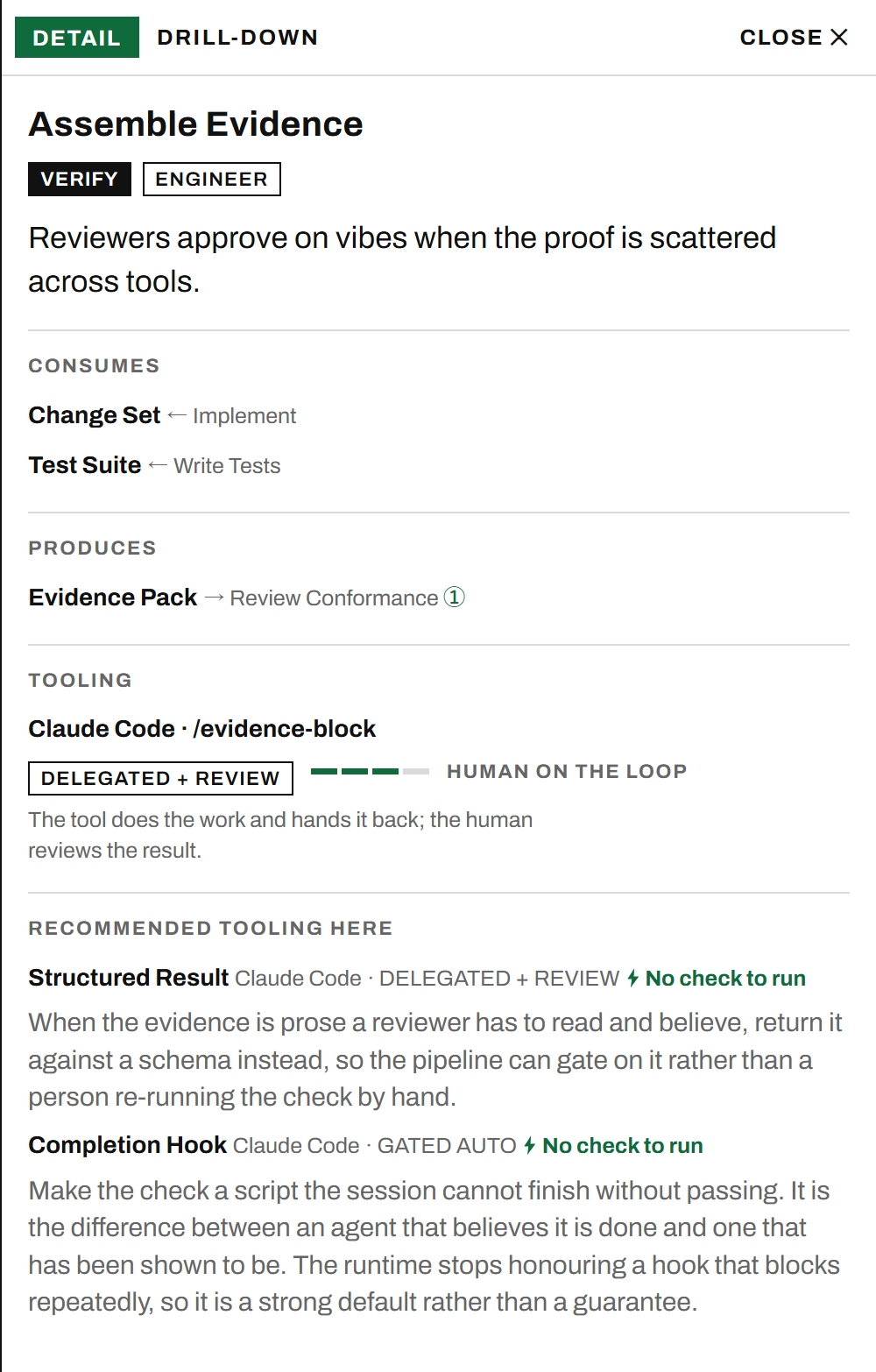
Write in YAML how your team delivers changes and where AI is utilized — activities, roles, artifacts, stages, tool fills, and the gaps the team has declared. ai-sdlc renders it into an interactive document: a flow swimlane, a stage×role grid, and a drill-down panel behind every box.
- Written down at all
- Most delivery processes live in habit, in tickets, and in whoever has been here longest. This one is a file in the repo — readable by the team, and by their agents.
- Gaps stay visible
- What nobody has solved yet renders as a dashed open slot rather than quietly disappearing. The declared gaps are the roadmap.
- One file, shareable
-
ai-sdlc exportfolds the whole document into a single HTML file that opens from disk with every interaction intact.
A team folder
A team.yaml says who the team is and lists its roles; each catalog every process shares —
artifacts, harnesses, tools, events — is a file of its own beside it. Each file under
processes/ is one way work flows through the team, and its file name is the process id.
Nothing else is authored. Ordering is a topological sort of the artifact edges; a handoff exists because one activity produces what another consumes.
acme/
  team.yaml       who the team is, and its roles
  artifacts.yaml  one shelf per file — harnesses, tools, events beside it
  processes/
    feature.yaml  stages, activities, tooling fills
    bugfix.yaml   same team, same catalogs
An activity
Who does what, at which stage, consuming and producing which artifacts — and the capability attached to it, at a stated rung of the delegation ladder.
- id: write-spec
  name: Write Spec
  stage: define
  roles: [lead]
  produces: [spec]
  why: Work without a written intent
       gets re-litigated at review time.
  tooling:
    tool: spec-interview
level: assistedFilled
Capability attached to work, at a stated rung of the ladder. The bar under the name says how far the team has actually delegated — not how modern the tool is.
Open slot
A gap the team has declared, plus what would fill it. It draws dashed and it is counted on the masthead, so a document is honest about its own holes.
Unclaimed
Work the team does itself and has asked for nothing on. It draws plain — and is not a gap. Not every activity wants a tool.
Render a team
serve is the mapping-session surface: editor and browser side by side, the page redrawing as
the team's sentences become YAML.
git clone https://github.com/NikiforovAll/ai-sdlc
cd ai-sdlc && npm install && npm link

# 1. a skeleton team folder
ai-sdlc new ~/teams/acme --name "Acme"

# 2. render it, and leave it running
ai-sdlc serve ~/teams/acme

# 3. edit the YAML — the page hot-reloads
Let an agent conduct the interview
The mapping-session skill translates a team's own words into the model, so
nobody has to learn the schema before speaking.
npx skills add NikiforovAll/ai-sdlc

# then, in Claude Code:
/ai-sdlc:mapping-session ~/teams/acme| Command | What it does |
|---|---|
ai-sdlc new <dir> |
Write a skeleton team folder — the smallest document the schema accepts and the renderer draws |
ai-sdlc serve <dir> |
Dev server with hot reload on YAML edits — the mapping-session surface |
ai-sdlc export <dir> |
One self-contained HTML file that opens from disk — no server, no assets |
ai-sdlc check <dir> |
Validate the YAML against the schema. Exits non-zero on problems |
ai-sdlc status <dir> |
Inventory how complete the document is. Always exits 0 |
ai-sdlc example |
Serve the worked example that ships with the package, or copy it to edit |