GitHub Copilot Best Practices

A guide to effective development patterns and techniques using GitHub Copilot.

1. Planning & Problem Solving

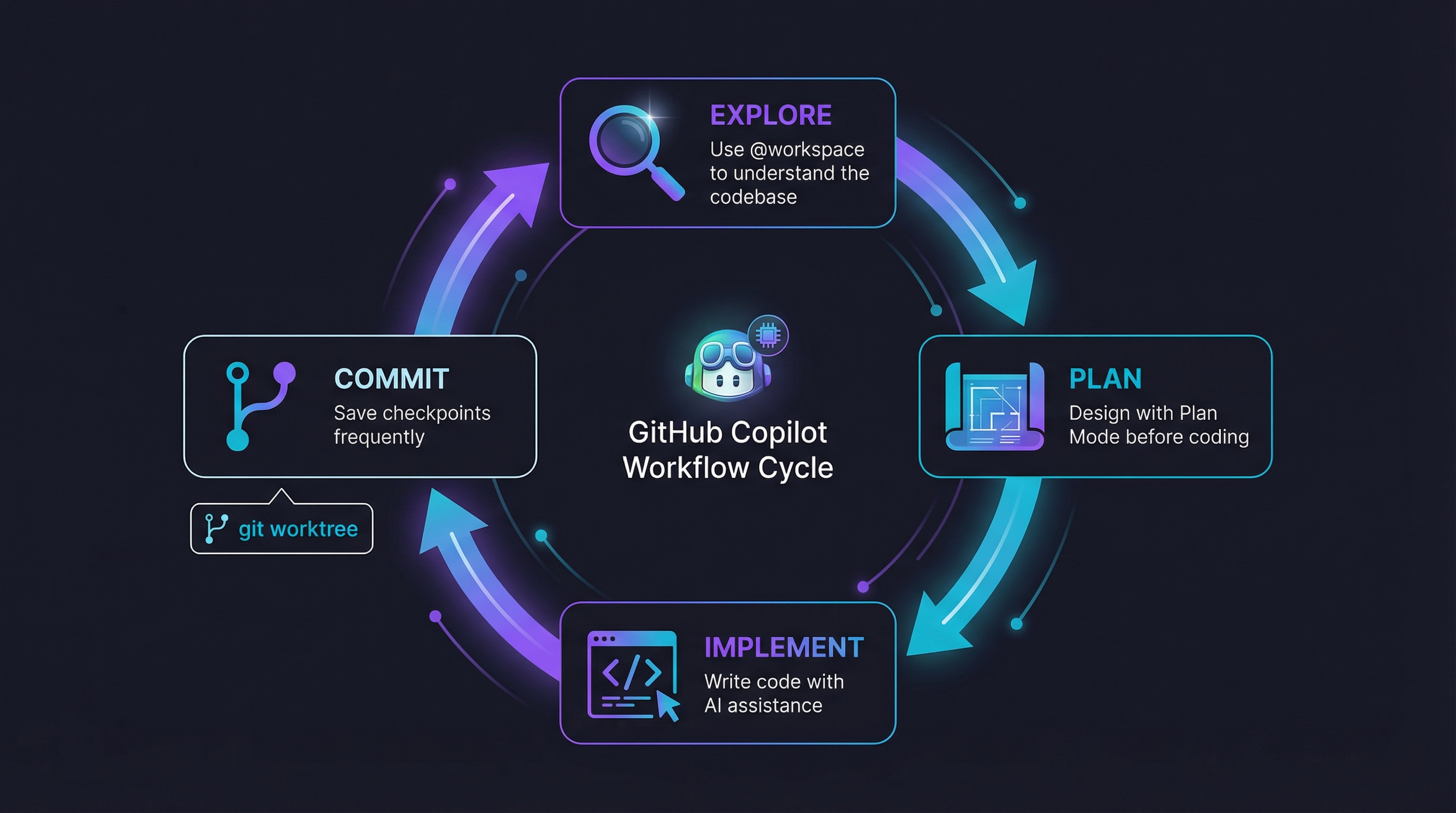
1.1. Explore → Plan → Code → Commit

  • Research and understand the problem space using @workspace to explore the codebase
  • Create a detailed implementation plan using Copilot's Plan Mode
  • Write the code following the plan
  • Commit with descriptive messages

When to use: New features, bug fixes, refactoring tasks. This is your daily driver for structured development.

💡 Use commits as checkpoints, commit frequently. Consider using a commit message prompt to standardize commit messages.

💡 Use git worktree for parallel development

1.2. Spec-Driven Development

  • Create a Product Requirements Document (PRD) based on user input
  • Generate tasks from the PRD
  • Track and manage task progress

Consider using spec-kit for structured spec-driven development workflows.

When to use: Greenfield projects, PoC development, pet projects

💡 This methodology works best with clear requirements. Be prepared to iterate and refine - feel free to discard approaches that don't work well.

1.3. Brainstorming & Ideation

  • Ask Copilot to brainstorm multiple approaches and iterate on ideas
  • Use generated ideas as grounding context for subsequent prompts
  • Build on previous suggestions rather than starting from scratch

When to use: Early stages of feature design, architectural decisions, or when stuck on a problem.

💡 Be very direct and explicit with the way you want to interact. E.g.: "give me 3 results and compare pros and cons for each result using markdown tables"

💡 For common tasks, you can create reusable prompts to describe your problem-solving approach. See pros-and-cons for an example.

2. Context Engineering

2.1. Context Grounding

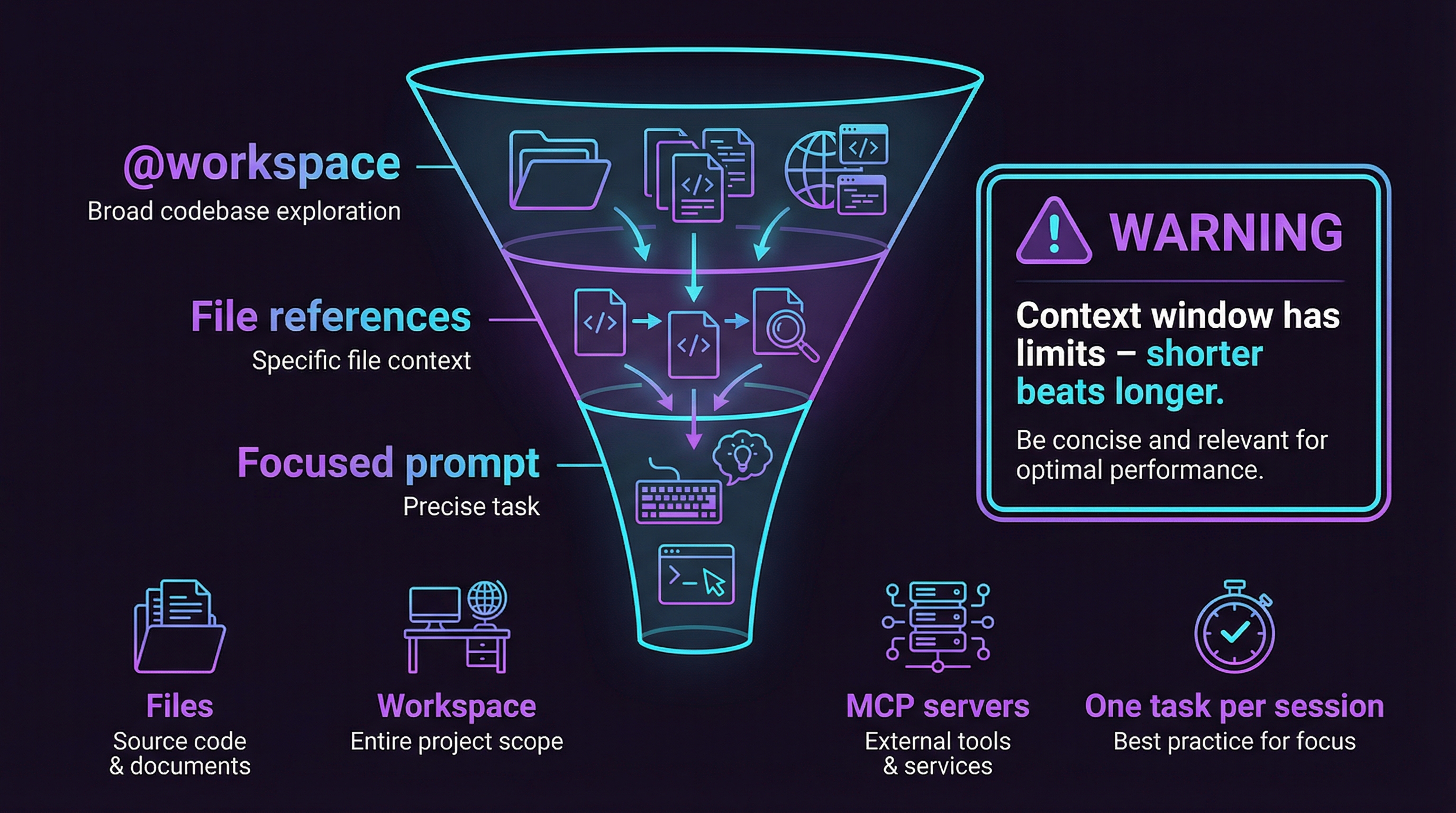
  • Provide relevant files and examples using #file: references
  • Perform prior codebase/feature exploration with @workspace and ask Copilot to focus on relevant parts
  • Use web search and MCP servers to gather additional context and information

💡 Hint Copilot in the right direction. E.g.: "Hint: you might want to check relevant tests for this functionality"

💡 Use MCP servers for latest/authoritative information. E.g.: (Microsoft Docs MCP, Context7)

2.2. Project Memory

GitHub Copilot uses instruction files for project-wide context:

Repository-level: .github/copilot-instructions.md

  • Purpose: Team-shared context and project knowledge
  • Content: Architecture decisions, design patterns, coding standards
  • Best practice: Keep it concise but comprehensive and high-level

IDE-level: .github/instructions/*.instructions.md

  • Purpose: Development environment specific guidance
  • Content: Testing conventions, coding style, editor-specific workflows
  • Examples: coding-guidelines, testing-xunit

Agent coordination: AGENTS.md

  • Purpose: Multi-agent orchestration guidelines
  • Content: Agent responsibilities, coordination patterns, task delegation

2.3. Session Management

  • Start new chat session - Reset conversation context when switching to a different task
  • Context Control: Keep conversations focused on a single topic or feature
  • Manual context management: Use #file: to include specific files, @workspace for broader context

💡 Be aware of context limits and how they may impact response quality. It is better to keep your context short and focused.

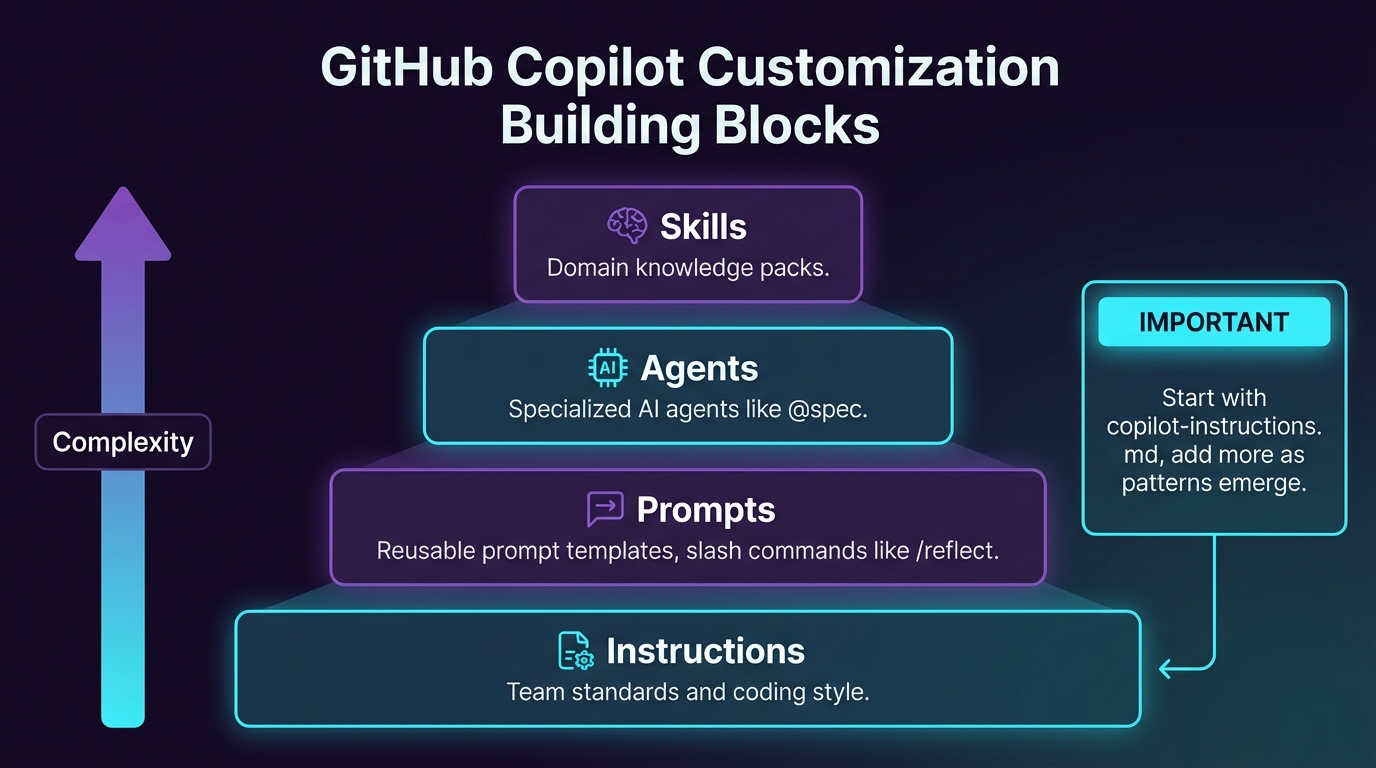
3. Customization Overview

GitHub Copilot can be customized through several mechanisms:

3.1. Instructions

Instructions provide persistent context that shapes Copilot's behavior.

LocationScopePurpose
.github/copilot-instructions.mdRepositoryTeam-shared project standards
.github/instructions/*.instructions.mdIDEDevelopment environment guidance
AGENTS.mdRepositoryMulti-agent coordination

Examples in this repo:

3.2. Prompts

Prompts are reusable templates for common tasks.

LocationScope
.github/prompts/*.prompt.mdRepository-wide prompts

Examples in this repo:

3.3. Agents

Agents extend Copilot with specialized capabilities for complex multi-step tasks.

Location: .github/agents/*.agent.md

Examples in this repo:

  • debug - Debugging assistance
  • research - Research and exploration
  • differ - Git branch diff analysis

3.4. Skills

Skills are reusable, composable capabilities with specialized knowledge.

Location: .github/skills/<skill-name>/SKILL.md

Examples in this repo:

Skills can define:

  • Specialized knowledge and workflows
  • Tool permissions via allowed-tools
  • Reference files for progressive disclosure

4. Tips for Success

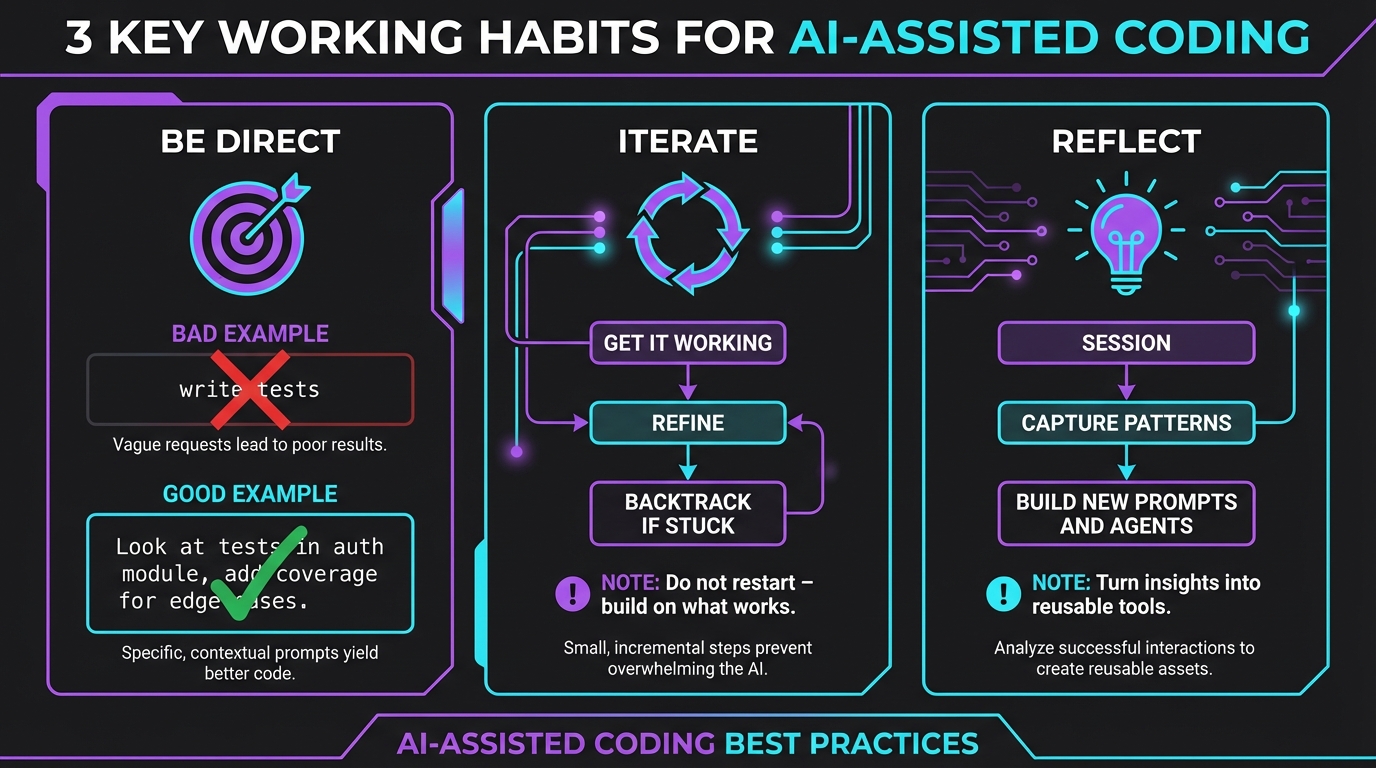
4.1. Communication

  • Be specific about requirements and constraints
  • Provide context about your development environment
  • Ask for explanations when solutions aren't clear

4.2. Iteration

  • Start with working solutions, then optimize
  • Use feedback loops to refine approaches
  • Don't hesitate to backtrack and try different methods

4.3. Learning

  • Experiment with different prompt styles
  • Learn from Copilot's reasoning and explanations
  • Build a personal knowledge base of effective patterns

Resources