pi-kanban user guide
A walkthrough of the dashboard and /kanban commands. For installation, see the README. For plugging your own planning flow or themes in, see Extensibility.
Slash commands
Run from inside pi:
Global commands
| Command | What it does |
|---|---|
/kanban start | Start the local server (port 3460) in the background |
/kanban stop | Stop the running server |
/kanban restart | Restart the server (picks up theme/config changes) |
/kanban status | Show whether the server is running |
/kanban open web | Open the dashboard in the default browser |
/kanban open app | Open in a standalone PWA window (if installed) |
Session commands
All session commands default to the current session when [<id>] is omitted.
| Command | What it does |
|---|---|
/kanban session open [<id>] | Open/focus a session in the dashboard |
/kanban session pin [<id>] | Pin a session |
/kanban session sticky-pin [<id>] | Sticky-pin a session |
/kanban session unpin [<id>] | Remove a pin |
/kanban session view-doc <path> [<id>] | Render a markdown file in the dashboard preview pane |
/kanban session link-doc <path> [<id>] | Add a document link to a session |
Layout
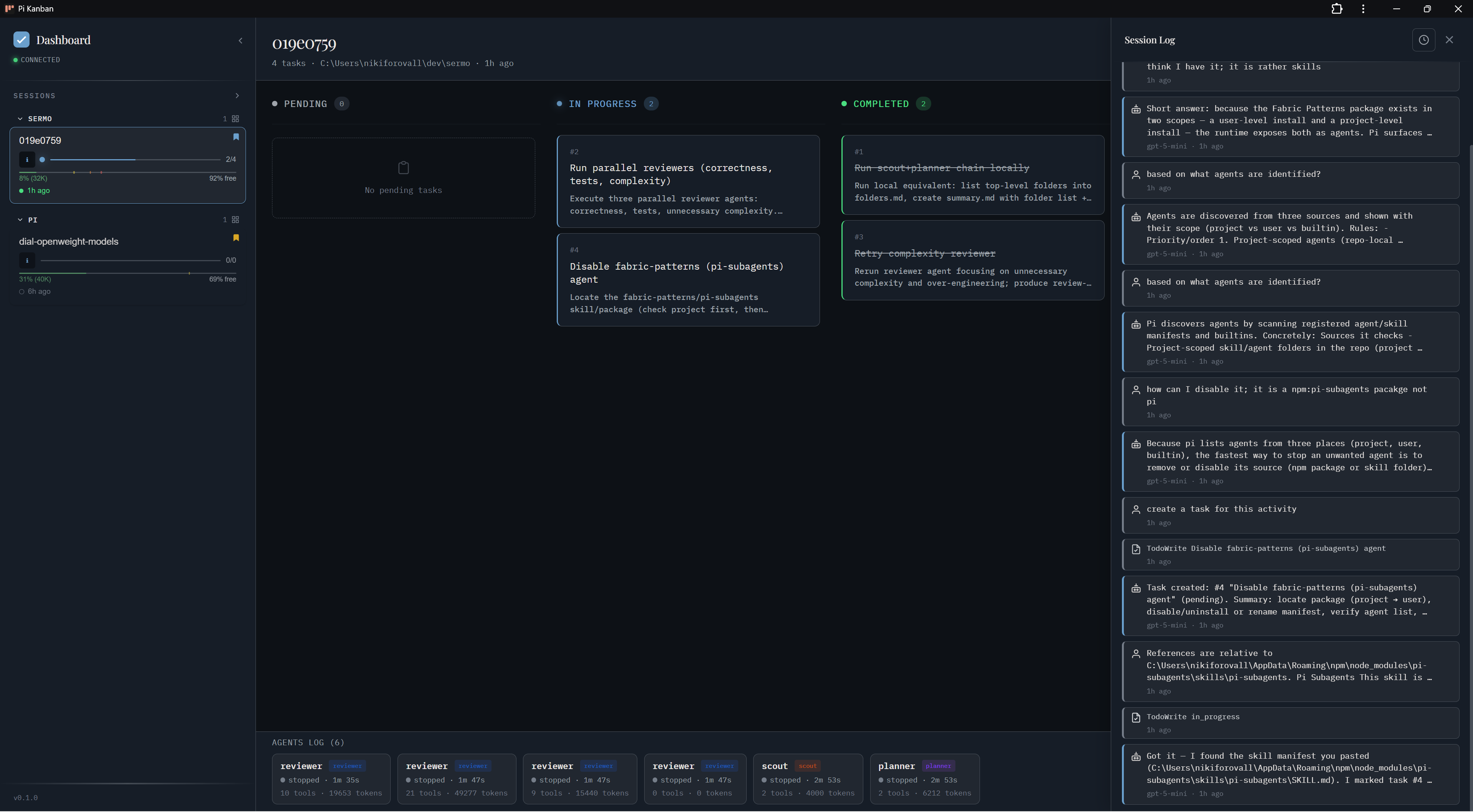
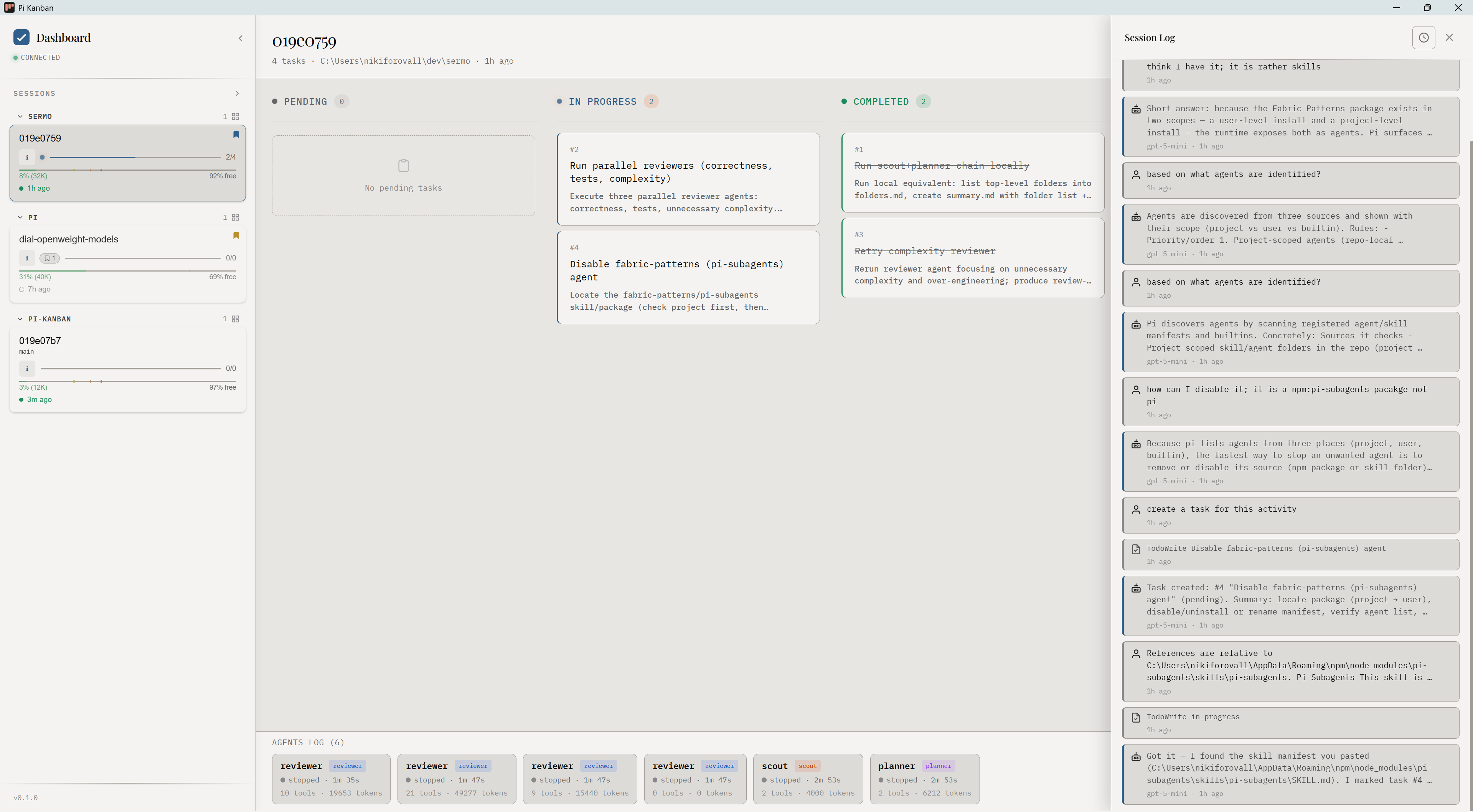
- Left sidebar — session list grouped by project. Each row shows progress, age, pin state.
- Center — kanban board (Pending / In Progress / Completed) for the selected session, populated from
@juicesharp/rpiv-todo. - Right — Session Log: all messages, tool calls, subagent activity. Auto-scrolls; click a message to expand.
- Bottom strip — recent subagent runs across sessions.
Sessions and projects
pi-kanban reads ~/.pi/agent/sessions/<encoded-cwd>/<timestamp>_<id>.jsonl and groups sessions by their working directory.
Subagents
When pi-subagents spawns a child session, pi-kanban nests it under its parent and renders the agent's lifecycle (start, tool use, completion) inline.
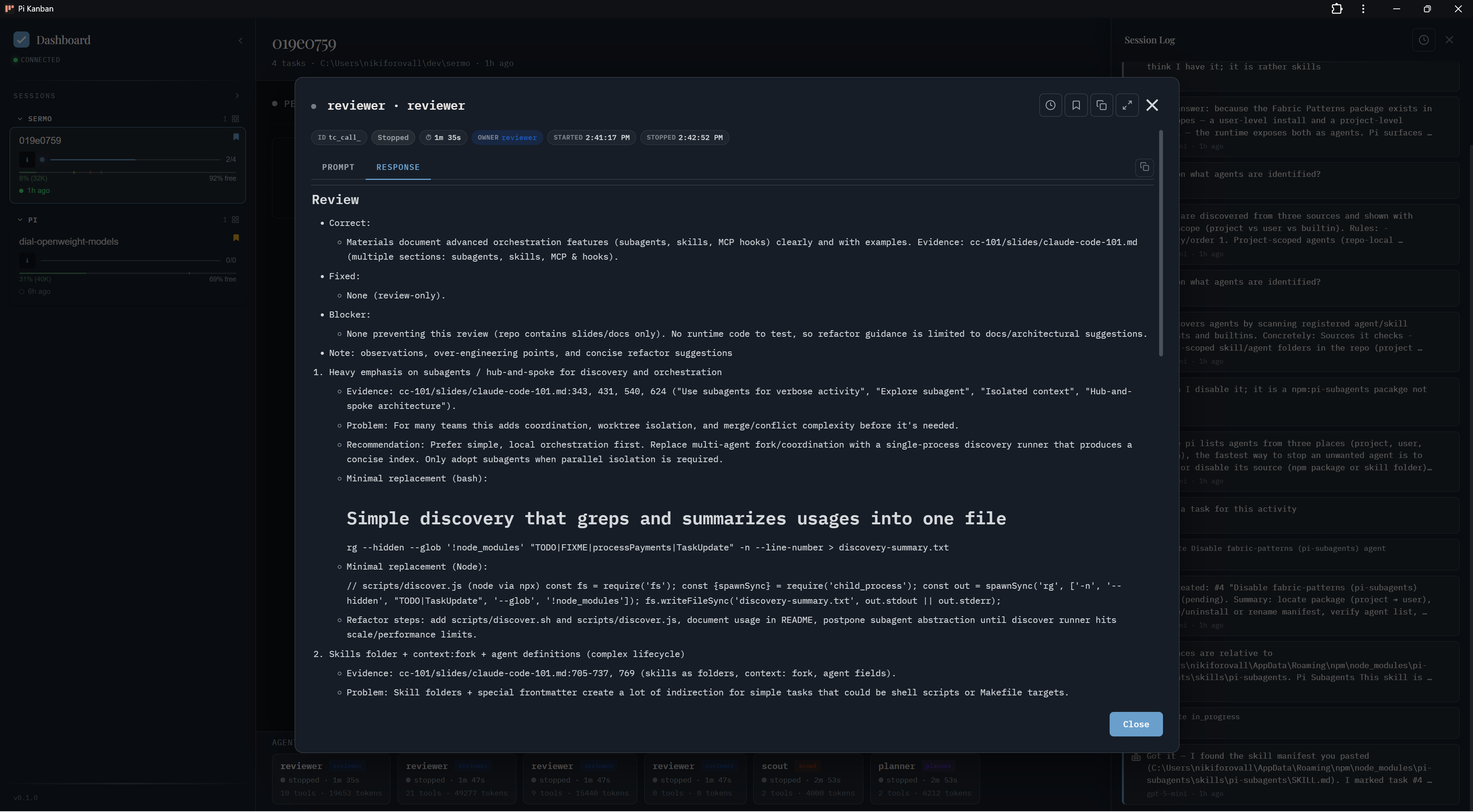
Session info
Click the info icon on any session for full metadata: model, token usage, cache hit rate, cost, duration, paths.
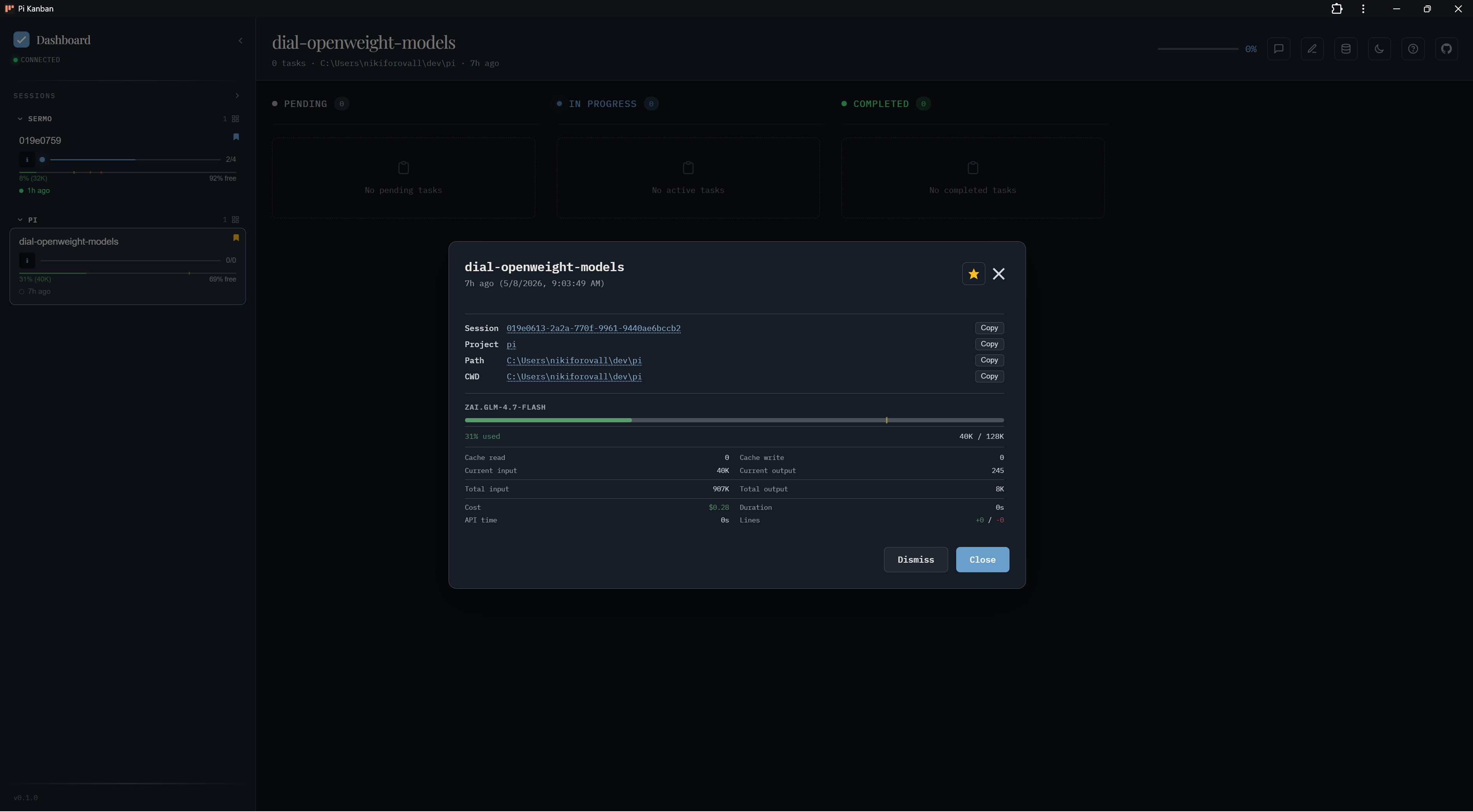
Storage manager
The Storage Manager (toolbar icon) lists sessions, scratchpads, and linked docs with size accounting. Use it to clean orphaned docs or unlink stale references.
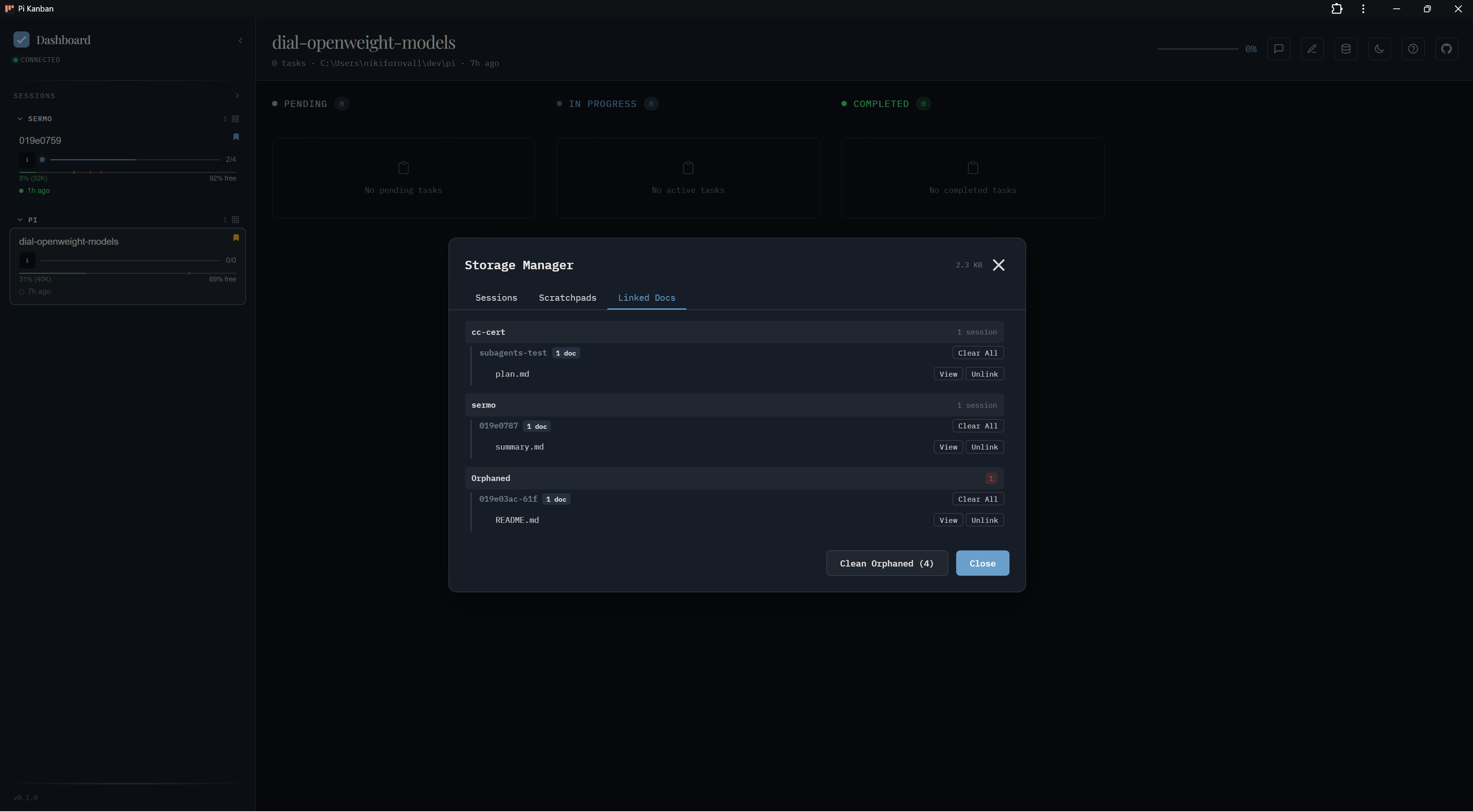
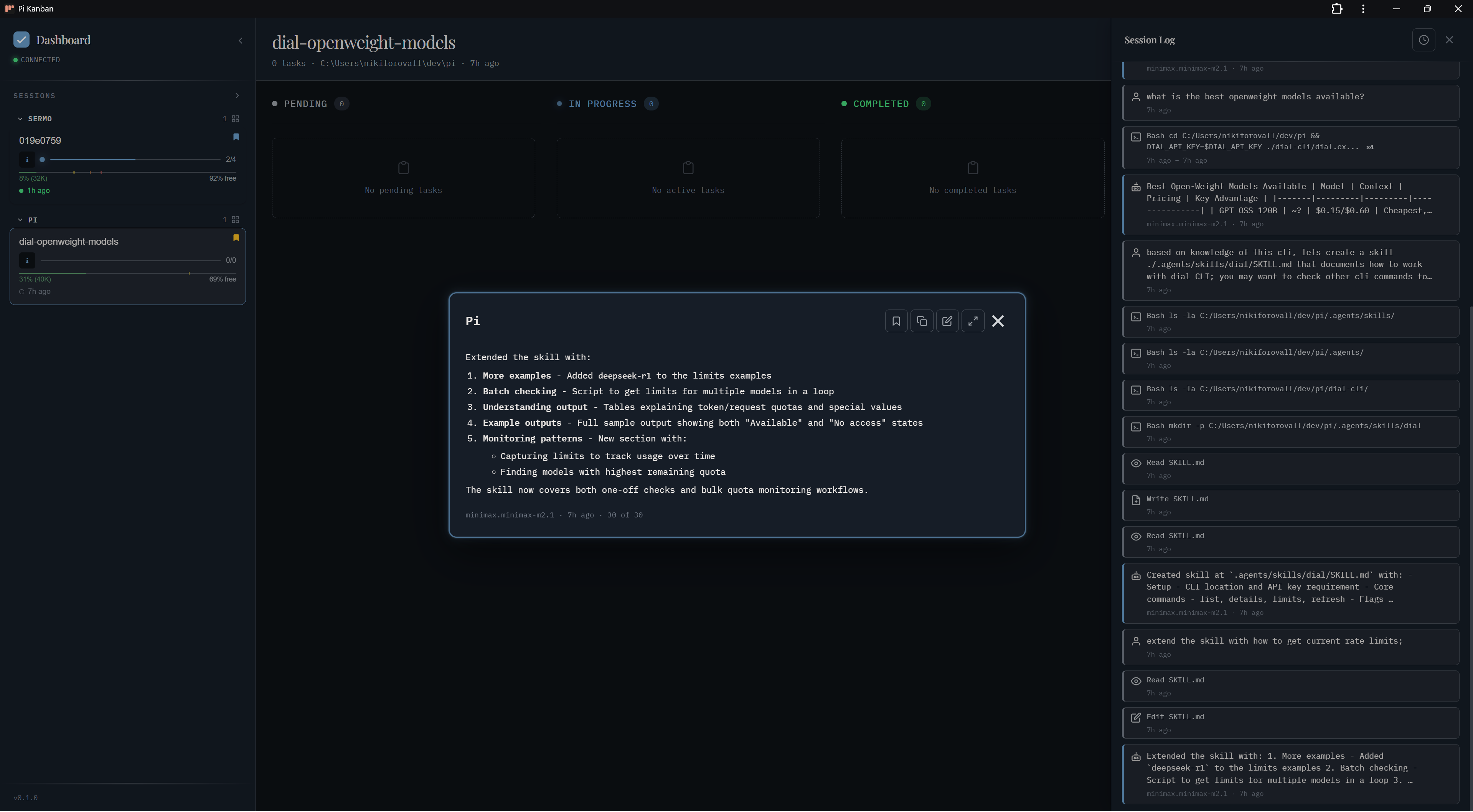
Follow last message
Pop out the latest assistant message in a floating window — useful for monitoring long-running runs while you work elsewhere.
Light mode
The dark/light toggle switches between the two themes configured in settings. See Theming.
Keyboard shortcuts
Press ? in the dashboard for the full list. Common ones:
j/k— next / previous sessiong— jump to top/— focus filtert— toggle dark/lightEsc— close modal / clear selection