
Review mode
Claude reads the diff and posts its findings as comment threads on the exact lines. It reads like a pull request review, without the pull request.
A two-way code review between you and Claude Code, inside VS Code. Claude posts its review of a diff as comment threads on the lines. You answer, add your own, and submit. Claude works through every thread, edits the code, and replies in place.
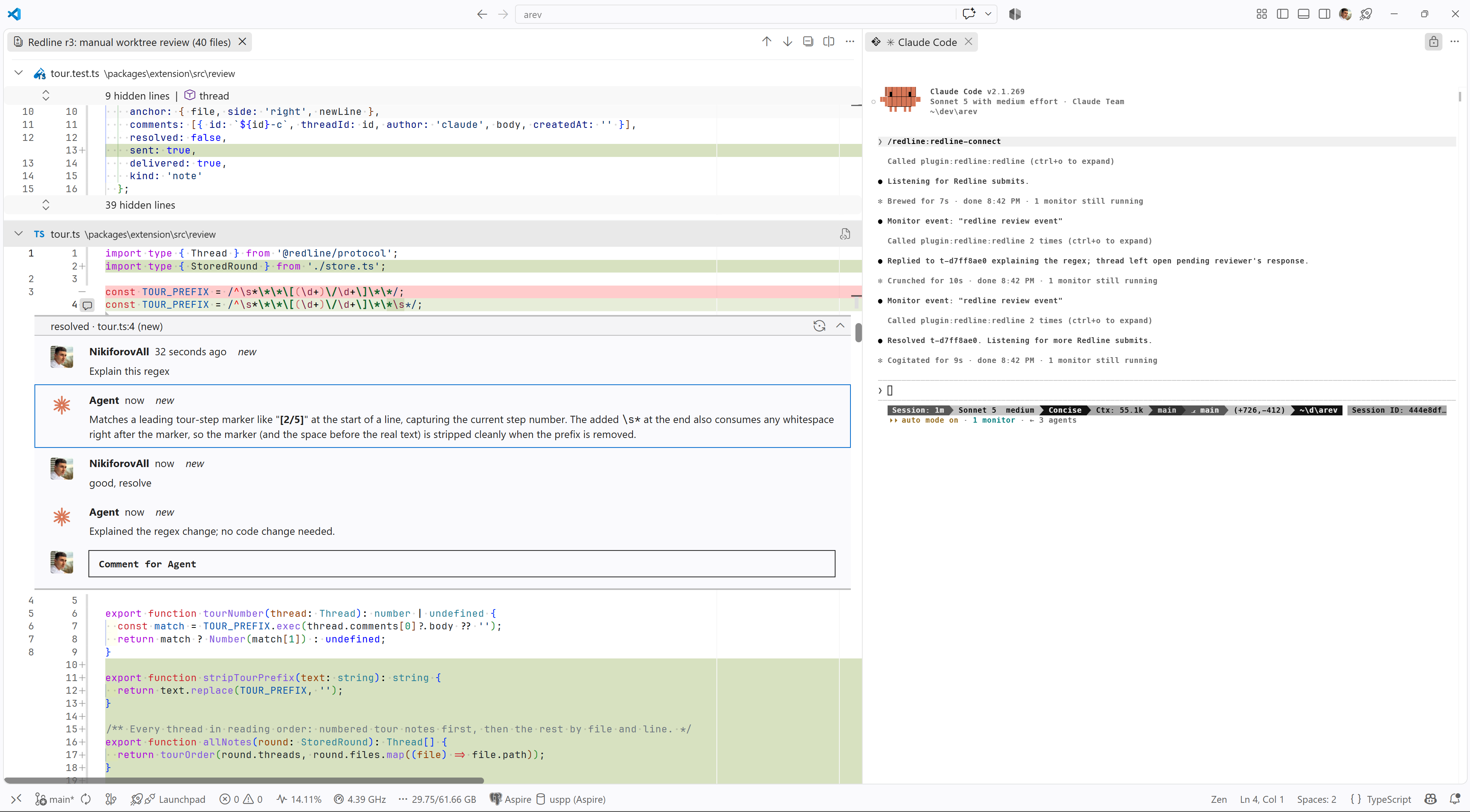
Review. Ask Claude to review a diff, then type /redline:redline-annotate. The findings land as threads on the lines they are about. You answer each one, add your own, and submit. Claude fixes what you agreed on and replies where you asked a question.
A code review becomes a round: /redline:redline-annotate posts the findings, a reply wakes the session, and the fix lands in the thread.
Tour. After Claude makes a change, type /redline:redline-tour. Claude picks the parts of the diff you need to understand and posts a numbered note on each, in reading order rather than file order. Ctrl+Alt+] steps to the next stop. It is the fastest way to catch up on a change you did not write, and every stop is a thread you can question.
Redline has two halves. A VS Code extension renders review rounds and collects your comment threads. A Claude Code plugin adds an MCP server that finds the VS Code window with the same folder open, posts a round, and hands your comments back when you submit. The plugin also adds the skills that open a round and reconnect to one.
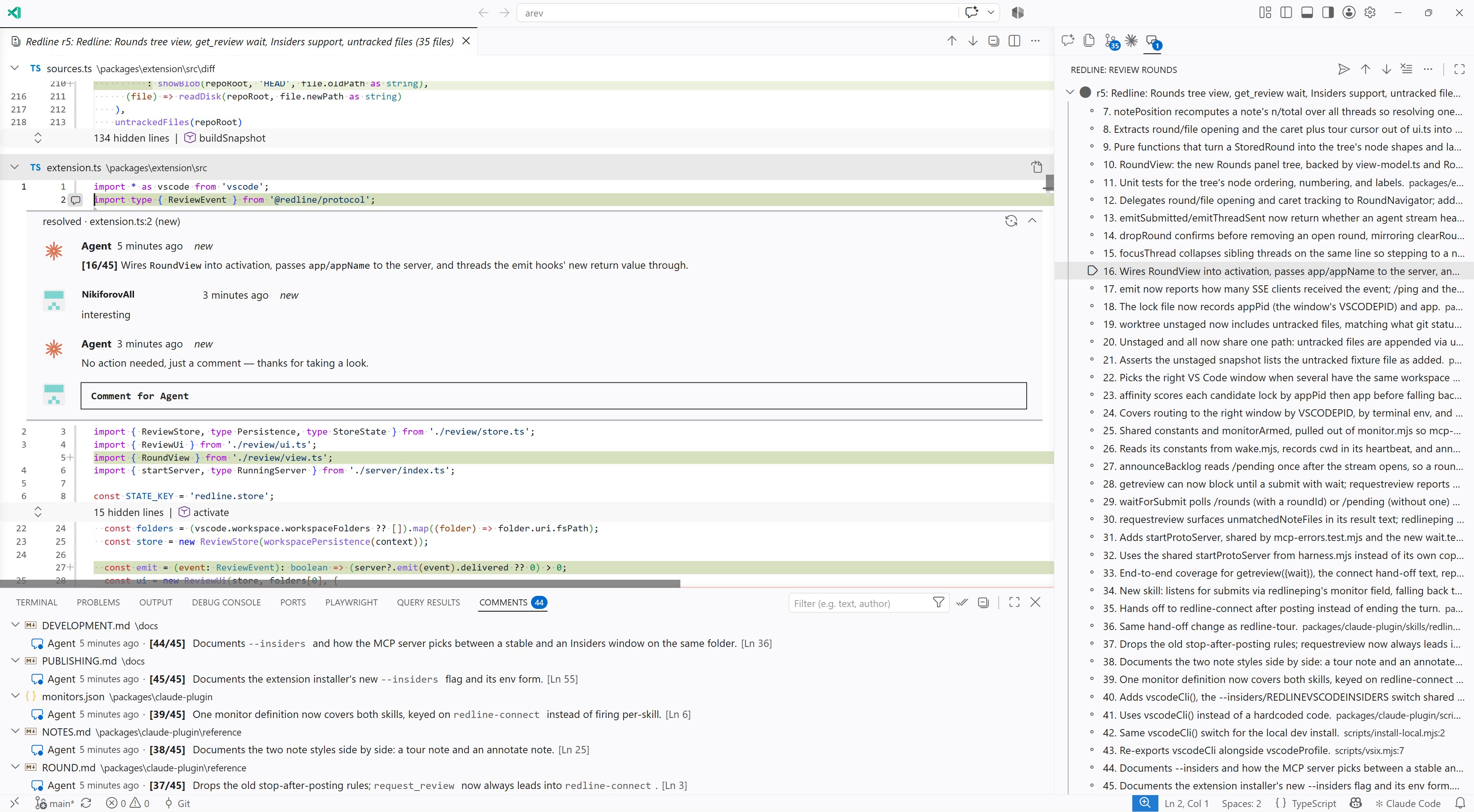
After a submit: every thread carries Claude's answer, resolved threads collapse, and the round stays open for the next pass.
Search for Claude Code Redline in the VS Code Extensions view, or run code --install-extension nikiforovall.redline-extension. The extension opens a Get started with Redline walkthrough whose first step installs the Claude Code plugin with one button.
To install the plugin by hand, from Claude Code:
/plugin marketplace add nikiforovall/redline
/plugin install redline@redline
Then read the guide for one round end to end.