
TL;DR: claude-code-kanban is a real-time Kanban dashboard for Claude Code teams. Tasks flow through Pending → In Progress → Completed in your browser.
One command: npx claude-code-kanban.
Source code: github.com/NikiforovAll/claude-task-viewer
Why I built this
I was running a Claude Code team, a lead agent coordinating three specialists to implement an auth module. Around minute five I realized I had no idea what was happening. One agent was blocked, another had finished, the lead was assigning new work.
Claude Code has a built-in task list, but it’s limited. You see a flat list of tasks in the terminal. No visual grouping by status, no dependency graph, no way to track multiple agents at a glance. When you have four agents working in parallel, that’s not enough.
I wanted to glance at something and immediately know: what’s done, what’s stuck, what’s next. So I built a Kanban board that watches Claude Code’s task files and streams updates to a browser.
What it looks like
Three columns: Pending, In Progress, Completed. Each task card shows its assigned agent (color-coded), a short description, and which tasks it’s waiting on.
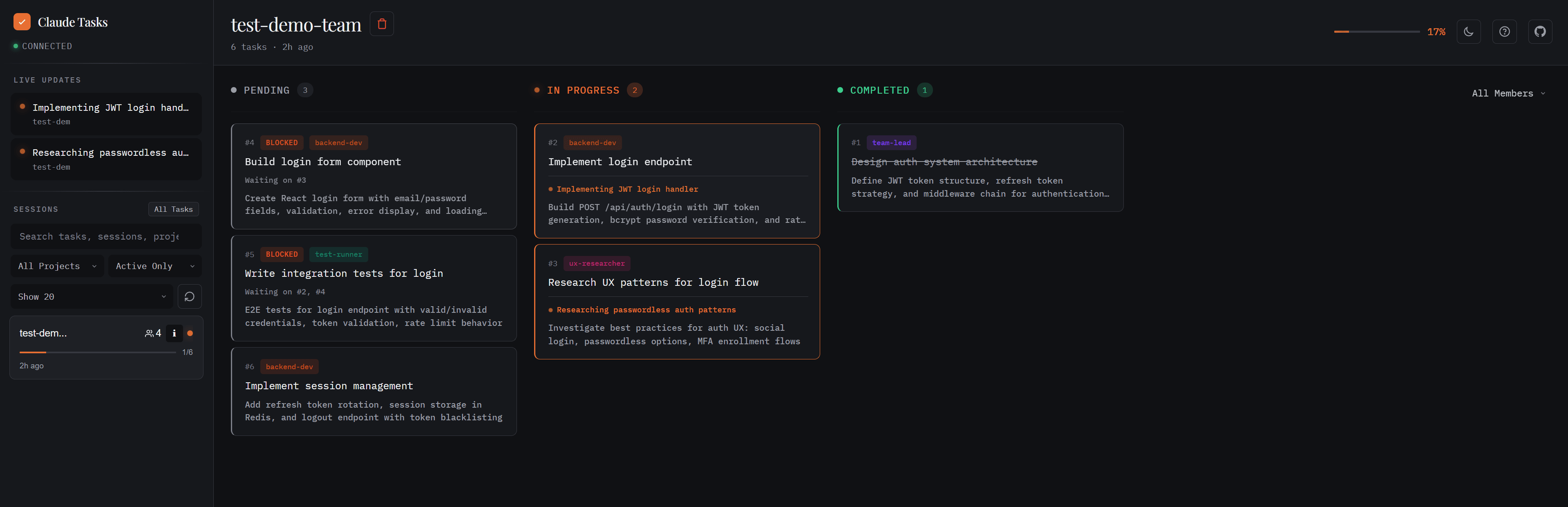
The sidebar lists sessions with progress bars. A live feed shows what agents are doing right now. You can filter by project, search by name, or toggle between active and all sessions.
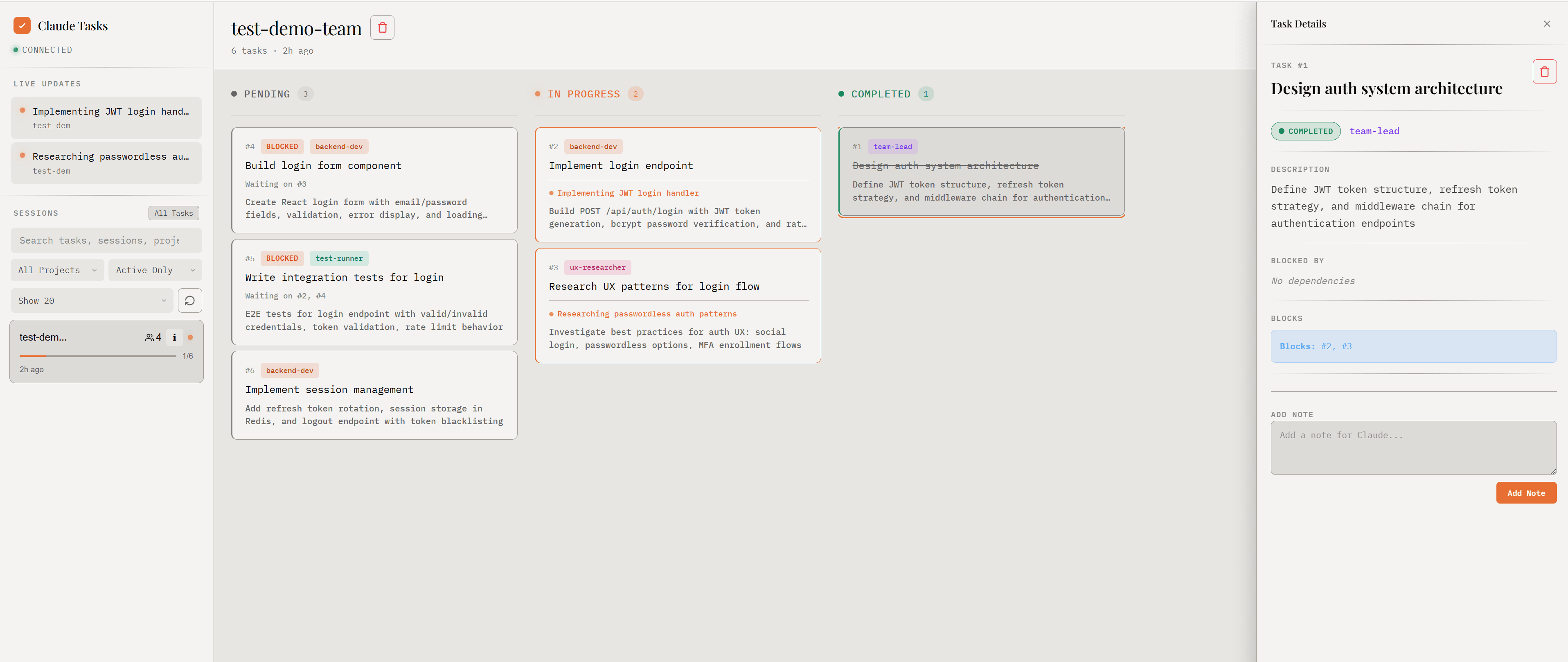
Clicking a task opens the detail panel: full description, dependencies, and a note field. The notes are readable by Claude too, so you can leave instructions mid-session.
What you actually get
The dashboard auto-detects team sessions. Each agent gets a consistent color across the board. You can filter by owner to isolate one agent’s work or see everything at once. Session cards show team member count and names.
Blocked tasks show “Waiting on #X, #Y” labels. If you try to delete a task that blocks others, the dashboard stops you and shows which tasks would break. This is how you find bottlenecks: three tasks all waiting on one means that’s your critical path.
Press P to view the session plan with syntax-highlighted code blocks. Press I for session info: team members, project path, git branch. I check these first when coming back to a session.
The whole thing is keyboard-driven. Arrow keys navigate tasks, Tab switches between sidebar and board, Enter opens details, Esc closes panels. ? shows all shortcuts.
Dark and light themes. The dark one has a “Terminal Luxe” aesthetic. Preference sticks across sessions.
Getting started
npx claude-code-kanban
That’s it. The server starts on port 3456 and opens your browser. Start a Claude Code session with teams and the dashboard picks it up automatically, no configuration needed.
What’s next
The tool is observation-only by design. Claude Code owns the task state and I want to keep that boundary clean. But the observation side has room to grow: timeline views, session comparison, maybe export for sharing with people who aren’t staring at the terminal.
References
- Topics:
- ai (30) ·
- productivity (15) ·
- claude (8) ·
- ai (38) ·
- agents (23) ·
- developer-tools (18) ·
- cli (12) ·
- coding-stories (6)
