Tasks move as Claude works
Pending, in progress, completed. The session log beside the board shows every prompt, reply, and tool call in order.
Start sessions in any project. Watch their tasks and subagents move across the columns. Answer the ones that stop to ask, and let one agent start new sessions for work it hands off.
npm install -g claude-code-kanbanThe 17 themes the app ships with, in light and dark. Pick one and the page follows.
Start a session, watch its tasks move to done, approve a prompt from the board, and open the file it wrote. 74 seconds, with sound.
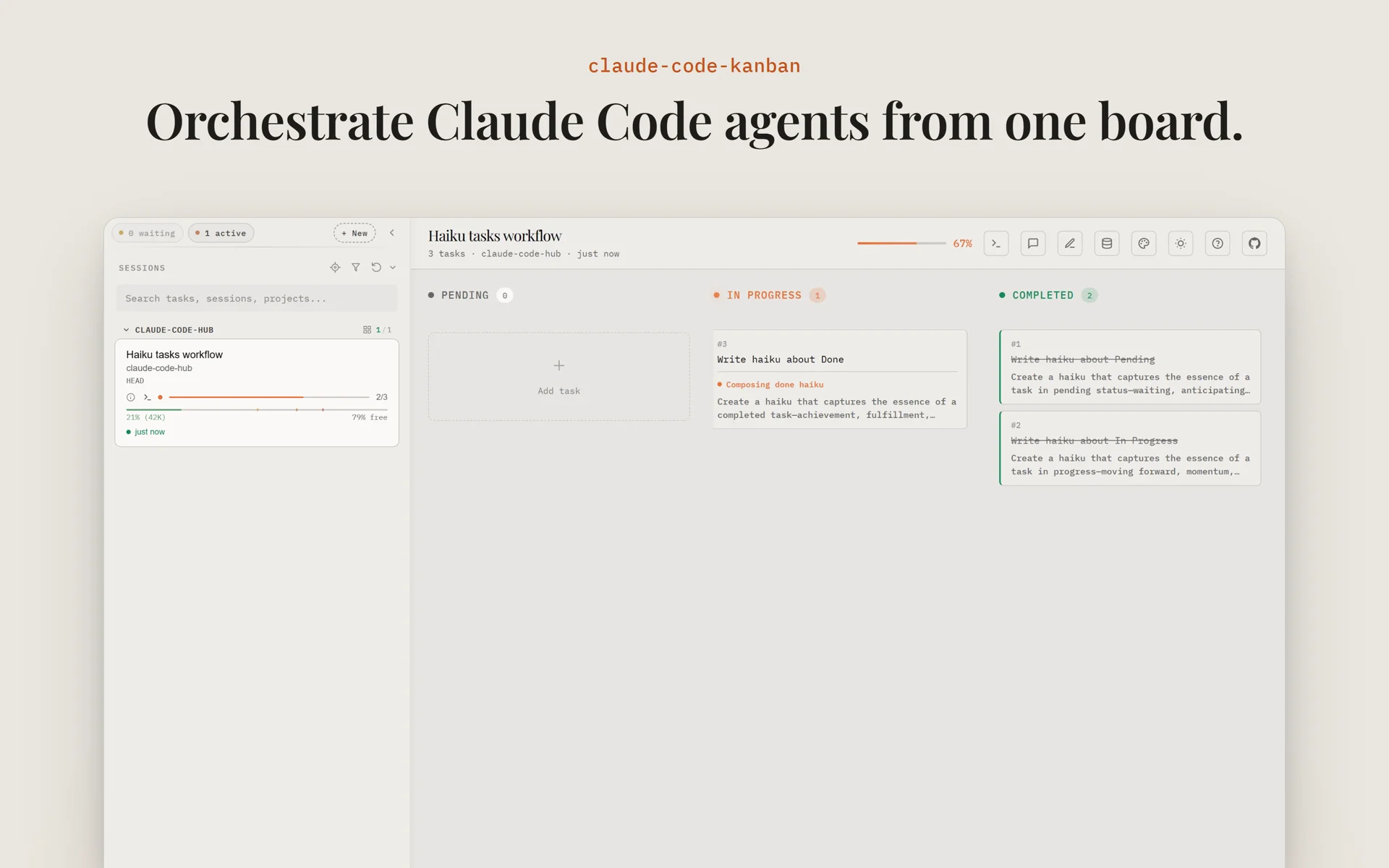
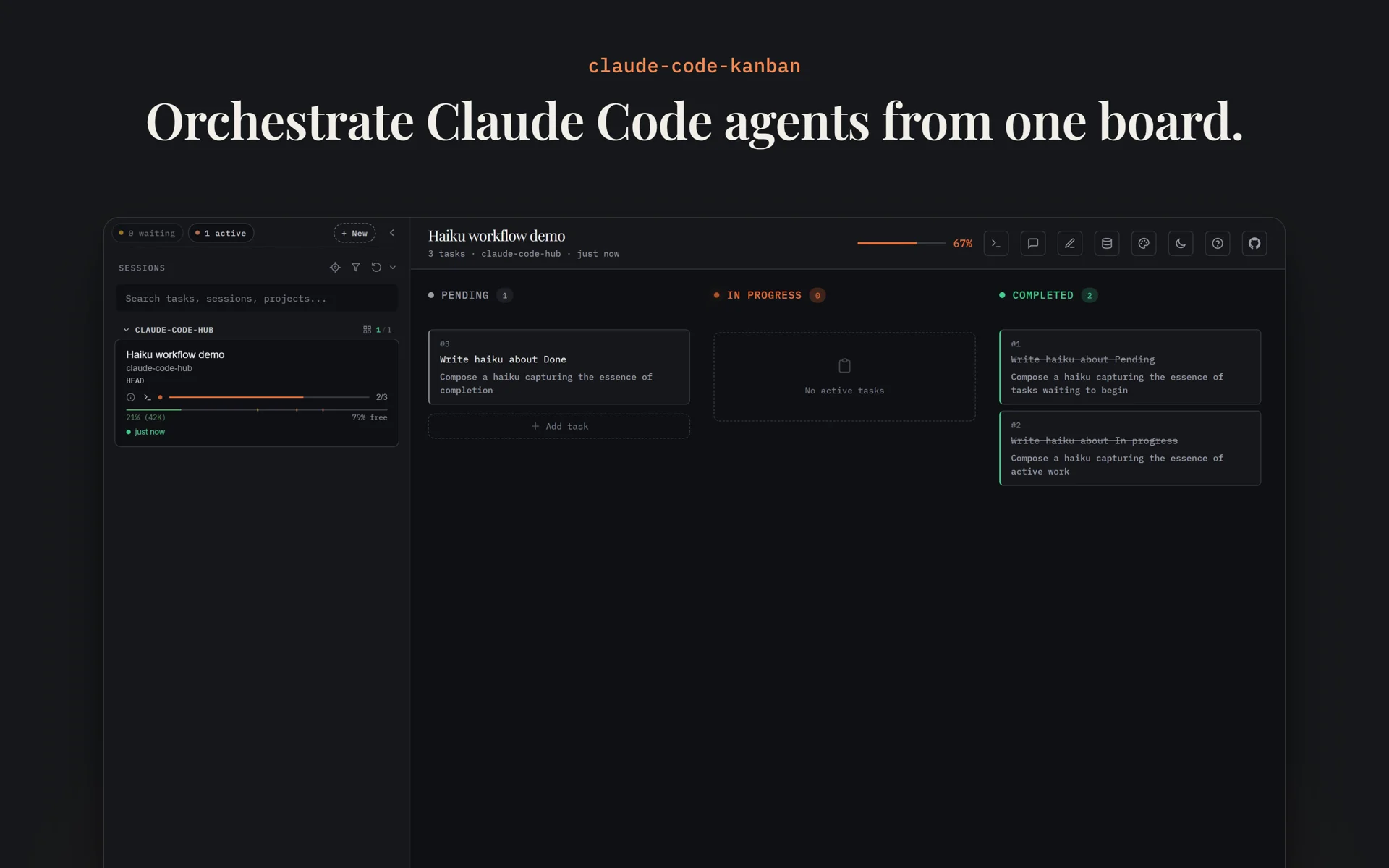
Claude Code writes task files and transcripts as it works. The board watches those files and pushes each change to your browser. Nothing to configure per project.
Pending, in progress, completed. The session log beside the board shows every prompt, reply, and tool call in order.
The agent log lists every subagent with its model, status, and run time. Open one to read its prompt and what it sent back.
The task panel shows what a task waits on and what it blocks. You can edit the title, description, and notes in place.
Pin a plan, a decision, or an error, and it stays above the log while the session moves on. Shift+M follows the newest message.
Each session shows its model, branch, context window use, and cost. Tool stats list which tools ran and which files changed.
Ctrl+Shift+Z switches to zen mode. The sidebar drops every other session and shows the one you are on, with its context use, cost, and linked files.
Watching is half of it. From the same board you can start sessions, answer prompts, and hand work to an agent.
The terminal is on by default in Claude Code Hub. On its own, start the board with --enable-terminal.
Open a real Claude Code terminal for any session. Ctrl+Alt+R resumes a past session. Ctrl+Alt+S goes back to the one before. Ctrl+Shift+Z hides everything but the terminal and a narrow sidebar.
Pick a folder, name the session, and add a worktree if you want one. Type the first prompt or say it out loud. Ctrl+Alt+N opens the dialog.
When Claude asks for permission or asks a question, the card shows Allow and Deny, or an answer form. The terminal prompt stays open, and the first answer wins.
Arrow keys move through tasks, Tab switches between the sidebar and the board, Ctrl+Alt+N starts a session, and Ctrl+` opens its terminal. Inside Claude Code Hub, Ctrl+Alt+Left and Ctrl+Alt+Right switch apps. Press ? for the full list.
Three skills let Claude Code use the board too. An agent can start sessions for the work it hands off, act on the cards you move, show or link a file, pin a session, and find an old one.
Step 2 of the setup below installs the skills with the hooks. Then type /dispatch and your task.
~/dev/shop
/dispatch fix the flaky checkout test in api/ and report back
Skill(dispatch)
Armed the dispatch inbox
Bash(claude-code-kanban skills get dispatch)
Write the spec, start, collect
The new session sees only the spec, so I write down the target, the change, the limits, and how to check it.
Write(spec.md)
Target:      api/test/checkout.test.js and the code it covers
Change:      make "applies the coupon" pass on every run
Constraints: keep the public API of api/checkout.js
Acceptance:  npm test -- checkout passes 10 times in a row
Report:      send the result to shop-main with SendMessage
Bash(claude-code-kanban dispatch start --cwd ~/dev/shop --spec-file spec.md --name fix-flaky-checkout --group checkout --json -- --permission-mode auto)
session 7c2e9b10
fix-flaky-checkout runs in the checkout group of your sidebar. I keep working, and its report comes back to this session.
Message from fix-flaky-checkout: The test raced the price cache. It now waits for the cache to load. No other test changed.
Bash(npm test -- checkout)
14 passed
I checked the report: the test passes, and the change is in api/test/checkout.test.js only.
~/dev/shop
/dispatch upgrade express to v5 in api, web and worker, one session each
Skill(dispatch)
Armed the dispatch inbox
Bash(claude-code-kanban skills get dispatch)
Write the spec, start, collect
The three packages are in one repo, so each session gets its own worktree. I start all three; each messages me when done.
Bash(claude-code-kanban dispatch start --cwd ~/dev/shop --spec-file api.md --name express5-api --group express-5 --worktree --json)
session 91ab03c4
Bash(claude-code-kanban dispatch start … --name express5-web …)
session 2c7f80e1
Bash(claude-code-kanban dispatch start … --name express5-worker …)
session e05d6b1f
Message from express5-api: done, tests pass in the worktree.
Message from express5-web: done, tests pass in the worktree.
Bash(claude-code-kanban session view e05d6b1f)
Busy; transcript path
Read(e05d6b1f….jsonl (last lines))
express5-worker is running its tests
api and web are done, and their tests pass in their worktrees. worker is still at work; its message will come here.
~/dev/shop
/claude-code-kanban:follow
I follow the board now. Move one of my cards and I act on it.
[kanban board] The user moved task 4 "Add a rate limit to /login" from pending to in_progress.
Read(api/routes/login.js)
Edit(api/routes/login.js)
+const limit = rateLimit({ windowMs: 60_000, max: 5 });
-router.post('/login', login);
+router.post('/login', limit, login);
TaskUpdate(4, completed)
The card moved to Completed
/login now allows 5 tries a minute. The card is in Completed.
~/dev/shop
/kanban doc preview _plans/rate-limit.md
Skill(kanban)
Board verbs for this session
Bash(claude-code-kanban help doc preview)
Flags and examples
Bash(claude-code-kanban doc preview _plans/rate-limit.md --session 3f8a0c52)
Opened in the preview
The plan is open in the preview on your board. To attach a file to this session with no modal, type /kanban doc link.
~/dev/shop
/kanban doc link the PR you just opened and the plan
Skill(kanban)
Board verbs for this session
Bash(gh pr view --json url)
github.com/acme/shop/pull/482
Bash(claude-code-kanban doc link https://github.com/acme/shop/pull/482)
Linked to the session
Bash(claude-code-kanban doc link _plans/rate-limit.md)
Linked to the session
Both are linked under this session in your sidebar, and nothing opened on your screen. The PR opens in a new tab, and the plan in the preview.
~/dev/shop
/kanban session pin --sticky
Skill(kanban)
Board verbs for this session
Bash(claude-code-kanban session pin 3f8a0c52 --sticky)
Pinned as sticky
This session now always shows, at the top of your sidebar. Type /kanban session pin --unpin to clear it.
~/dev/shop
/kanban search the session where we fixed the login redirect, and open it
Skill(kanban)
Board verbs for this session
Bash(claude-code-kanban session search "login redirect" --json)
2 sessions, with transcript paths
Read(9d41e7a0….jsonl)
The redirect fix and its tests, 3 days ago
Bash(claude-code-kanban session open 9d41e7a0)
Focused on the board
fix-login-redirect is the one: it changed api/routes/auth.js and added the redirect tests. It is open on your board.
Each session sits under its project by default. Ten sessions in three repos gets noisy, so make a group for the work that belongs together and fold the rest away.
npm install -g claude-code-kanbanRun it again to update.
claude-code-kanban --installThe hooks report subagents, waiting prompts, and live activity. The same plugin adds the board skills. Your existing settings stay as they are.
claude-code-kanban --openThen use Claude Code as usual. Tasks, agents, and messages appear on the board.