Run Claude Code in the hub
Kanban has a terminal next to its board. A session keeps running when you switch tools, switch sessions, or reload the page. Ctrl+` shows or hides it.
 Claude Code Hub
Run your sessions, watch your agents, and when a tool is missing, ask Claude to build it. One command installs it on your machine.
npm i -g claude-code-hub
The 17 themes the hub ships with, in light and dark. Pick one in any tool and all four follow. Pick one here and the page follows.
Go through the four tools, open the cost of one session from Kanban, and switch the theme. 37 seconds, with sound.
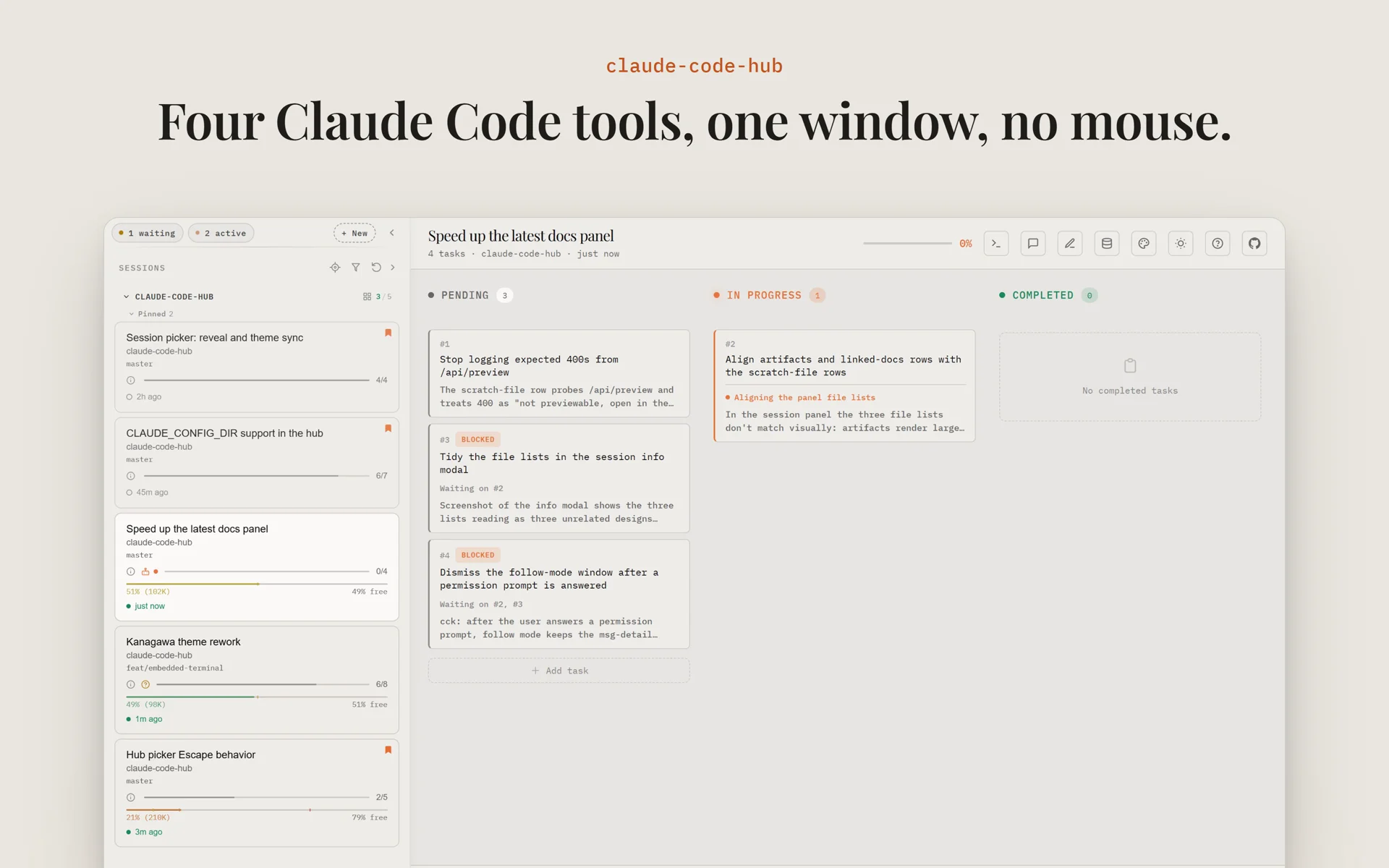
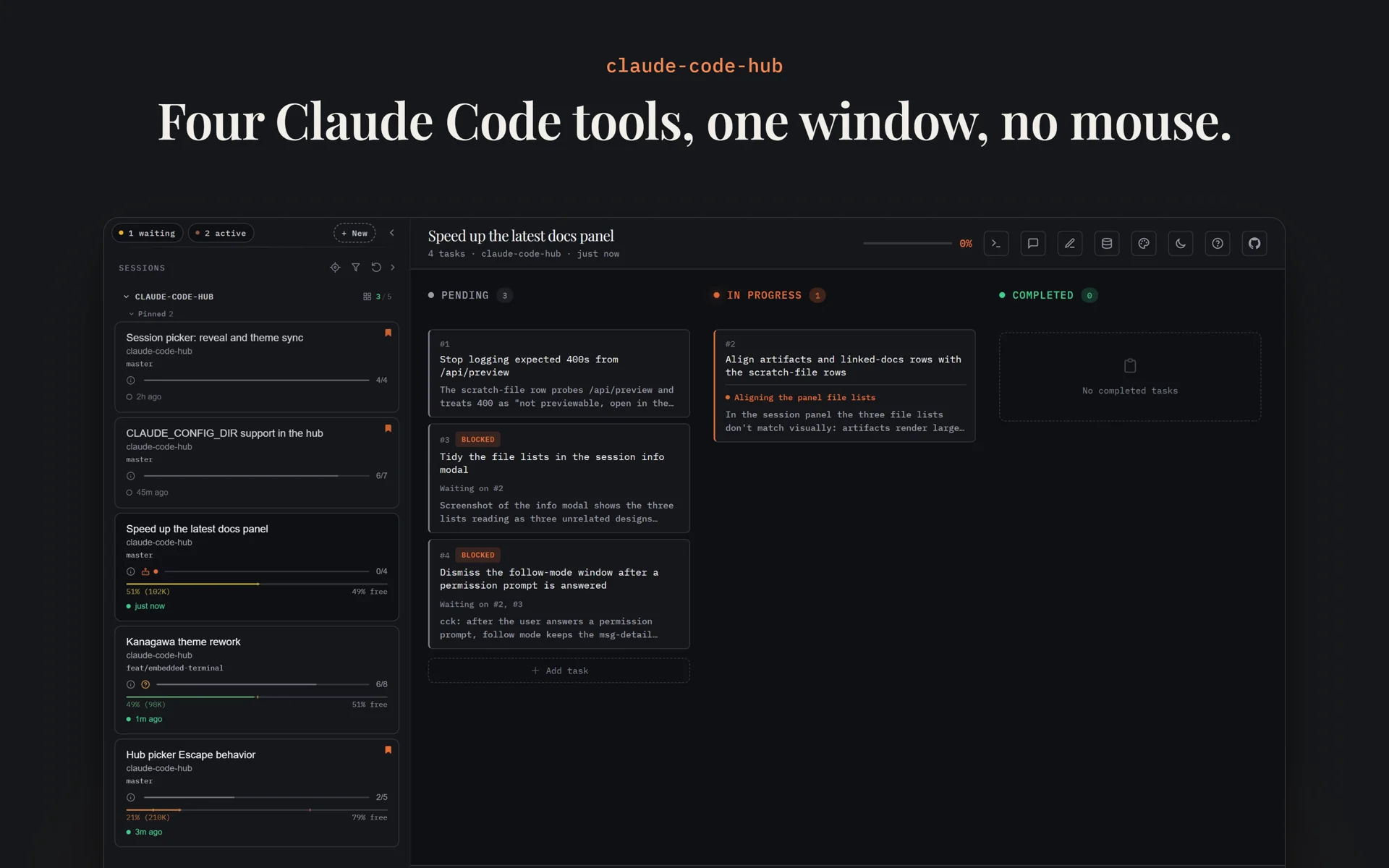
Kanban shows your tasks, your sessions, and what each agent does right now. Start Claude Code from the board and keep the session in the same window. Read the Kanban docs.
The live agent log, subagents, and waiting-for-you badges need Kanban's plugin, step 3 of the setup below.
Kanban has a terminal next to its board. A session keeps running when you switch tools, switch sessions, or reload the page. Ctrl+` shows or hides it.
Press Ctrl+Alt+N in Kanban, pick a folder, and type the first prompt. Claude Code starts in the terminal, in a new git worktree if you ask for one. Ctrl+Alt+R resumes a past session.
When a tool is missing, ask Claude Code to build it. The hub-builder skill knows how the hub runs its tools, so the agent picks a patch, a fork or a new app, and reads the docs page for it.
Step 4 of the setup below adds the skill. Then type /hub-builder and your request.
~/dev
/hub-builder make the session rows in Kanban's sidebar more compact
Skill(hub-builder)
Loaded the skill and its references
Read(references/extensibility.md)
Patch, fork or new app, and the apps entry
This changes a few lines in one tool, so a patch fits. I will make a wrapper project that pins claude-code-kanban to the version your hub runs and applies the change with patch-package.
Write(kanban-patched/patches/claude-code-kanban+7.17.0.patch)
-          <div class="session-info">
+          <span class="srow-dot ${state}"></span>
+          <div class="srow-line">
+            <span class="session-name">${name}</span>
+            <span class="srow-when">${when}</span>
+.session-item:has(> .srow-dot) {
+  padding: 9px 10px;
Edit(~/.claude-hub/config.json)
"apps": [
  { "id": "kanban-patched", "path": "C:/dev/kanban-patched" },
  { "id": "kanban", "enabled": false }
]Restart the hub. Its log shows "kanban-patched runs from C:\dev\kanban-patched", and Kanban opens with the compact rows.
~/dev
/hub-builder make a dark theme in deep sea blues, based on nord
Skill(hub-builder)
Loaded the skill and its references
Read(references/themes.md)
The theme file, the color roles, and the check
A theme that extends nord holds only the colors it changes. The hub sends it to every tab, so no tool needs a change.
Write(~/.claude-hub/themes.json)
[
  {
    "id": "deep-sea",
    "label": "Deep Sea",
    "extends": "nord",
    "dark": {
      "field": "#0b1220",
      "surface": "#111a2e",
      "ember": "#38bdf8",
      "emberGlow": "#7dd3fc"
    }
  }
]Reload the hub page. Deep Sea is in the theme picker of each tab, and picking it repaints all of them.
~/dev
/hub-builder give Kanban a new board page, and keep the old Kanban as a second tab
Skill(hub-builder)
Loaded the skill and its references
Read(references/extensibility.md)
Patch, fork or new app, and first wins
Fetch(nikiforovall.blog/claude-code-hub/extensibility/fork/)
A new page is more than a patch, so I will fork Kanban at the tag your hub runs. The server stays the same, and the new page reads the same API.
Bash(git clone --branch v7.17.0 github.com/NikiforovAll/claude-task-viewer kanban-fork)
kanban-fork/
├── hub-app.json     id "kanban-next", name "Task Board"
├── server.js        not changed
└── public/
    ├── index.html   the shell of the new page
    ├── board.js     the board
└── board.cssEdit(~/.claude-hub/config.json)
"apps": [
  { "id": "kanban-next", "path": "C:/dev/kanban-fork" },
  { "id": "kanban" }
]Restart the hub. The board is the first tab and the old Kanban the second, and both read the same sessions.
~/dev/session-notes
/hub-builder how do I write my own app that shows the session I pick in Kanban?
Skill(hub-builder)
Loaded the skill and its references
Read(references/extensibility.md)
The launch, the manifest, the SDK, and topics
Fetch(nikiforovall.blog/claude-code-hub/extensibility/new-app/)
Your app is a small Node server with a hub-app.json. The hub starts it, frames its page in a tab, and passes it the topics it asks for. Kanban publishes the session you pick as session.changed.
// server.js
if (process.env.HUB_SDK_SERVER) require(process.env.HUB_SDK_SERVER).mount(app);
app.listen(process.env.PORT, () => console.log(`running at http://localhost:${port}`));

// public/app.js
const hub = ClaudeHub.connect();
hub.subscribe('session.changed', (s) => showSession(s.sessionId, s.projectName));
Then add { "id": "session-notes", "path": "C:/dev/session-notes" } to the apps list and restart the hub. The app gets the next free Alt key.
~/dev
/hub-builder Kanban shows my sessions, but no live agent log
Skill(hub-builder)
Loaded the skill and its references
Fetch(nikiforovall.blog/claude-code-hub/reference/troubleshooting/)
Kanban shows no live agent activity
The Kanban hooks are not in the config dir the hub shows. Your hub is on ~/.claude-work, and the hooks are only in ~/.claude.
Bash(CLAUDE_CONFIG_DIR=~/.claude-work npx claude-code-kanban --install)
Hooks and status line installed
New sessions in ~/.claude-work now send their agent log, subagents and waiting-for-you badges to Kanban.
Each tool is its own npm package and works alone too. The hub starts all four, frames them in one page, and keeps their theme and project in step.
From a Kanban session, $ opens its cost, M the Marketplace for its project, and Ctrl+M its memory files.
Browse the plugins and skills from your marketplaces, see what is installed, and read a skill before you add it. Read the docs.
What your Claude Code usage costs, by day, by project, and by session, read from the transcripts on your disk. Read the docs.
Every CLAUDE.md, rule, and auto memory file that Claude Code loads for a project, in one tree. Let Claude find what is stale or in conflict. Read the docs.
Press Ctrl+Alt+P and pick a project, and every tool switches to it. Press Ctrl+Alt+W to switch the Claude config dir, for example from work to personal.
Everything runs on localhost. The hub page asks for the token that the startup banner prints.
The hub has no tabs or buttons of its own. Ctrl+Alt+→ and Ctrl+Alt+← go to the next or previous tool, and Alt+1 to Alt+4 jump to one (⌃⌥1 to ⌃⌥4 on macOS). The keys work while focus is inside a tool. Press ? in any tool for its own keys.
npm i -g claude-code-hub
Run it again with @latest to update. The hub page tells you when a new version is out.
claude-code-hub --open
It starts the four tools and opens the browser. To get a window with no browser UI, install the page as an app.
claude-code-hub --install
Optional. Kanban's plugin gives the board the live agent log, subagents, and waiting-for-you badges. The hub plugin adds the hub-builder skill, so an agent can extend the hub, make a color theme, or fix a hub problem. Run it once for each config dir, and again after a hub update.
Run the hub as an app that starts when you log on, with no terminal window.
In Chrome or Edge, click the install button in the address bar. The hub opens in its own window, with no browser UI.
claude-code-hub --autostart
A tray icon runs the hub in the background from logon. Click it to open the app.