
TL;DR
I built a RAG-based company research assistant where .NET Aspire orchestrates a Python backend (Pydantic AI + FastAPI), a Next.js frontend (CopilotKit), Qdrant for hybrid vector search, and Ollama for local LLM inference. One dotnet run starts everything. This post walks through the architecture, the RAG pipeline, and how Aspire makes polyglot orchestration and observability surprisingly painless.
Source code: https://github.com/NikiforovAll/company_intel
Introduction
Most RAG tutorials show you the happy path: embed some text, throw it into a vector store, query it. Real systems are messier. You need a scraper, a chunking pipeline, embeddings, a vector store with hybrid search, an LLM, a frontend, and something to wire it all together. Each piece has its own runtime, its own configuration, its own way of failing.
I wanted to build a company research assistant, where you ingest data about companies (websites, Wikipedia, news) and then ask questions with grounded, cited answers. The interesting part isn’t any single component. It’s how they fit together.
.NET Aspire turned out to be the right tool for this. Not because it’s .NET (the backend is Python, the frontend is Node.js), but because it handles the boring-but-hard parts: service discovery, connection string injection, health checks, and OpenTelemetry collection. You define the topology once, run it, and everything talks to everything.
Architecture overview
The system has two phases.
- Phase 1️⃣: a backoffice agent scrapes company data, chunks it, embeds it (dense + sparse vectors), and stores everything in Qdrant.
- Phase 2️⃣: a chat agent takes user questions, runs hybrid retrieval against Qdrant, and generates grounded answers with citations. No internet access required during query time.
Phase 1: INGEST (online)          Phase 2: QUERY (offline)
─────────────────────────         ────────────────────────
User: "ingest Figma"              User: "Who are competitors?"
  → Scrape websites (Crawl4AI)      → Hybrid retrieval (Qdrant)
  → Clean → Chunk → Embed           → RRF fusion (dense + BM25)
  → Store in Qdrant                 → LLM generates grounded answer
The data flow for queries: UI (CopilotKit) → AG-UI protocol → FastAPI → Pydantic AI agent → Ollama (Qwen3 8B). The agent calls a search_knowledge_base tool that embeds the query, runs hybrid search in Qdrant, applies a context budget, and returns chunks to the LLM.
(CopilotKit)"] -->|AG-UI SSE| API["FastAPI
(Pydantic AI)"] API -->|embed query| Ollama_E["Ollama
arctic-embed"] API -->|hybrid search| Qdrant["Qdrant
(dense + BM25)"] API -->|generate answer| Ollama_L["Ollama
Qwen3 8B"] Qdrant -->|top-k chunks| API Ollama_E -->|384-dim vector| API
Aspire as the orchestrator
Here’s the entire AppHost/Program.cs. This is the only .NET code in the project, and it defines everything:
var builder = DistributedApplication.CreateBuilder(args);

var ollama = builder
    .AddOllama("ollama")
    .WithImageTag("latest")
    .WithDataVolume()
    .WithLifetime(ContainerLifetime.Persistent);

var qwen3 = ollama.AddModel("qwen3:latest");
var embedModel = ollama.AddModel("snowflake-arctic-embed:33m");

var qdrant = builder
    .AddQdrant("qdrant", apiKey: builder.AddParameter("qdrant-apikey", "localdev"))
    .WithDataVolume()
    .WithLifetime(ContainerLifetime.Persistent);

var agent = builder
    .AddUvicornApp("company-intel-agent", "../agent", "main:app")
    .WithUv()
    .WithHttpHealthCheck("/health")
    .WithReference(qwen3)
    .WithReference(embedModel)
    .WithReference(qdrant)
    .WithOtlpExporter();

var ui = builder
    .AddNpmApp("ui", "../ui", "dev")
    .WithPnpmPackageInstallation()
    .WithHttpEndpoint(port: 3000, env: "PORT")
    .WithEnvironment("AGENT_URL", agent.GetEndpoint("http"))
    .WithOtlpExporter();

await builder.Build().RunAsync();
A few things worth noting:
AddOllama and AddModel pull and run Ollama as a container, then register specific models. The Python agent gets connection strings for both qwen3 (the LLM) and snowflake-arctic-embed (the embedding model) automatically through WithReference. Qdrant is the same story. WithLifetime(ContainerLifetime.Persistent) means Ollama and Qdrant survive between runs, so you don’t re-download models every time.
AddUvicornApp is a community extension that runs a Python FastAPI app via uvicorn, managed by uv for dependency resolution. Aspire treats it like any other resource: health checks, logs, traces, all piped into the dashboard.
AddNpmApp does the same for the Next.js frontend. WithPnpmPackageInstallation runs pnpm install on startup. The AGENT_URL environment variable points the frontend at the Python backend, and Aspire resolves the endpoint dynamically.
Connection strings flow to Python
When Aspire starts the Python agent, it injects environment variables like ConnectionStrings__ollama-qwen3 with the format Endpoint=http://localhost:XXXX;Model=qwen3:latest. The Python side parses these in settings.py
No hardcoded URLs. No .env files to manage. Aspire assigns ports dynamically, and the Python code just reads them. If you add a second Qdrant instance or swap Ollama for a remote endpoint, you change the AppHost, not the Python code.
The RAG pipeline
Ingestion
The ingestion pipeline in pipeline.py is straightforward: load raw documents, chunk them, embed them, upsert to Qdrant.
async def ingest_company(company: str, data_dir: Path) -> IngestionResult:
    with logfire.span("ingest_company {company}", company=company):
        store = get_vectorstore()
        store.delete_company(company)  # idempotent: wipe and re-ingest

        docs = load_raw_documents(company, data_dir)
        chunks = chunk_documents(docs)

        embedder = get_embedder()
        texts = [c.text for c in chunks]
        dense, sparse = await embedder.embed_texts(texts)

        total = store.upsert_chunks(chunks, dense, sparse)
        return IngestionResult(
            company=company,
            documents_loaded=len(docs),
            chunks_produced=len(chunks),
            vectors_stored=total,
        )
The chunking is semantic: split by headings, then paragraphs, then sentences, targeting 256-512 tokens with 50-token overlap. Each chunk gets both a dense vector (from snowflake-arctic-embed-s, 384 dimensions) and a sparse BM25 vector via fastembed.
Hybrid retrieval
The query side uses Qdrant’s prefetch + fusion to combine dense and sparse search:
def search(self, dense_vector, sparse_vector, company=None, limit=SEARCH_FUSION_LIMIT):
    query_filter = None
    if company:
        query_filter = Filter(must=[
            FieldCondition(key="company", match=MatchValue(value=company.strip().lower()))
        ])

    response = self._client.query_points(
        collection_name=COLLECTION_NAME,
        prefetch=[
            Prefetch(
                query=dense_vector,
                using=DENSE_VECTOR_NAME,
                score_threshold=DENSE_SCORE_THRESHOLD,
                limit=SEARCH_DENSE_LIMIT,
            ),
            Prefetch(
                query=SparseVector(indices=sparse_vector.indices, values=sparse_vector.values),
                using=SPARSE_VECTOR_NAME,
                limit=SEARCH_SPARSE_LIMIT,
            ),
        ],
        query=FusionQuery(fusion=Fusion.RRF),
        query_filter=query_filter,
        limit=limit,
        with_payload=True,
    )
    # ... return results
Two prefetch branches run in parallel inside Qdrant: top-10 dense results and top-10 sparse results. Reciprocal Rank Fusion (RRF) merges them into a single ranked list. Dense search catches semantic similarity; sparse search catches exact keyword matches. The combination is more robust than either alone.
The agent then generates an answer with inline citations from the retrieved chunks based on agent’s system prompt.
Streaming to the frontend
The FastAPI backend uses the AG-UI protocol (via pydantic_ai.ui.ag_ui.AGUIAdapter) to stream agent responses as server-sent events. The frontend uses CopilotKit, which connects to the Python backend through an HttpAgent:
@app.post("/")
async def run_agent(request: Request) -> Response:
    with logfire.span("agent request"):
        response = await AGUIAdapter.dispatch_request(request, agent=agent)
        return response
One line dispatches the request. CopilotKit on the React side handles message rendering, tool call visualization, and streaming updates.
Observability
🤔 Getting OpenTelemetry from Python into the Aspire dashboard has a catch: Python’s OTLP exporter defaults to gRPC, but Aspire’s gRPC endpoint requires HTTP/2 with ALPN, which Python’s grpcio doesn’t support. The fix is to use HTTP/protobuf instead:
def _configure_aspire_otlp() -> None:
    http_endpoint = os.environ.get("DOTNET_DASHBOARD_OTLP_HTTP_ENDPOINT_URL")
    if http_endpoint:
        os.environ["OTEL_EXPORTER_OTLP_ENDPOINT"] = http_endpoint
        os.environ["OTEL_EXPORTER_OTLP_PROTOCOL"] = "http/protobuf"
Aspire sets DOTNET_DASHBOARD_OTLP_HTTP_ENDPOINT_URL automatically via WithOtlpExporter(). The Python code picks it up and redirects telemetry to the HTTP endpoint.
🤔 Another gotcha: the Aspire dashboard can’t render exponential histograms, so you need explicit bucket histograms. Logfire’s defaults use exponential, so the code overrides them with ExplicitBucketHistogramAggregation.
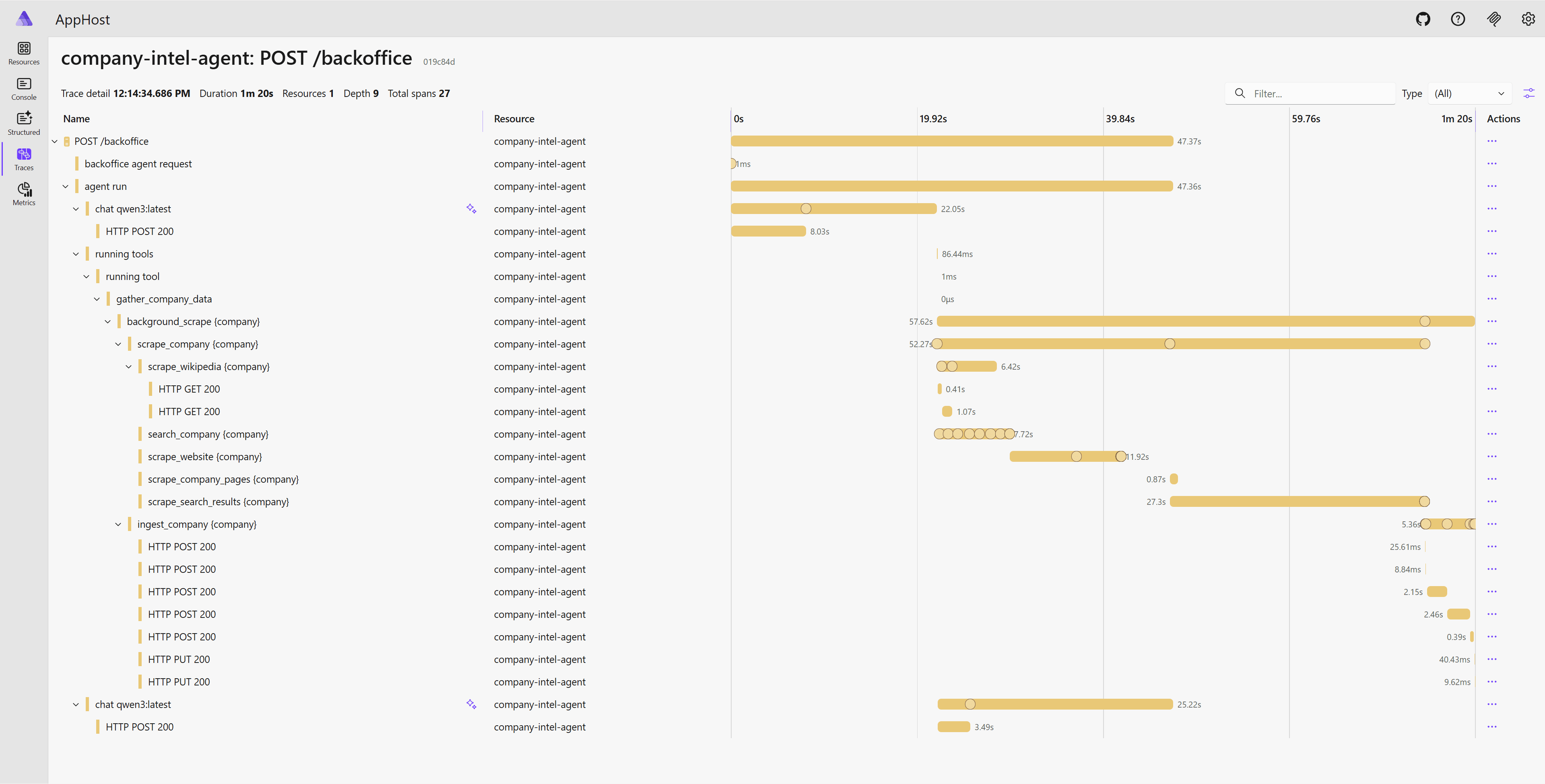
Once configured, you get distributed traces across the entire request path: HTTP request → agent execution → embedding → Qdrant search → LLM generation. All visible in the Aspire dashboard alongside the .NET services.
Logfire instruments Pydantic AI and HTTPX automatically:
logfire.configure(service_name="company-intel-agent", send_to_logfire=False)
logfire.instrument_pydantic_ai() # adds Semantic Conventions for Generative AI
logfire.instrument_httpx()
This gives you GenAI semantic conventions (token usage per LLM call) and HTTP client spans for free.
Here’s what a distributed trace looks like for a backoffice ingestion request. You can see every span: the agent run, scraping (Wikipedia, website, search), and the final ingestion into Qdrant:
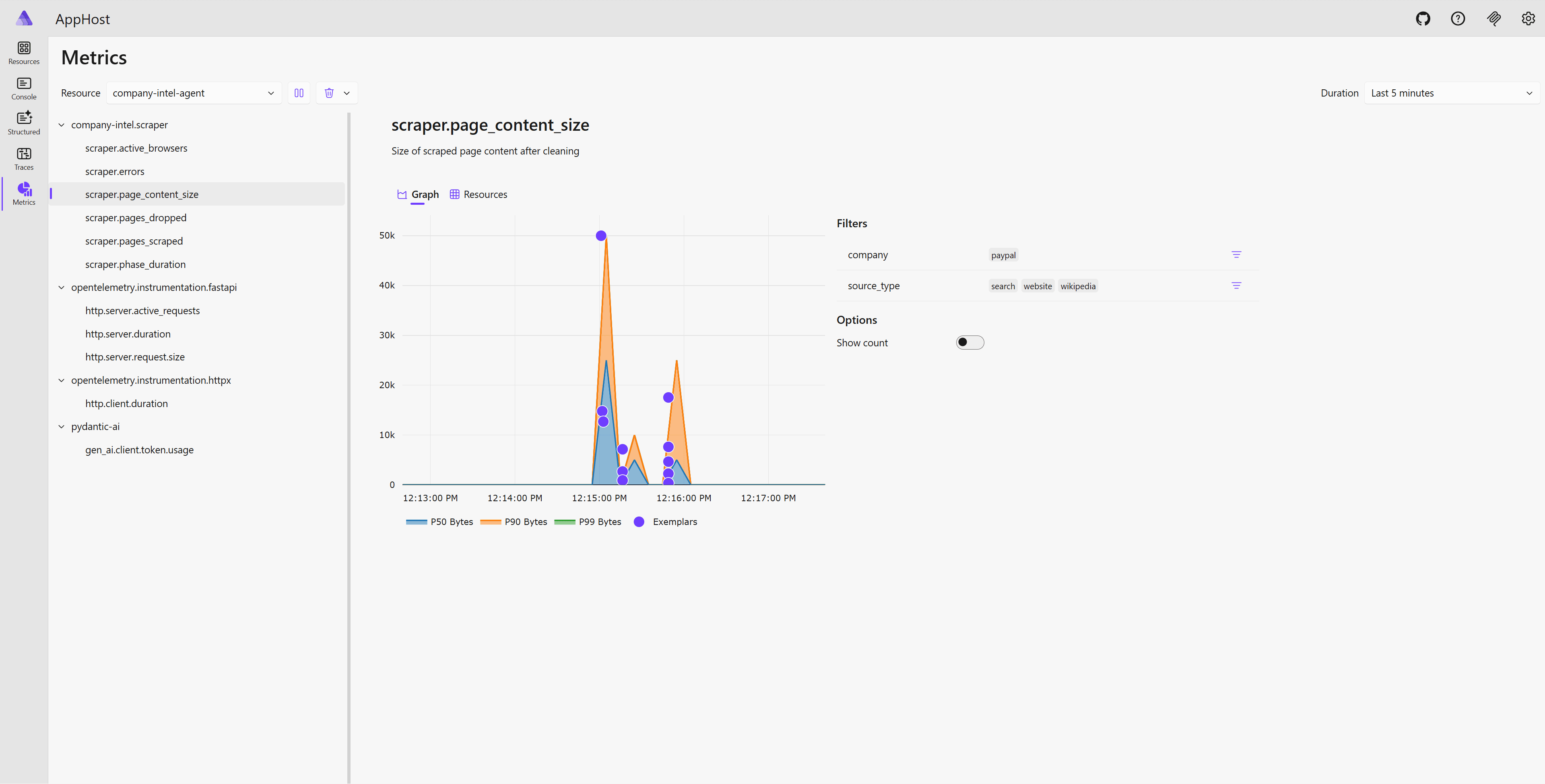
And the metrics view, showing scraper page content size broken down by source type:
RAG evaluation with Aspire
Here’s where Aspire really pays off. The eval test uses DistributedApplicationTestingBuilder to spin up the entire stack, a fresh Qdrant, Ollama, and the Python agent, run ingestion against a golden dataset, then check retrieval quality:
[Fact]
public async Task RetrievalQualityMeetsThresholds()
{
    var appHost = await DistributedApplicationTestingBuilder.CreateAsync<Projects.AppHost>(
        ["UseVolumes=false"],  // fresh Qdrant, no stale data
        (appOptions, _) => appOptions.DisableDashboard = true,
        cts.Token
    );

    await using var app = await appHost.BuildAsync(cts.Token);
    await app.StartAsync(cts.Token);

    await app.ResourceNotifications.WaitForResourceHealthyAsync(
        "company-intel-agent", cts.Token
    );

    using var http = app.CreateHttpClient("company-intel-agent");

    // Start eval, poll until done, assert thresholds
    var startResp = await http.PostAsJsonAsync("/eval/run", new { company = "paypal" }, cts.Token);
    // ... poll status ...

    Assert.True(status.Metrics!.HitRate >= 0.50);
    Assert.True(status.Metrics!.ContextRecall >= 0.50);
}
UseVolumes=false ensures a clean Qdrant on every run. No leftover data from previous tests. Aspire assigns random ports, so there are no conflicts if you run tests in parallel. The test exercises the real ingestion and retrieval pipelines, not a mock.
The eval itself uses substring matching: each query in the golden dataset has expected facts, and the test checks whether retrieved chunks contain those facts. No LLM-as-judge needed for this; deterministic substring matching gives reliable signal in seconds instead of minutes.
🤔 We could use LLM-as-judge for a more semantic evaluation, but that would require a fast local model. Qwen3 8B is good for generation but slow for evaluation, so substring matching was a pragmatic choice here.
Two metrics: Hit Rate (did at least one expected fact get retrieved?) and Context Recall (what fraction of expected facts were found?). Both must exceed 50% or CI fails.
Demo
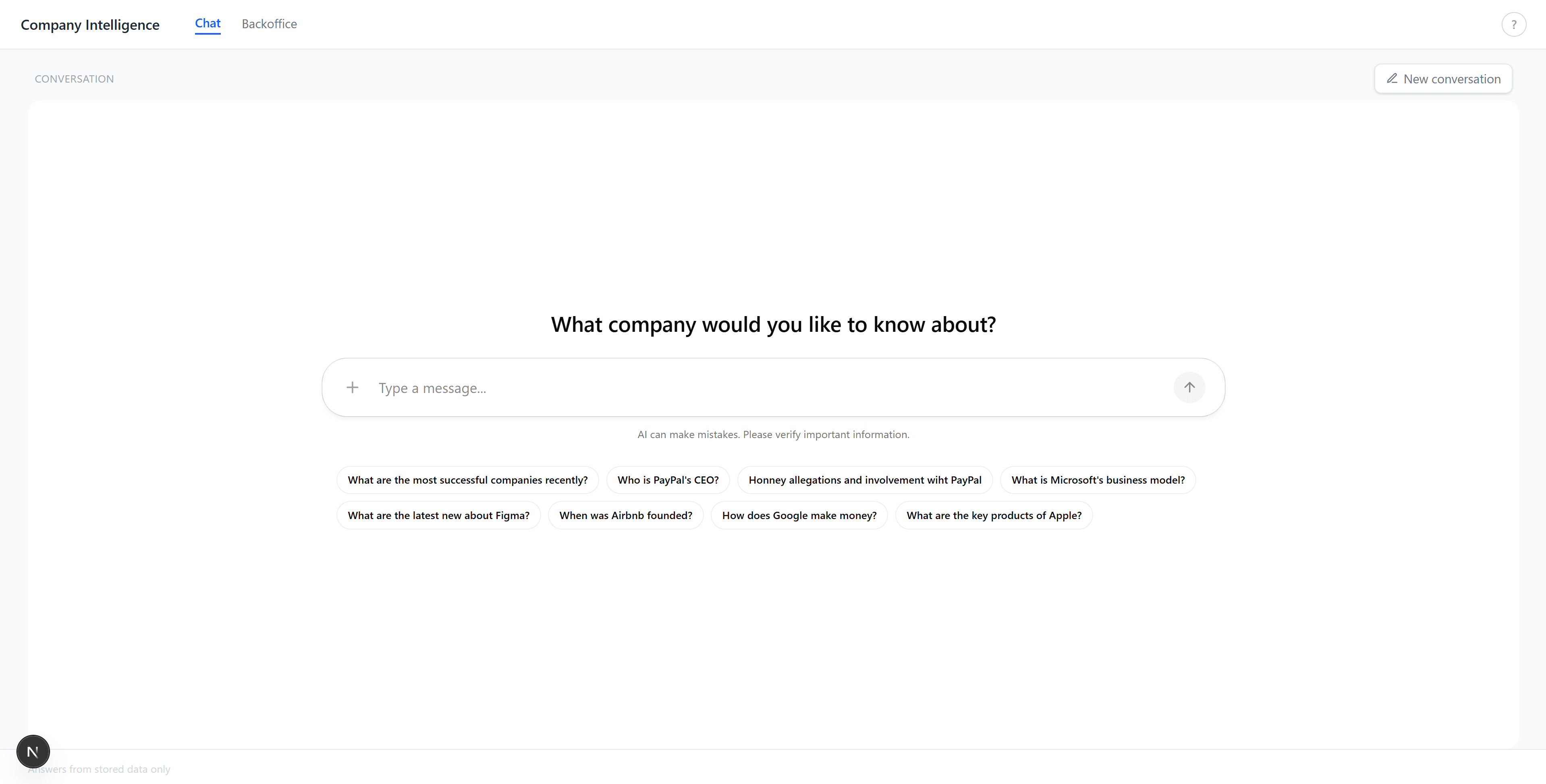
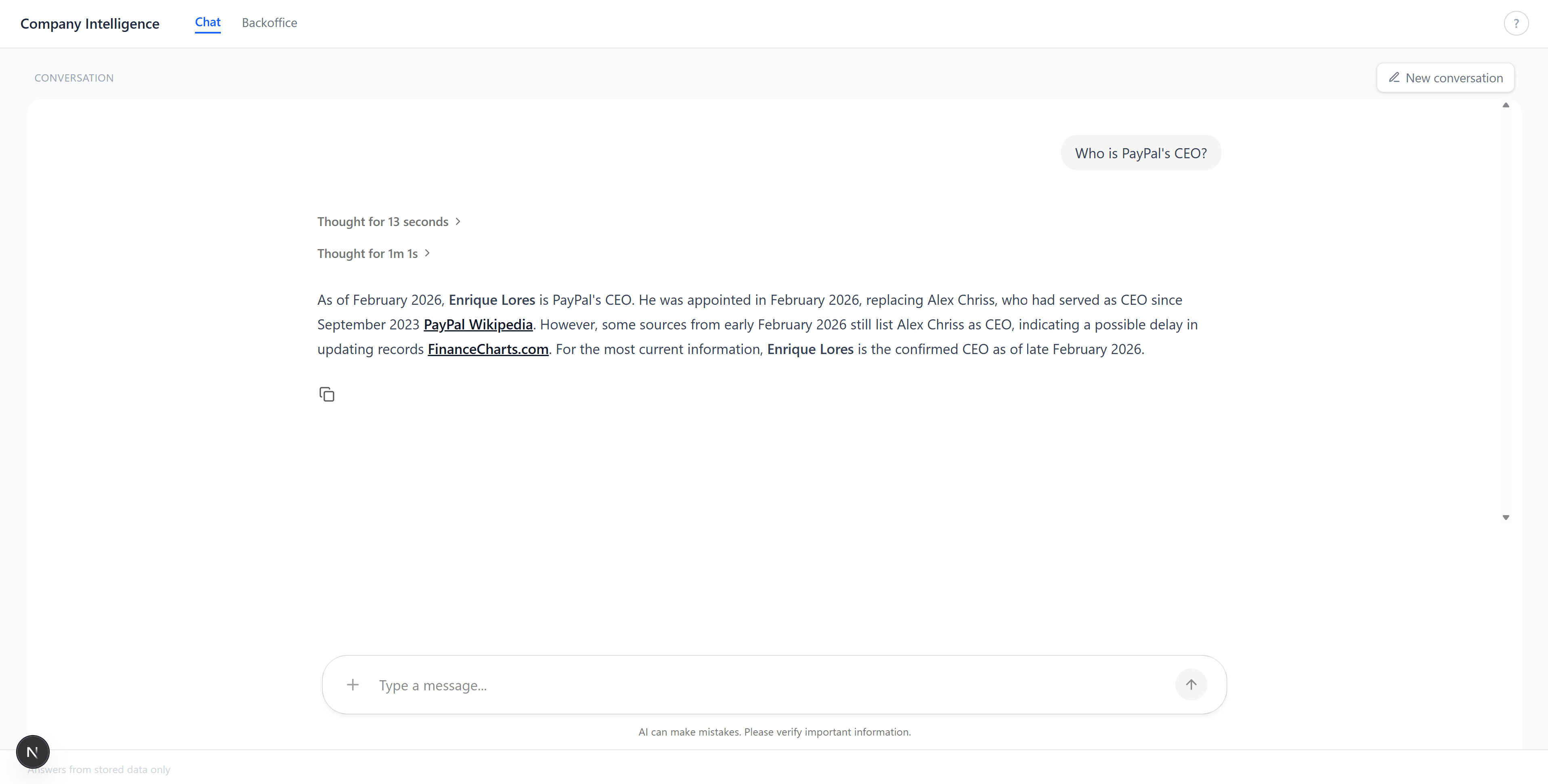
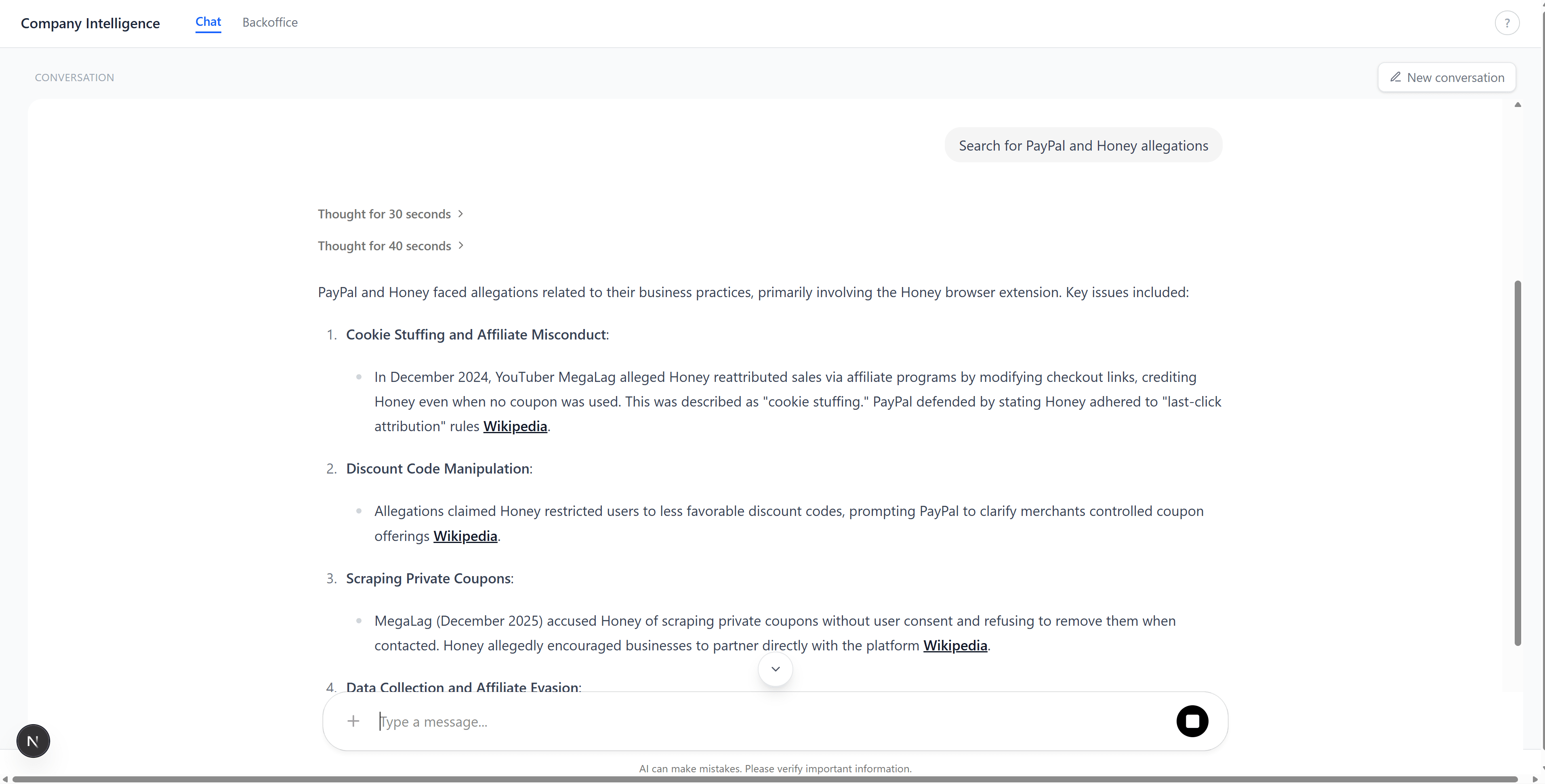
The chat tab. Ask a question, get a grounded answer with citations from the knowledge base:
Multi-company research with detailed, structured answers:
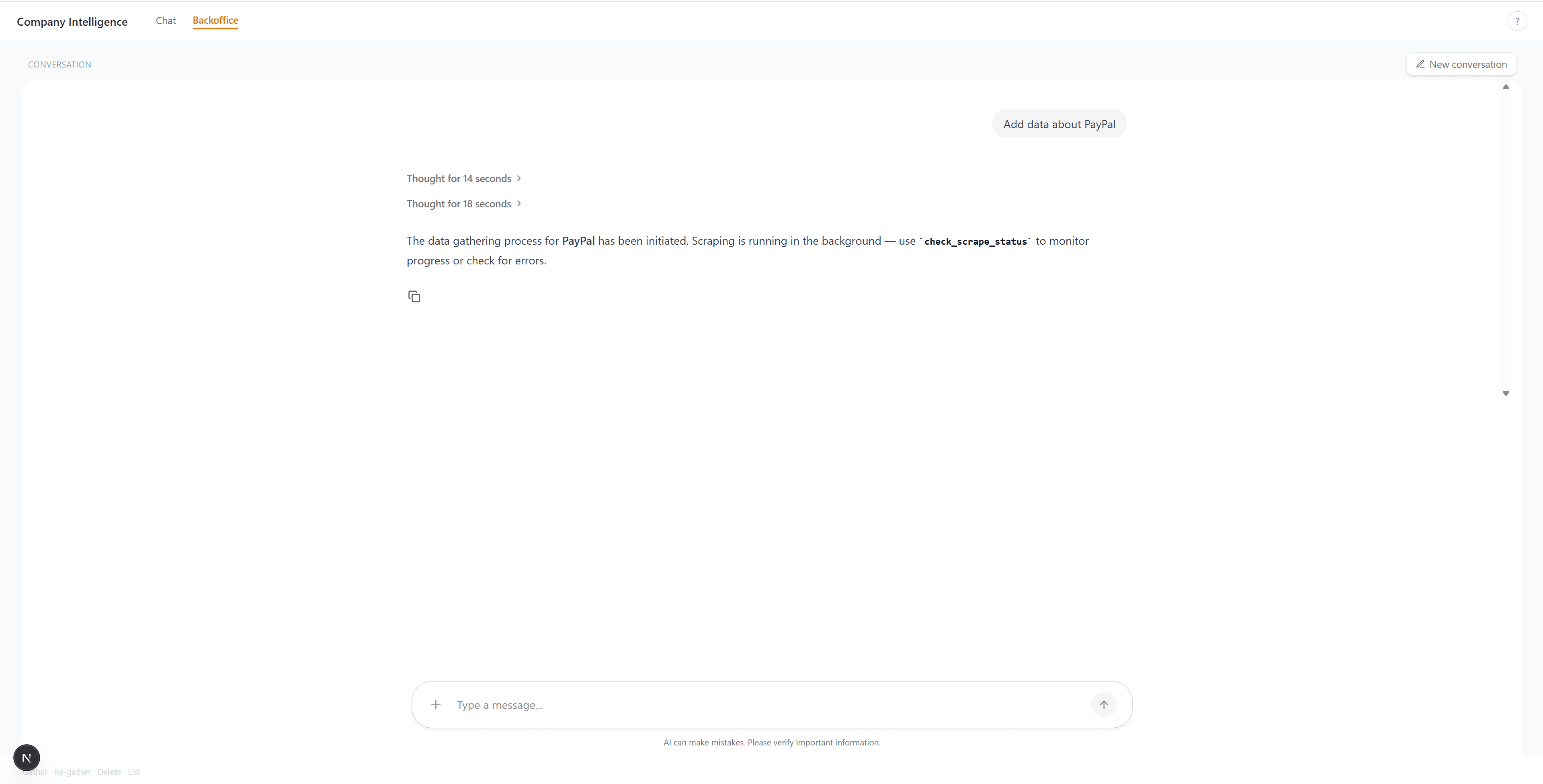
The backoffice tab. Tell it to gather data for a company, and it scrapes, chunks, embeds, and stores everything in the background:
Summary
The main takeaway: Aspire isn’t just for .NET microservices. It’s a polyglot orchestrator. If your system has containers, Python apps, and Node.js frontends that need to discover each other and report telemetry to the same place, Aspire handles that with less configuration than Docker Compose.
What worked well:
- Connection string injection removed all hardcoded URLs from Python code
-
WithOtlpExporter()gave the Python agent observability for free (once you work around the HTTP/2 issue) -
DistributedApplicationTestingBuildermade RAG evaluation reproducible: fresh stack per test, no manual setup
What I’d do differently next time: use a remote LLM for evaluation instead of local Qwen3. Substring matching works, but semantic matching would catch paraphrased facts. That needs a fast model though, not a 8B one running on CPU.
References
- Topics:
- dotnet (70) ·
- ai (31) ·
- dotnet (71) ·
- aspire (23) ·
- python (3) ·
- rag (4) ·
- opentelemetry (7) ·
- qdrant (2) ·
- ollama (2)
