Theming
pi-cost ships with 18 built-in theme families and supports user-defined themes. Themes are simple JSON files declaring 14 design-token colors; derived *-dim / *-glow / *-faint / *-soft / *-tag / chart-fill variants are computed automatically at runtime.
Built-in themes
Each family is a <id>-light / <id>-dark pair of JSON files in themes/.
| Family | Accent (light / dark) | Description |
|---|---|---|
pi | #2f5f8a / #6a9fcc | pi.dev blue palette (default) |
classic | #e86f33 / #e86f33 | pi-cost's original orange palette |
ayu, catppuccin, dracula, everforest, github, gruvbox, kanagawa, monokai, night-owl, nord, one-dark, rose-pine, solarized, synthwave, tokyo-night, vitesse | per palette | Editor palettes |
Mode and color theme
- The sun/moon button in the topbar (or
t) switches between light and dark mode. When no preference is saved, the browser'sprefers-color-schemedecides; an explicit choice persists inlocalStorage.theme. - The palette button opens the theme menu. Pick a family to use its light and dark themes; the choice persists in
localStorage["pi-cost:color-theme"]for that browser. Default clears it and goes back to the themes from settings or environment (below). - Your own pair
<id>-light.json/<id>-dark.jsonin the user theme dir shows up in the menu too. A single theme without its pair is still usable from settings, but not from the menu. - Inside pi-kanban (
?embed=1) the board sends its own colors. pi-cost hides the mode button and the theme menu there and saves nothing.
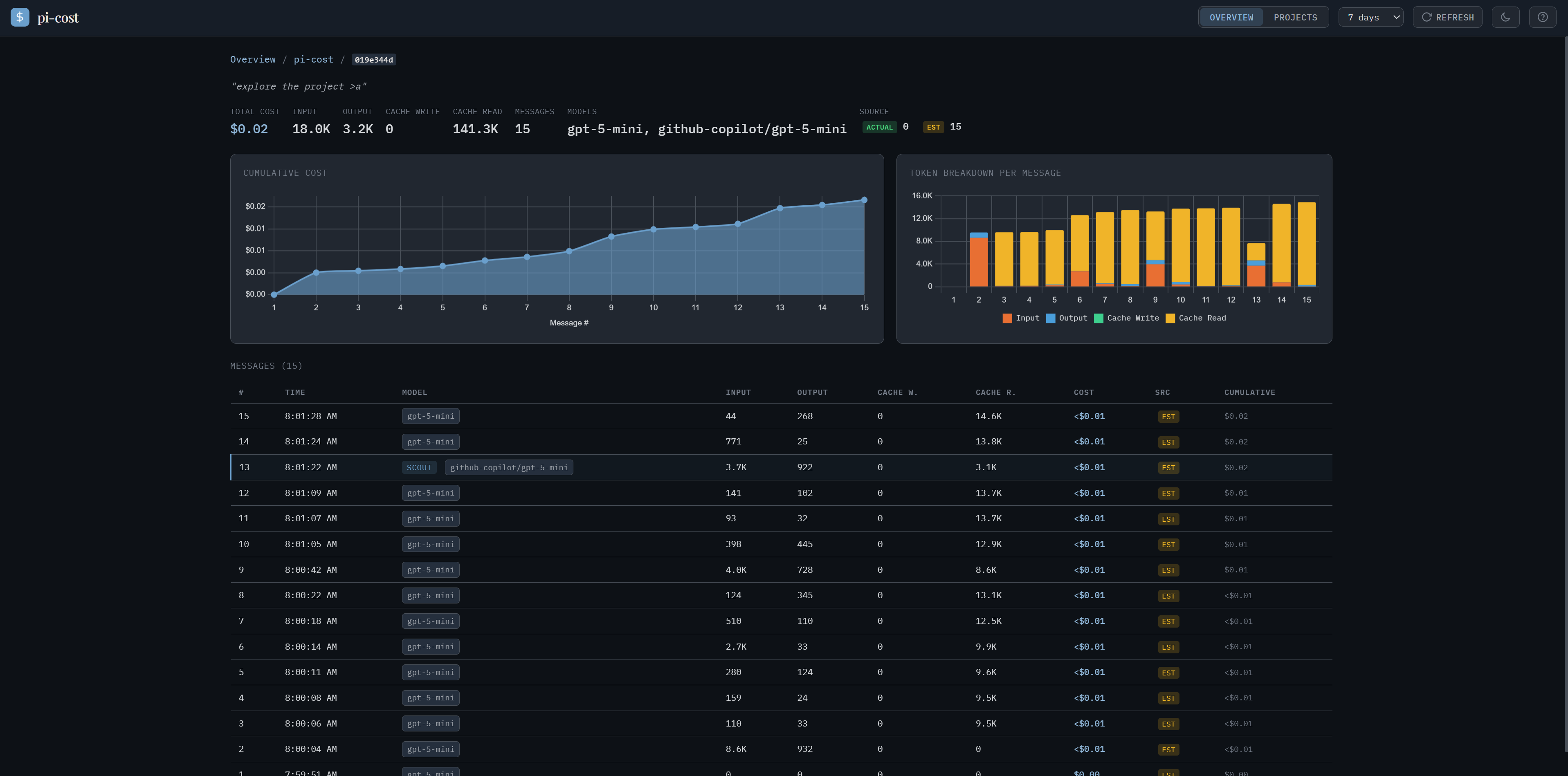
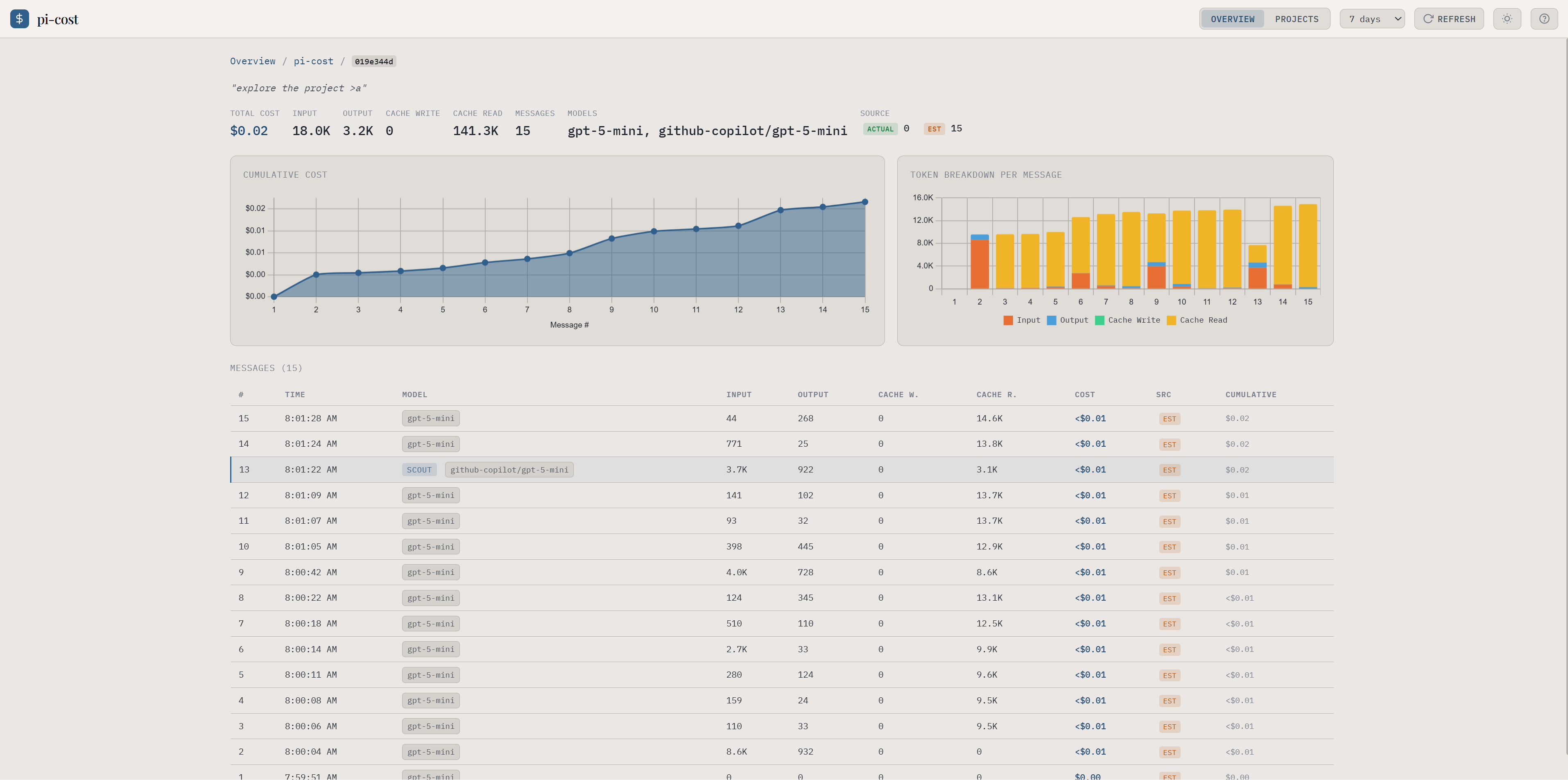
Same session view, two themes:
| Dark | Light |
|---|---|
 |  |
Configuring themes
Configure themes via <agent dir>/cost/settings.json (default ~/.pi/agent/cost/settings.json; the agent dir follows PI_CODING_AGENT_DIR):
{
  "themes": {
    "light": "pi-light",
    "dark": "pi-dark"
  }
}
The server reads this file at start, so the same settings apply to npm start, the CLI and the /cost extension.
Environment variable overrides
Take precedence over settings.json. Useful for one-off runs.
| Variable | Effect |
|---|---|
COST_LIGHT_THEME | Theme ID used in light mode |
COST_DARK_THEME | Theme ID used in dark mode |
COST_THEME_DIR | User theme directory |
Authoring a custom theme
Drop a JSON file in ~/.pi/agent/cost/themes/ (or your configured COST_THEME_DIR):
{
  "name": "my-theme",
  "displayName": "My Theme",
  "mode": "dark",
  "colors": {
    "bgDeep": "#0d1116",
    "bgSurface": "#161d27",
    "bgElevated": "#212730",
    "bgHover": "#252f3d",
    "border": "#495059",
    "textPrimary": "#ebe7e4",
    "textSecondary": "#d5d8db",
    "textTertiary": "#9fa4ab",
    "textMuted": "#757d89",
    "accent": "#6a9fcc",
    "accentText": "#8fb6d8",
    "success": "#4ade80",
    "warning": "#fbbf24",
    "error": "#ef4444"
  }
}
Required fields: name, mode ("light" or "dark"), and all 14 colors.* keys. Themes failing validation are skipped with a server-side warning.
Reference it from ~/.pi/agent/cost/settings.json:
{ "themes": { "dark": "my-theme" } }Restart the server (/cost restart) to pick up new themes.
Derived tokens
applyTheme() (client-side) computes these rgba variants from the base palette so theme authors only need the 14 solid colors:
| Variable | Source | Light alpha | Dark alpha |
|---|---|---|---|
--accent-dim | accent | 0.18 | 0.22 |
--accent-glow | accent | 0.50 | 0.55 |
--accent-faint | accent | 0.06 | 0.05 |
--accent-soft | accent | 0.12 | 0.12 |
--accent-tag | accent | 0.15 | 0.15 |
--chart-fill | accent | 0.50 | 0.60 |
--success-dim | success | 0.15 | 0.18 |
--warning-dim | warning | 0.15 | 0.18 |
--error-dim | error | 0.15 | 0.18 |