
Too many tabs
I built a bunch of small tools around Claude Code over the past few months. A Kanban board for watching agent work. A marketplace for managing plugins. A cost dashboard. A memory explorer. Each one is its own npx command and its own browser tab, and at some point I got tired of juggling four terminals and four tabs every time I sat down to work.
So I wrote a hub that runs them all behind one command.
npx claude-code-hub --open
One process spawns four servers, opens a browser, done. The tools live in iframes and you switch between them with keyboard shortcuts. No visible chrome, no tabs.
What’s inside
Kanban
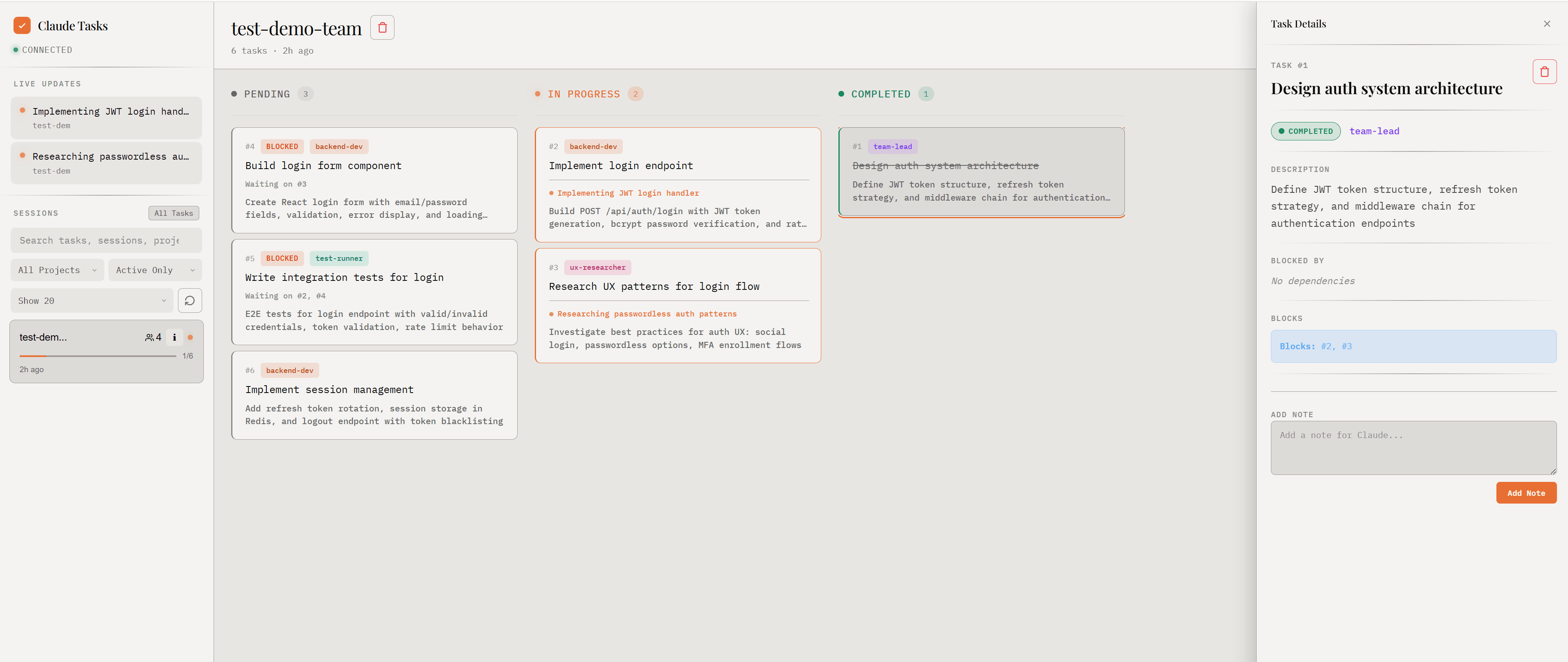
A real-time task board for Claude Code sessions. It shows tasks, agents, and subagent teams as Claude works. State comes from JSONL files written by lightweight hooks (more on that below).
Marketplace
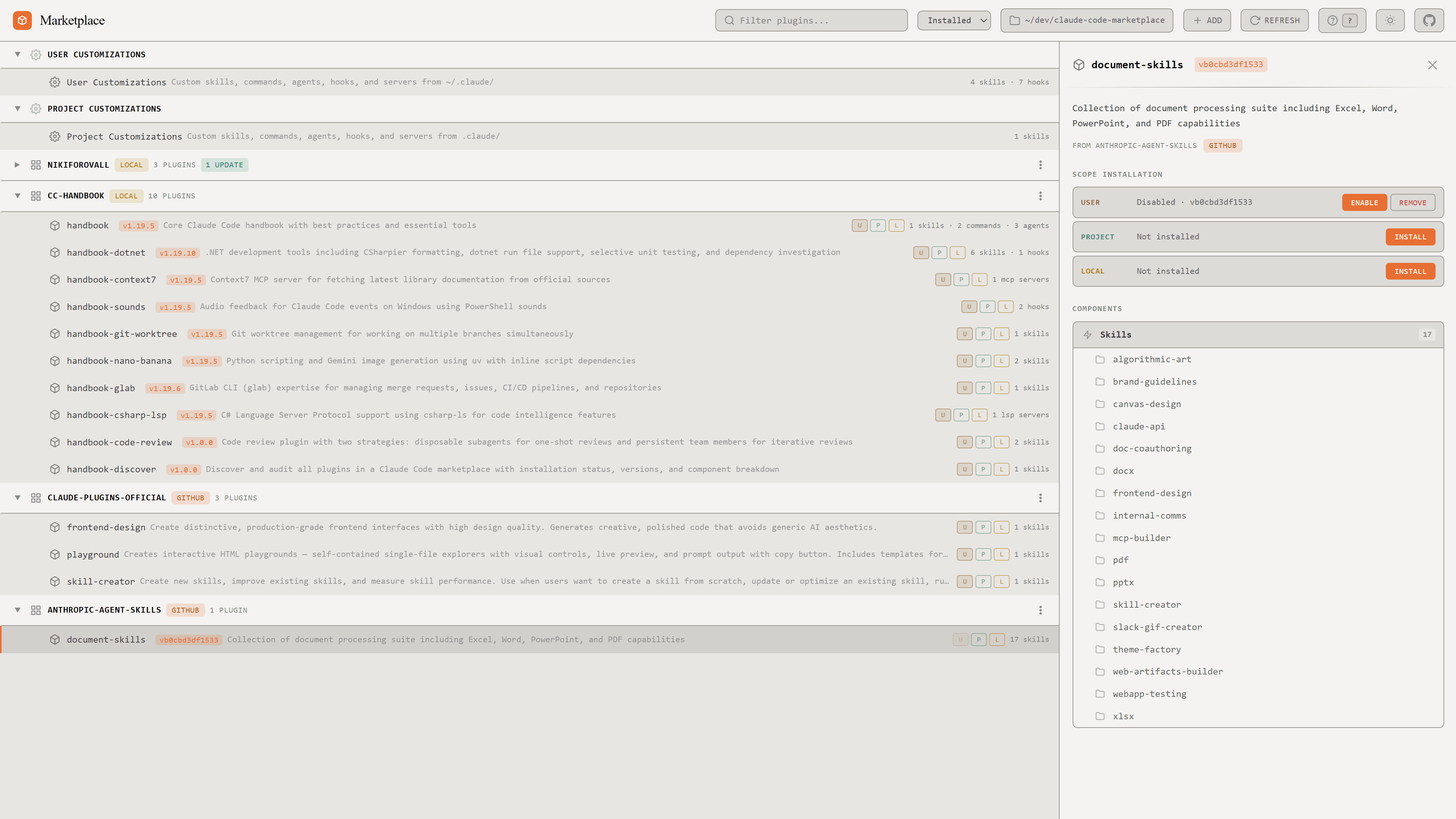
Browse and install Claude Code plugins across local, user, and project scopes. Basically an app store for skills and MCP servers.
Cost
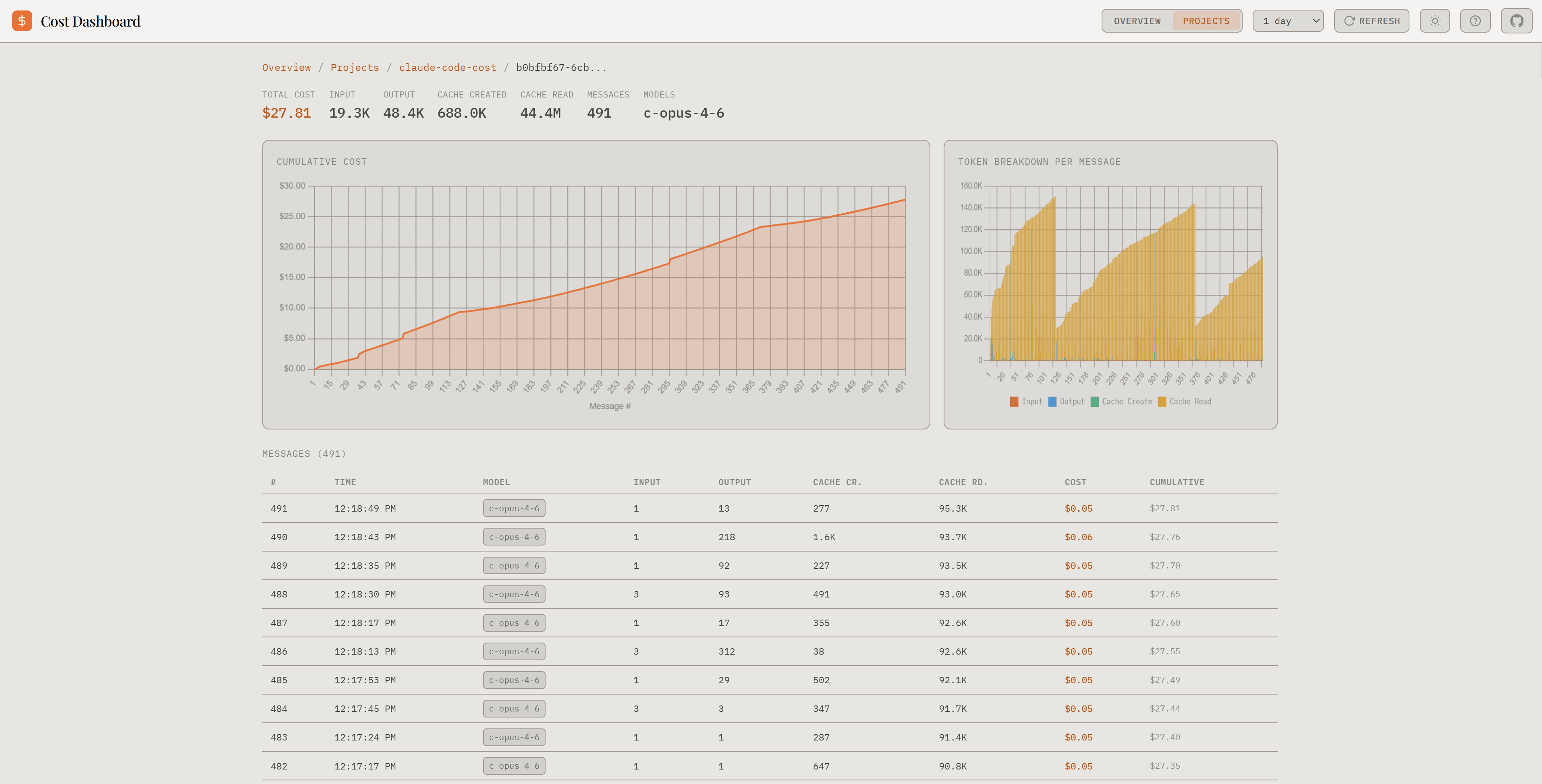
Token usage and cost breakdowns. Drill from totals down to projects, then to individual sessions. I check this more often than I’d like to admit.
Memory
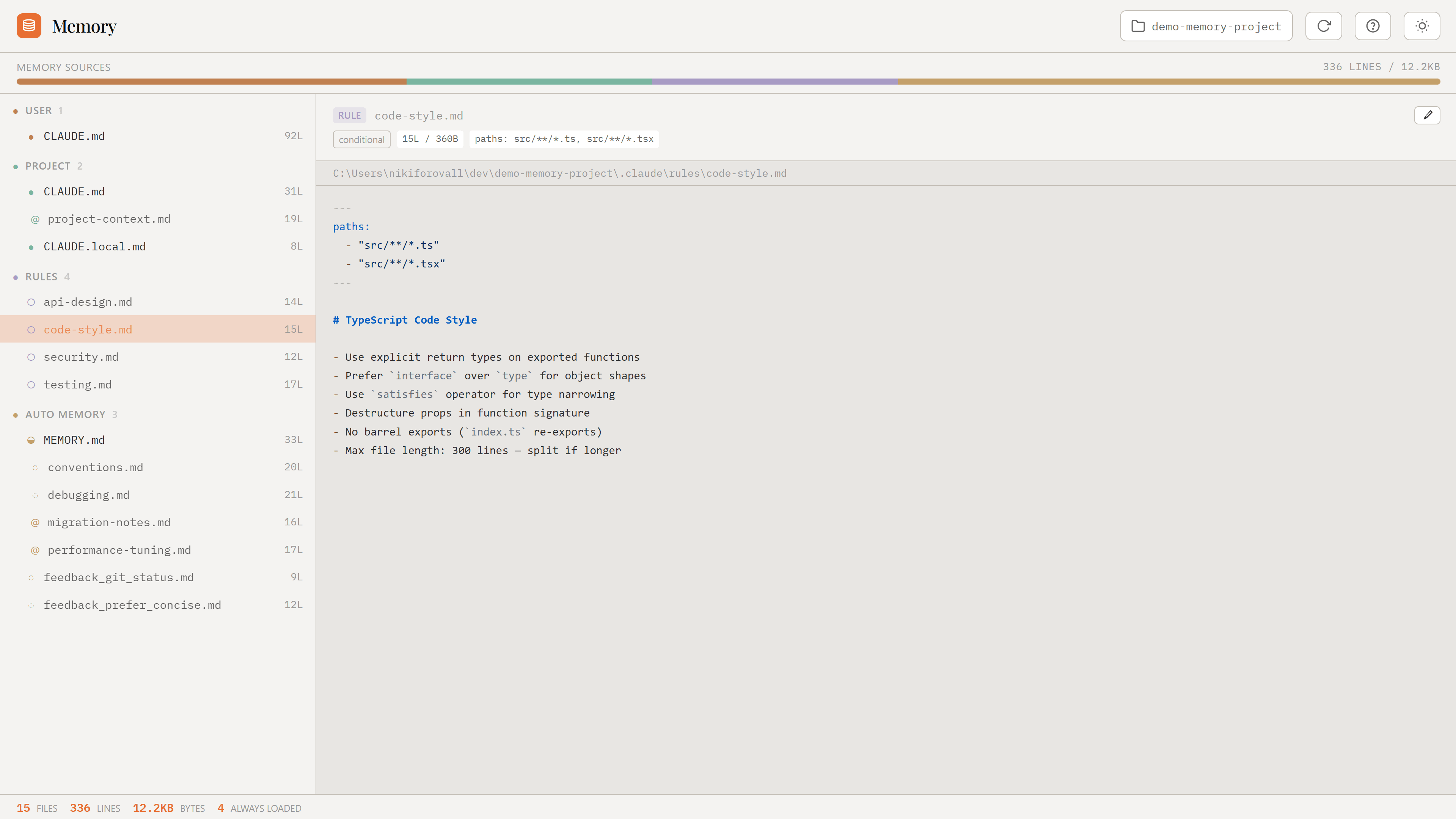
Shows all memory sources that feed into Claude Code: CLAUDE.md files, rules, auto memory, import chains. Really helpful when Claude does something unexpected and you want to figure out which instruction is responsible.
How it actually works
The hub server spawns each sub-app as a child process on its own port. If a port is busy, the tool picks a random free one. The hub reads stdout to detect the actual port each tool landed on, then serves a shell page that embeds them as iframes.
Switching is keyboard-only:
| Shortcut | Action |
|---|---|
Alt+1 |
Kanban |
Alt+2 |
Marketplace |
Alt+3 |
Cost |
Alt+4 |
Memory |
Ctrl+Alt+Arrow |
Next / previous tool |
Tools can also deep-link to each other via postMessage. Click a session in Cost and it can jump you straight to that session’s Kanban board.
You can install it as a PWA for a standalone window with no browser UI. That’s the way I use it, honestly. It feels like its own app.
The whole thing is vanilla JS and Express. No bundler, no build step, works on Node 18+.
Setup
1. Install hooks (once)
For the full Kanban experience, you need to install hooks that log agent activity:
npx claude-code-kanban --install
These are small shell scripts that append to JSONL files. Negligible overhead. Without them you still get the task board, just no live agent indicators.
2. Launch
npx claude-code-hub --open
3. Use Claude Code normally
The hub updates live. Switch tools with the keyboard while Claude works.
Standalone mode
Each tool also works on its own if you only want one:
npx claude-code-kanban          # task board
npx claude-code-marketplace     # plugin manager
npx claude-code-cost            # cost dashboard
npx claude-code-memory-explorer # memory explorer
Claude Code doesn’t need to be running either. You can browse past sessions and costs anytime; live updates just appear when Claude starts.
Links
- Topics:
- productivity (15) ·
- ai (31) ·
- developer-tools (19)
