
TL;DR
Claude Code’s customization system is powerful but scattered across multiple files and configuration levels. LazyClaude is a lazygit-inspired terminal UI that lets you explore all your customizations—slash commands, agents, skills, MCPs, hooks, and memory files—in one place. Filter by level (user/project/plugin), search by name, and navigate with vim-style keybindings.

Source: github.com/NikiforovAll/lazyclaude
Install: uvx lazyclaude
Introduction
Claude Code has a rich customization system. You can define custom slash commands, create specialized agents, configure MCP servers, set up hooks, and write memory files that shape how Claude understands your project. The problem? These customizations live in different places:
-
~/.claude/for user-level configuration -
.claude/for project-specific settings - Plugin directories for third-party extensions
When you need to find a specific command or understand what’s available, you’re left running /help, /mcp, /agents, or opening files one by one. Each lookup interrupts your flow.
LazyClaude solves this by providing a dedicated terminal UI where you can browse all your Claude Code customizations without leaving your workflow.
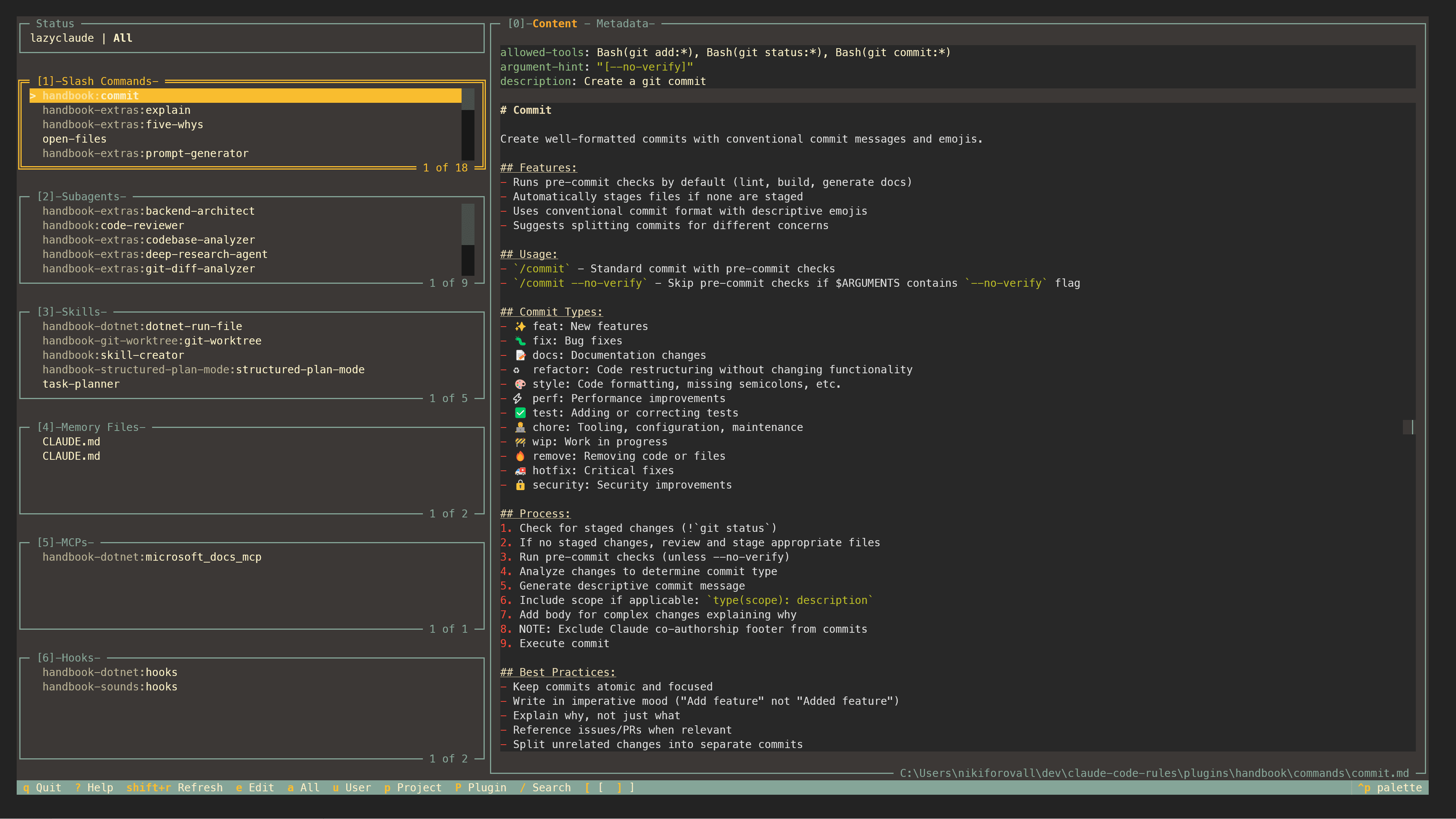
What is LazyClaude?
LazyClaude is a terminal user interface that follows the design philosophy of lazygit: keyboard-driven, panel-based, and focused on getting information quickly.
See README for more details.
Getting Started
Install with uv:
uvx lazyclaude
Conclusion
LazyClaude brings visibility to Claude Code’s configuration system. Instead of hunting through files or interrupting your workflow with help commands, you get a dedicated window showing everything at a glance.
It’s keyboard-first, fast, and stays out of your way—exactly what a developer tool should be.
Source code: https://github.com/NikiforovAll/lazyclaude
Contributions welcome. Try it, break it, and let me know what customizations you discover.
References
- Topics:
- ai (30) ·
- ai (38) ·
- claude (8) ·
- python (3) ·
- productivity (13) ·
- developer-tools (18)
