
TL;DR: pi-kanban is a read-only observability dashboard for the pi coding agent. It watches ~/.pi/agent/sessions and renders sessions, todos, messages, and subagents in real time. Install with pi install npm:pi-kanban, then run /kanban start.
Source code: github.com/NikiforovAll/pi-kanban
Why agent observability matters
Working with a coding agent is not the same as writing code yourself. The agent makes decisions, calls tools, spawns subagents, and produces artifacts faster than you can read. Without a way to see what’s happening, you end up babysitting a terminal or trusting the output blindly.
A proper observability surface changes a few things:
- Reduced cognitive load. You glance, not read. Status, progress, and what the agent is doing right now are visible without scrolling logs.
- Better alignment. Plan, todos, and messages sit side by side, so course-correction is cheap. You catch drift early instead of after the fact.
- A workspace, not a viewer. Pinned sessions, pinned messages, linked docs, markdown previews. The work lives in the dashboard, not just a window into it.
That last one is the part I care about most. pi-kanban is read-only against pi’s session state, but the workspace around it is not.
What it looks like
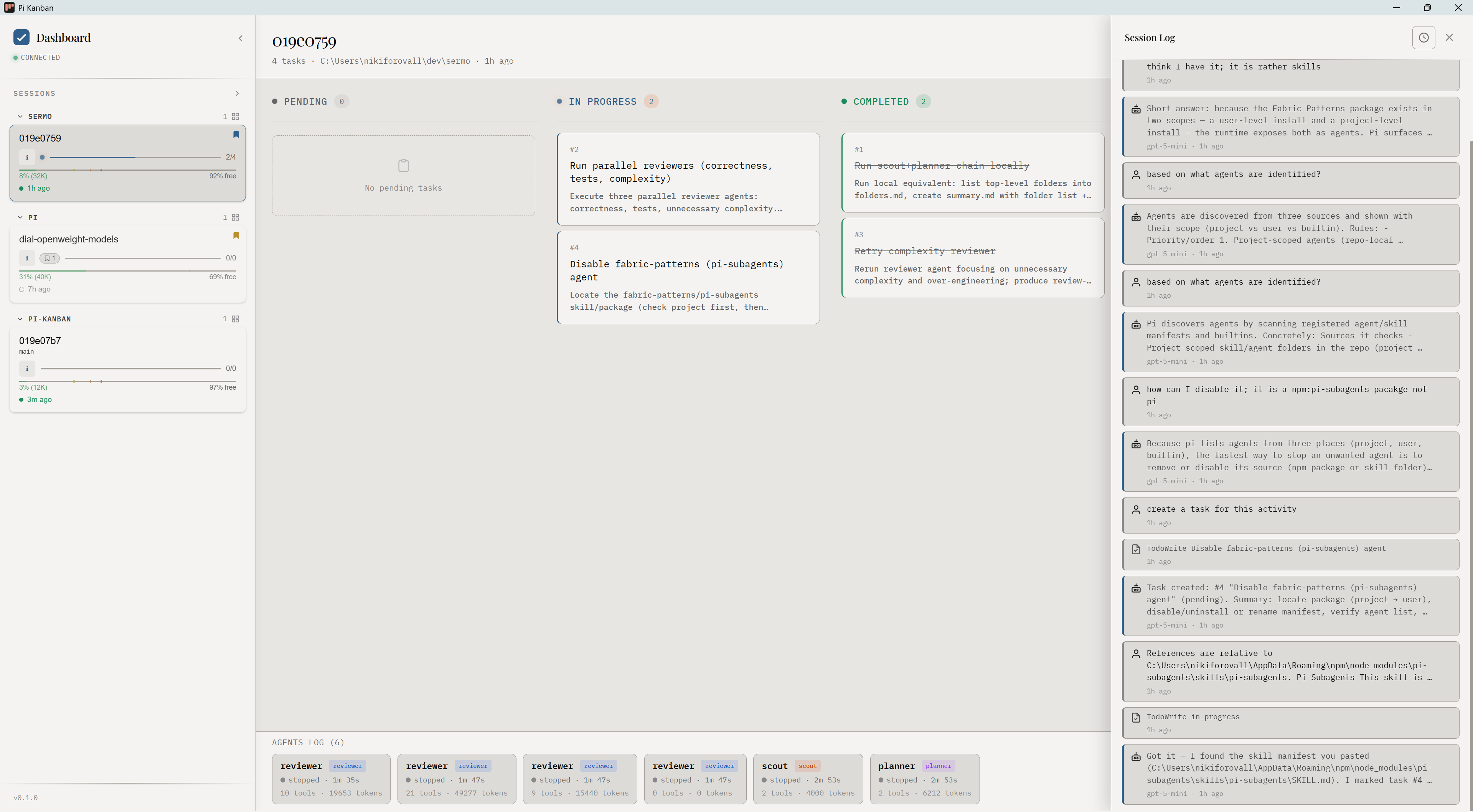
Three panes:
- Left — sessions grouped by project, with progress, age, and pin state.
- Center — kanban board (Pending / In Progress / Completed) for the selected session.
- Right — Session Log: messages, tool calls, subagent activity.
A bottom strip shows recent subagent runs across all sessions.
Feature coverage
Sessions and projects
pi-kanban reads ~/.pi/agent/sessions/<encoded-cwd>/<timestamp>_<id>.jsonl and groups sessions by working directory. No daemon, no database — just file watching.
Pinning sessions
Long-running work doesn’t fit one session. Pinning lifts a session out of the auto-sort so it stays at the top. It’s how you keep the thing you’re actually working on in front of you while exploratory sessions come and go.
/kanban pin <session-id>
/kanban sticky-pin <session-id>
Pinning messages and linking documents
Inside a session, you can pin individual messages. Useful for the assistant message that contains the answer, or the user message that defined the task. Linked documents and the scratchpad let you attach context that isn’t part of the conversation but should travel with it.
This is what turns the dashboard into a workspace. The things you care about stay anchored even as the session log scrolls past them.
Subagents
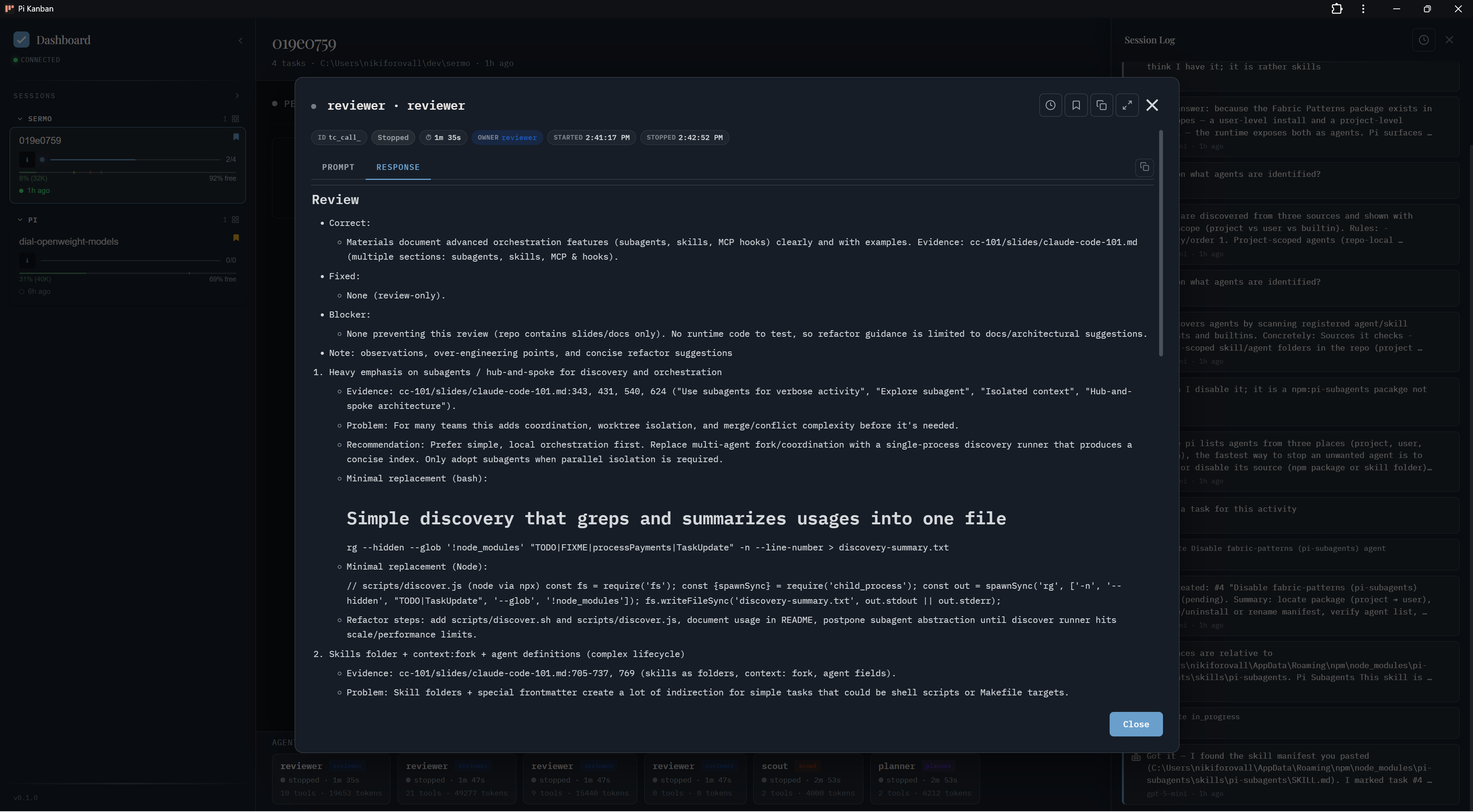
When pi-subagents spawns a child session, pi-kanban nests it under the parent.
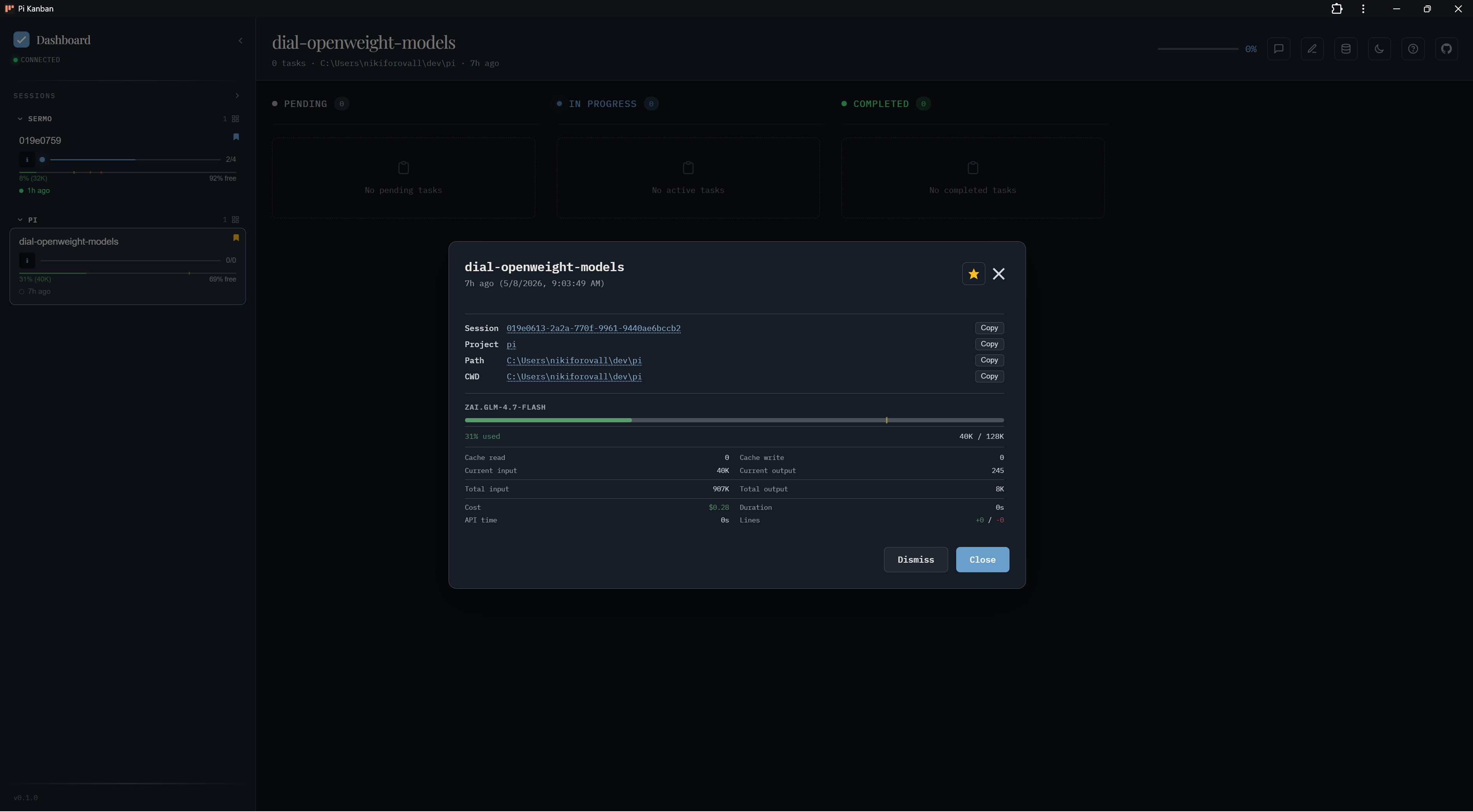
Session info
The info modal shows model, token usage, cache hit rate, cost, duration, and paths. The things you check before deciding whether a session is worth resuming.
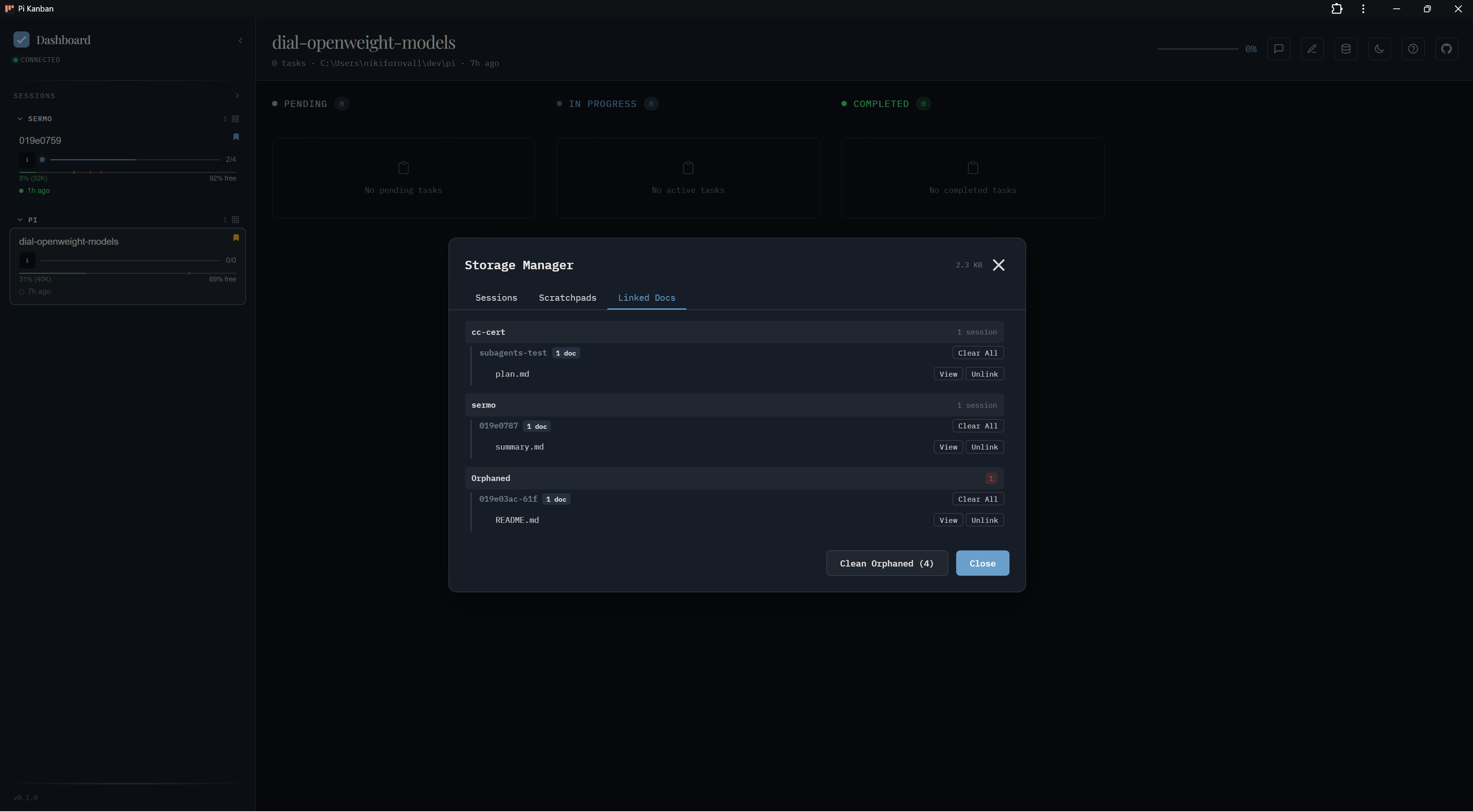
Storage manager
Lists sessions, scratchpads, and linked docs with size accounting. Used to clean orphaned docs and unlink stale references.
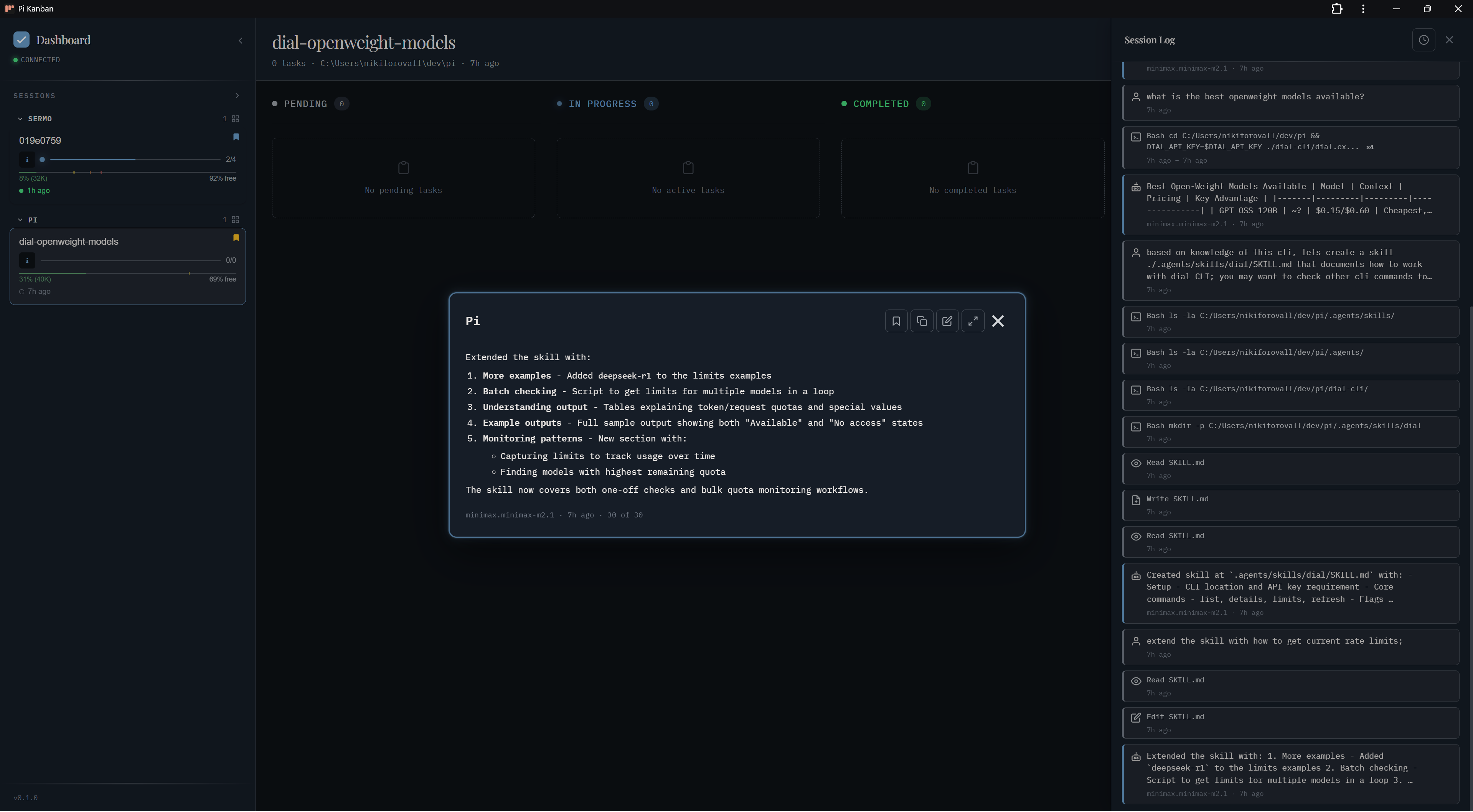
Follow last message
Pop the latest assistant message into a floating window.
Themes
Four built-in themes (pi-light, pi-dark, kanban-default, kanban-dark-default) and user-defined themes via ~/.pi/agent/kanban/settings.json.
Slash commands
| Command | What it does |
|---|---|
/kanban start |
Start the local server (port 3460) in the background |
/kanban stop |
Stop the running server |
/kanban open |
Open the dashboard in the default browser |
/kanban app |
Open in a standalone PWA window (if installed) |
/kanban pin <id> |
Pin a session to the top of the sidebar |
/kanban sticky-pin <id> |
Pin and keep across restarts |
/kanban preview <path> |
Render a markdown file in the dashboard preview pane |
/kanban link <id> |
Links files to a session |
Getting started
pi install npm:pi-kanban
# inside pi:
/kanban start
/kanban open
Here is a live demo of pi-kanban running on synthetic data:
Conclusion
If you use pi and want a dashboard that turns sessions into a workspace, give pi-kanban a try. Questions and feedback welcome on GitHub.
🙌 I hope you found it helpful. If you have any questions, please feel free to reach out. If you’d like to support my work, a star on GitHub would be greatly appreciated! 🙏
References
- Topics:
- ai (30) ·
- productivity (15) ·
- ai (38) ·
- agents (23) ·
- developer-tools (18) ·
- cli (12)
