
TL;DR: Claude Code Hub 1.0 is out. You run Claude Code sessions inside the hub now, in a terminal next to the Kanban board. You drive all of it from the keyboard. And every tool in it is yours to change. Patch a few lines, fork the source, or write a new app with its own tab. Or install the hub-builder skill and ask Claude to do it for you.
Source: github.com/NikiforovAll/claude-code-hub. Docs: nikiforovall.blog/claude-code-hub.
npx claude-code-hub --open
What was missing
In April I introduced the hub. It put four of my Claude Code tools in one window, Kanban, Marketplace, Cost, and Memory, and that ended the tab juggling. Two things still bugged me.
Claude Code itself lived somewhere else. The board showed what an agent was doing, but to answer it I went looking for the right terminal. I watched in one window and typed in another.
And the tools were mine, not yours. If you wanted the session list to look different, you opened an issue and waited for me. That is a bad deal for the kind of person who installs a tool like this in the first place.
1.0 fixes both.
Run Claude Code in the hub
Kanban has a terminal now. Press Ctrl+Alt+N, pick a folder, type the first prompt, and Claude Code starts next to the board, in a new git worktree if you ask for one. Ctrl+Alt+R resumes a past session. Ctrl+Alt+S swaps back to the previous one.
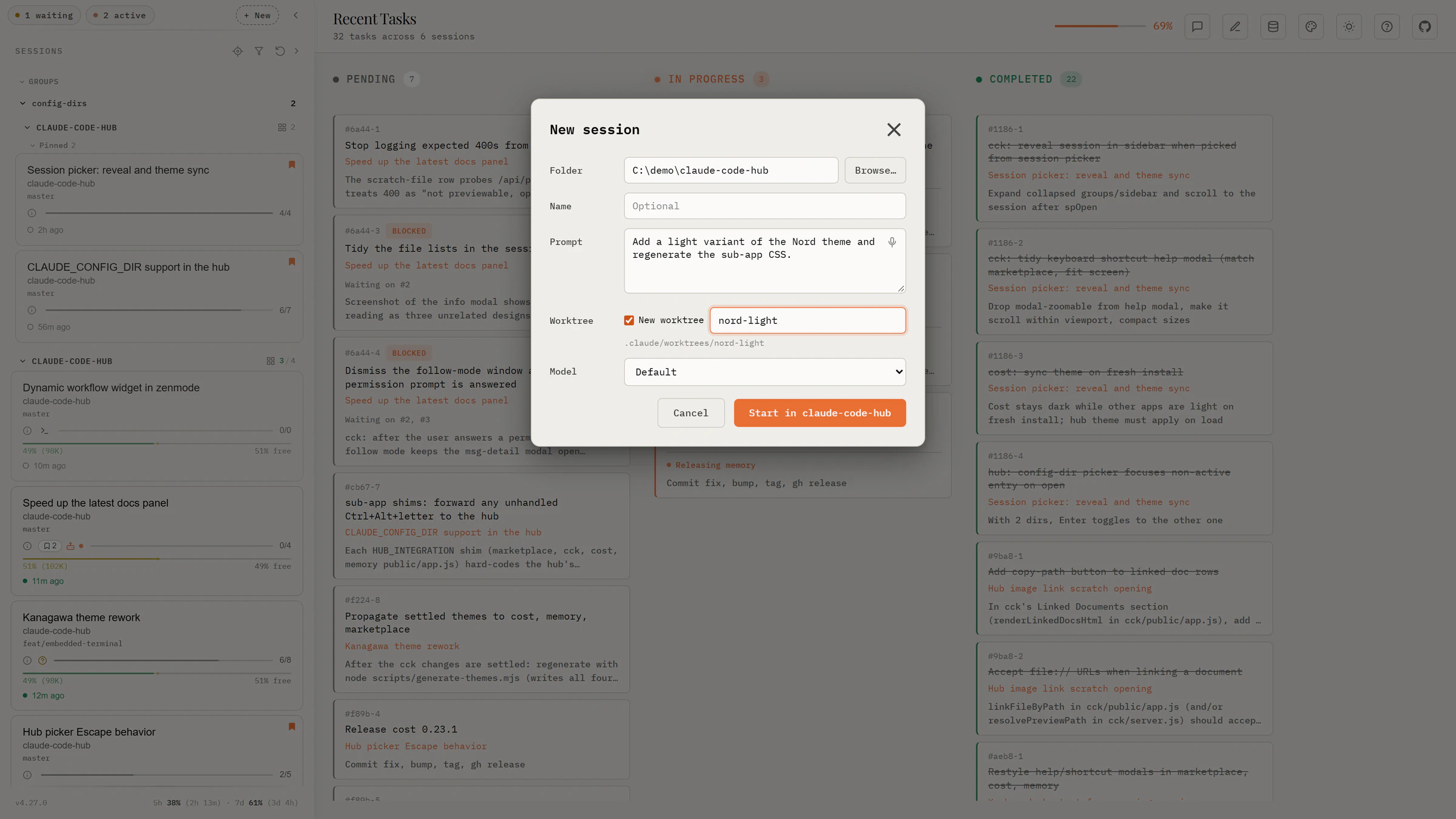
The process runs on the hub’s machine, not in the page. It keeps going when you switch tools, switch sessions, or reload. Ctrl+` shows or hides the terminal, and Alt+` moves focus between the terminal and the board.
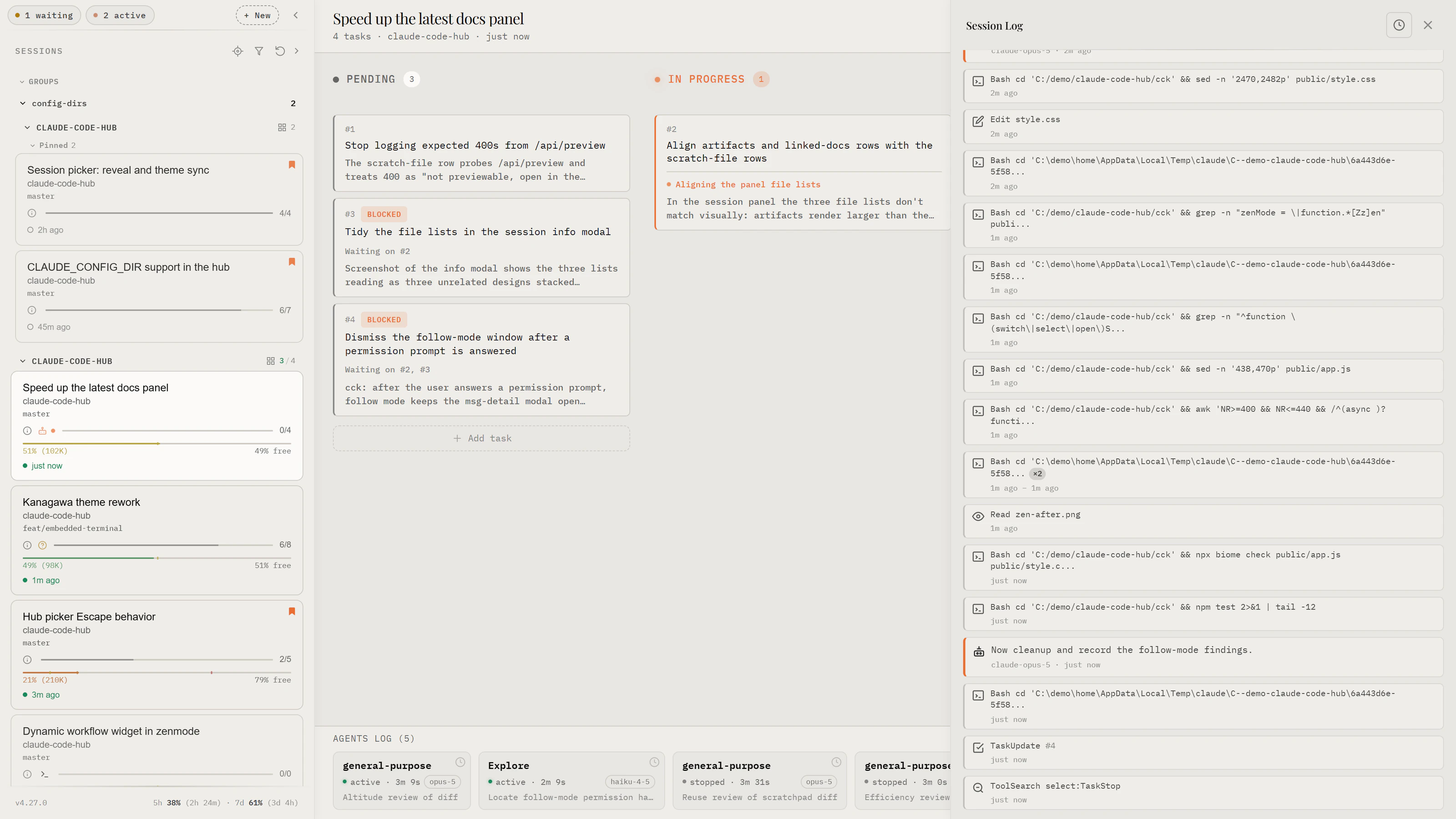
Hide the terminal and the board is back, with the tasks of the session and its agent log.
A terminal that runs any command needs a guard, so it has its own token, and the hub page sits behind another one. Any local account can reach a port on localhost.
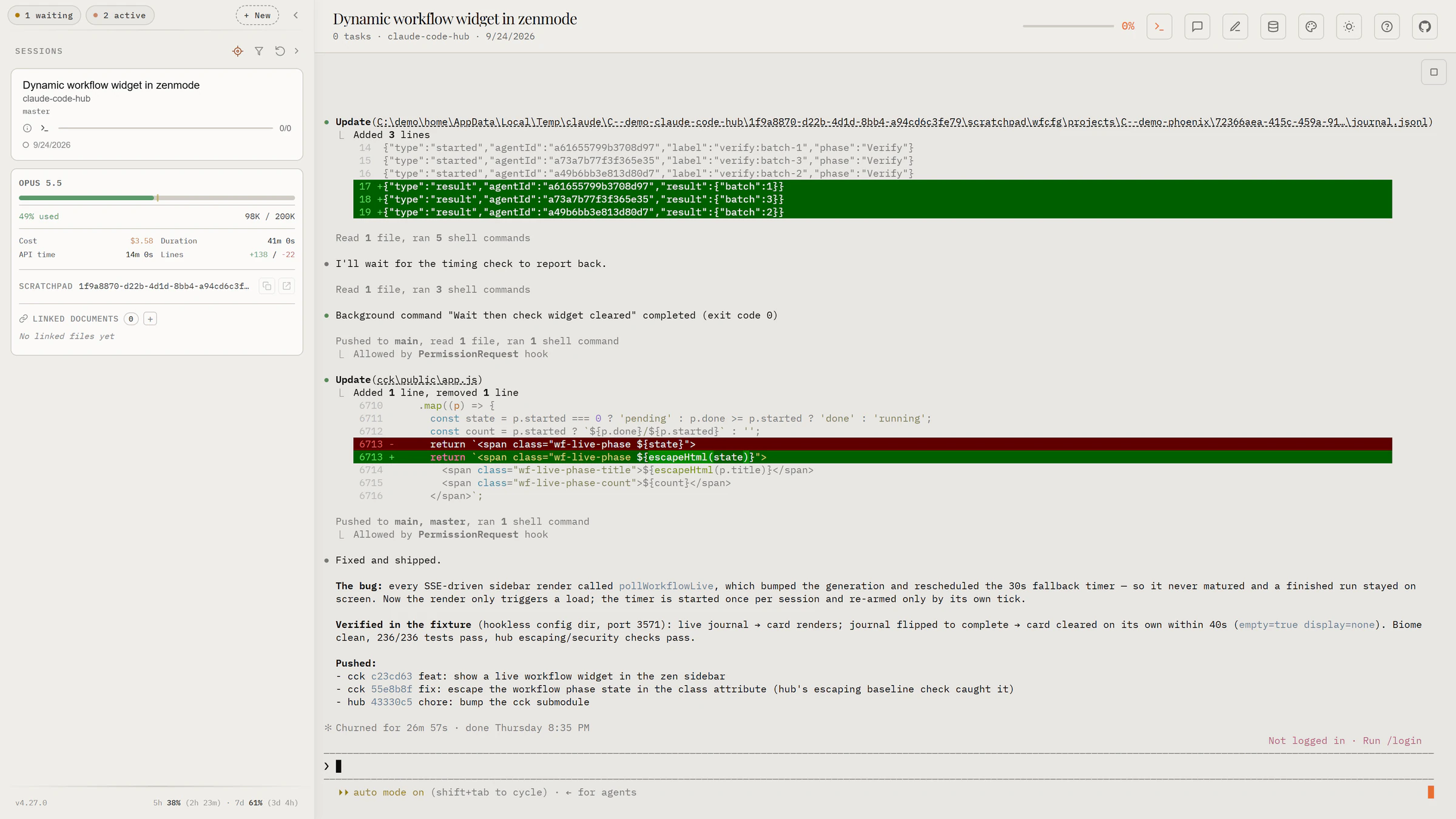
The view at the top of this post is where I spend the day now. Session list on the left, the session on the right. When a card says “waiting”, the prompt is already in front of me.
Keyboard first
The hub has no tabs and no buttons of its own. That was true in April, and I kept it. Every hub action has a key, and the keys work while focus is inside a tool, the terminal included.
| Key | Action |
|---|---|
Ctrl+Alt+← / Ctrl+Alt+→
|
Previous / next tool |
Alt+1 … Alt+N
|
Jump to a tool |
Ctrl+Alt+A |
App launcher |
Ctrl+Alt+P |
Pick a project. Every tool follows. |
Ctrl+Alt+W |
Switch the Claude config dir, say work and personal |
From a Kanban session, $ opens its cost, M the Marketplace for its project, and Ctrl+M its memory files. ? in any tool lists its own keys.
The tour goes through the four tools, opens the cost of one session from Kanban, and switches the theme. 37 seconds, with sound.
Made to be hacked on
This is the bigger change. The hub runs each tool from a folder, and one entry in ~/.claude-hub/config.json points a tool at your folder instead:
{
  "apps": [
    { "id": "kanban-patched", "path": "/home/me/dev/kanban-patched" },
    { "id": "kanban", "enabled": false }
  ]
}
You fill that folder in one of three ways, from the smallest change to the largest.
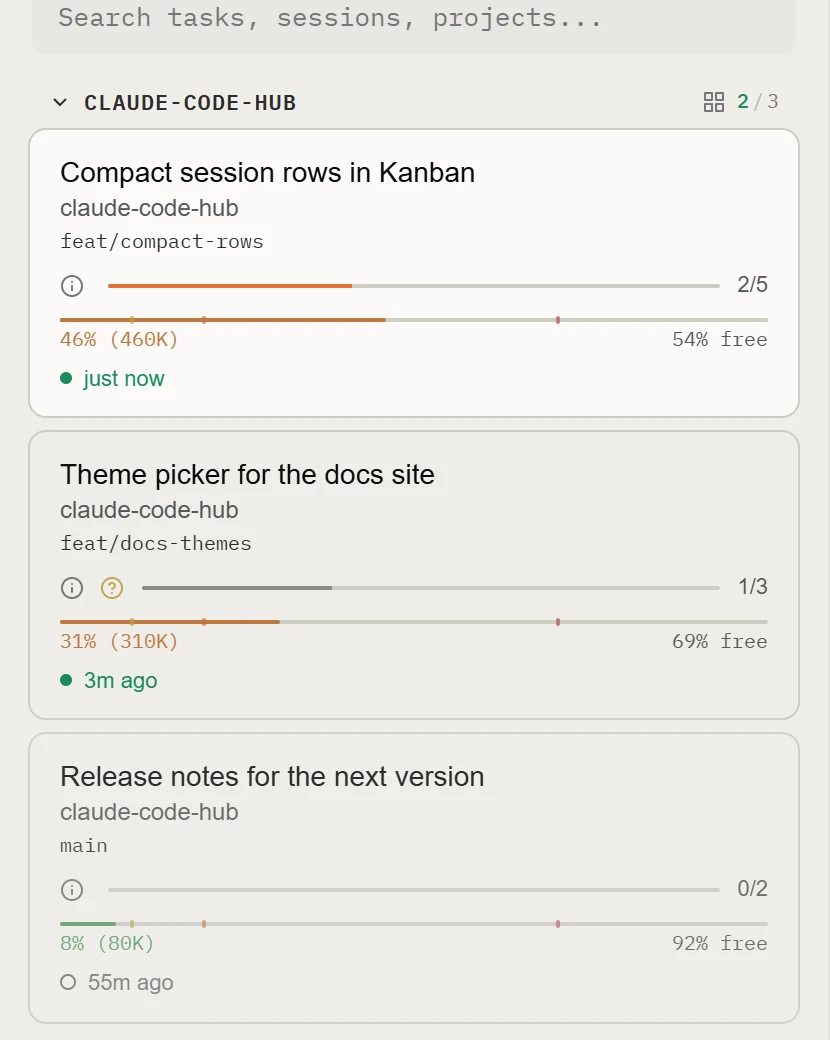
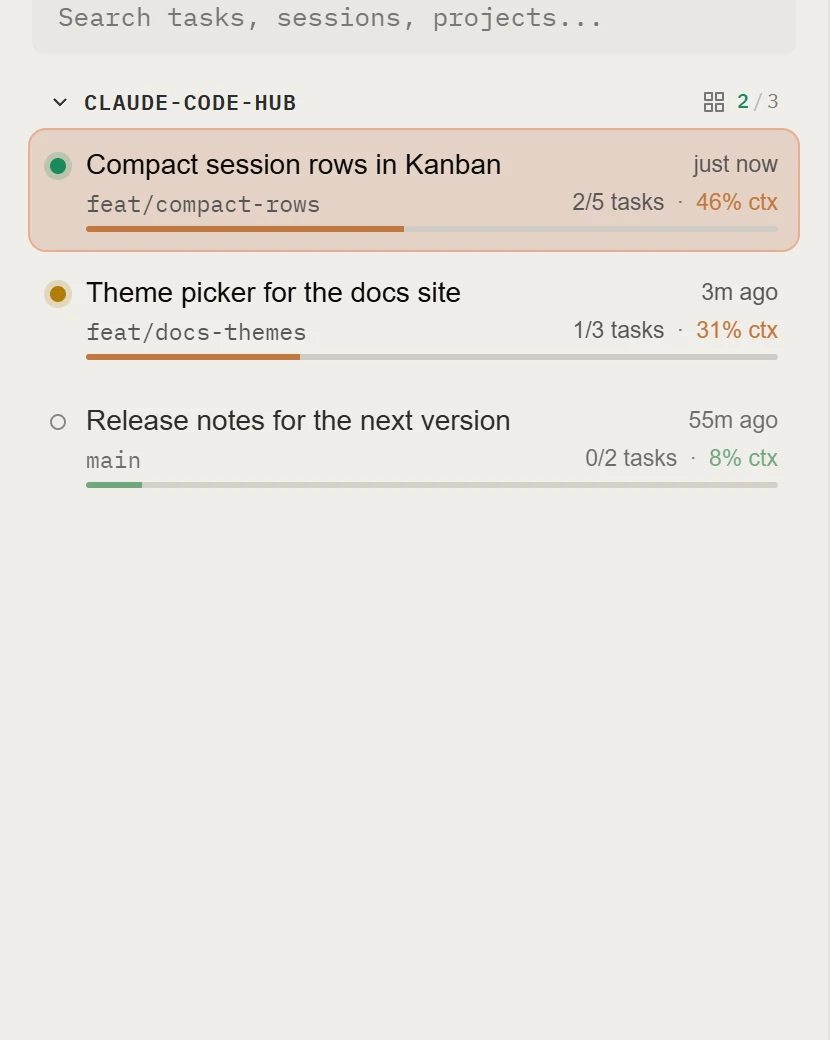
Patch. A small wrapper project with the published package and a patch-package patch. Fine for a few lines, but it applies to one package version, so expect to redo it after an upgrade. The worked example turns Kanban’s tall session cards into two-line rows.
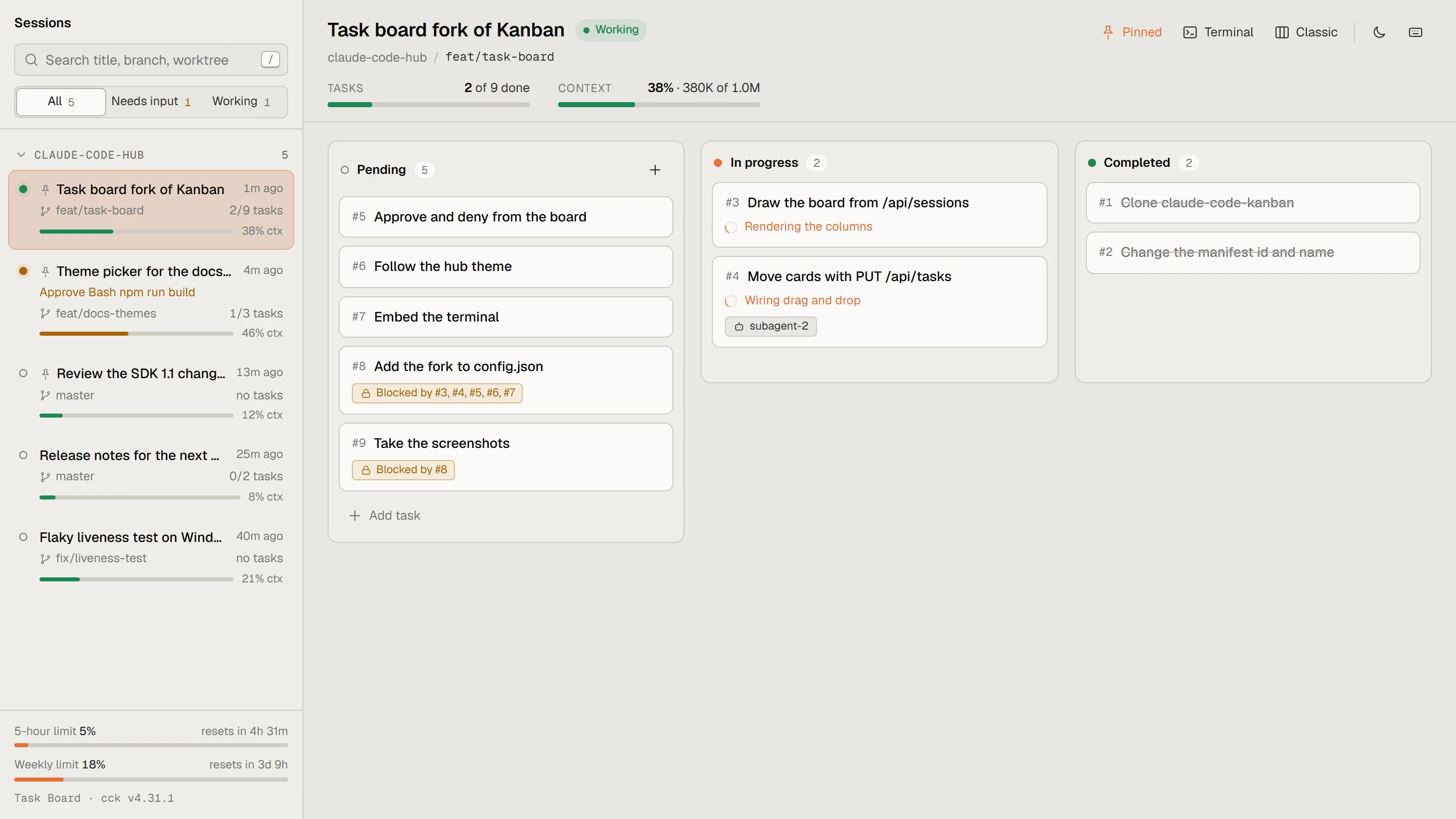
Fork. Your own copy of a tool’s source. You keep its server and API and replace what you need. The worked example keeps the Kanban server, puts a different board on top, and runs it next to the original.
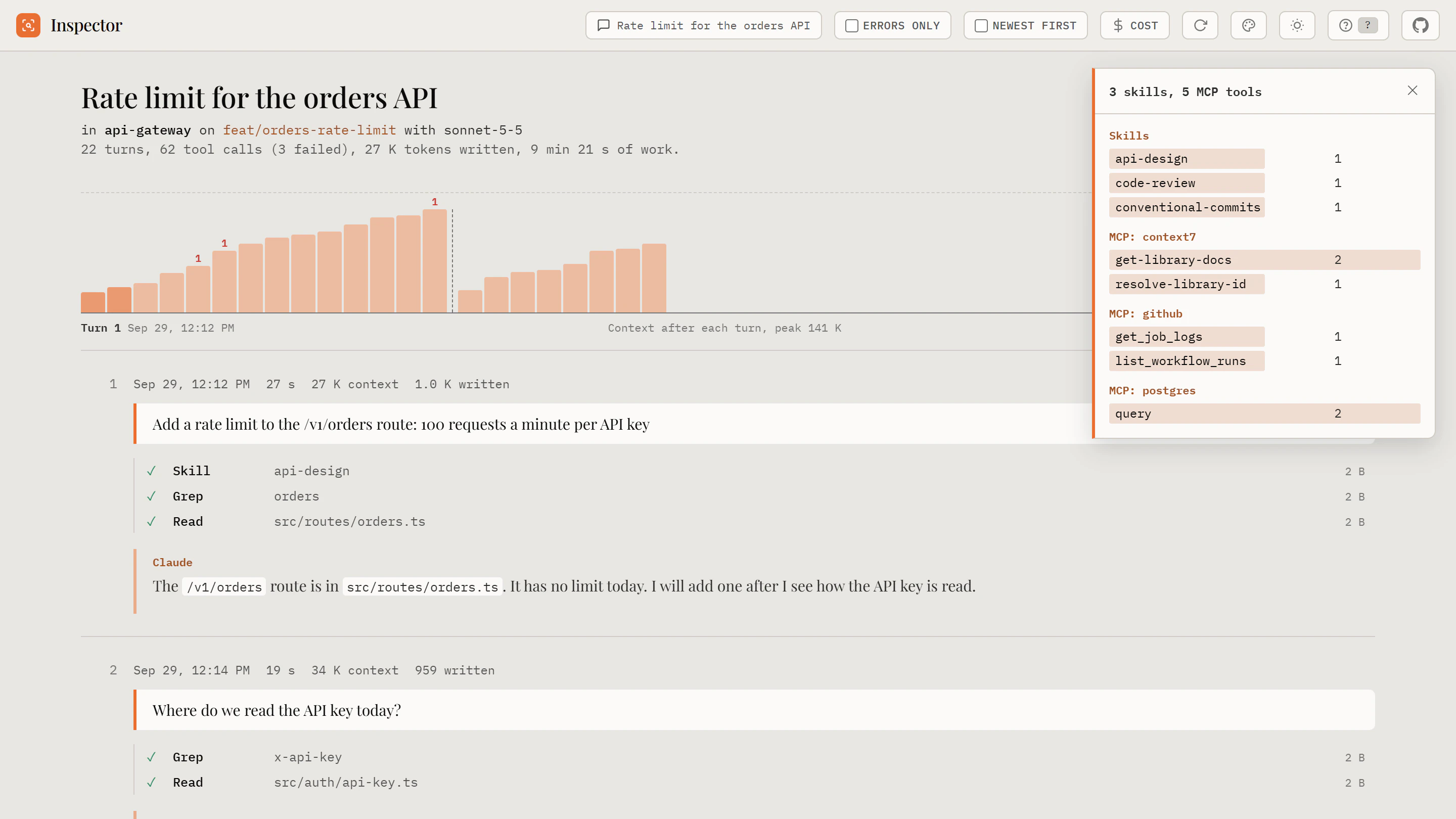
New app. A separate web app in its own tab. It loads the hub SDK and gets the theme, the project, and the open session from the other tools. The worked example is the Inspector. It shows the turns, tool calls, token use, and context size per turn of the session you open in Kanban.
Apps talk through a small postMessage protocol. The hub sends theme.changed and project.changed. Apps publish their own topics, Kanban publishes session.changed, and an app can call another app’s action. The protocol is v1 and stable, and the SDK follows semver.
Or ask Claude
You don’t have to read any of that. The hub ships a Claude Code plugin with one skill, hub-builder. It knows how the hub runs its tools, which of the three ways fits a request, and which docs page covers it.
npx claude-code-hub --install
Then, in Claude Code:
/hub-builder make the session rows in Kanban's sidebar more compact
For this one the right answer is a patch, since it changes a few lines in one tool. The skill pins the wrapper to the Kanban version your hub runs, so the patch applies. Ask for a new board page and it forks instead. Ask for “a dark theme in deep sea blues, based on nord” and you get a themes.json entry that only holds the colors it changes. The hub has 17 built-in themes and sends the current one to every tab, so a custom theme needs no change to any tool.
Install
npx claude-code-hub --open          # start the hub
npx claude-code-kanban --install    # optional: live agent activity in Kanban
npx claude-code-hub --install       # optional: the hub-builder skill
Run the two --install commands once for each Claude config dir you use. For a window with no browser UI, install the page as an app from the browser menu.
If you build something on the hub, a patch, a theme, or a whole new tab, tell me about it. I’d like to see what other people put in there.
Links
- Topics:
- ai (31) ·
- ai (39) ·
- agents (24) ·
- claude-code (7) ·
- developer-tools (19)
